
In This Article
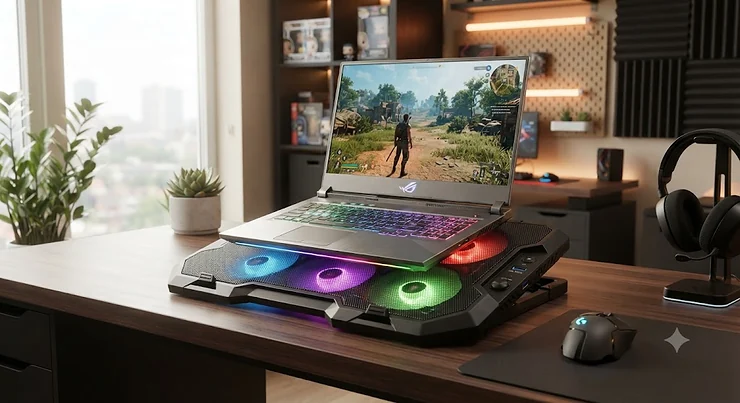
Your 17-inch gaming rig sounds like a leaf blower every time you open a AAA title, and the bottom-left corner of the keyboard is hot enough to fry an egg. Sound familiar? A laptop cooling pad 17 inch isn’t a luxury accessory at that point — it’s damage control. Big laptops pack bigger GPUs, bigger batteries, and bigger heat problems, and the compact internal fans manufacturers squeeze into a 17-inch chassis are usually fighting a losing battle the moment you load a demanding app.

Here’s the thing nobody tells you before you buy the first cheap pad that pops up in search results: not every cooling pad built for “up to 17 inches” is actually built for a 17-inch laptop. A lot of them are 15.6-inch pads with a generous size claim stapled on. The fans don’t line up with your vents, the platform sags in the middle, and you’ve spent $25 on a glorified paperweight.
That’s exactly what this guide fixes. We dug through real product specs, retailer listings, and aggregated user feedback on seven laptop coolers that genuinely handle the size, weight, and heat output of a 17-inch machine — from budget metal frames rated for 40 pounds to whisper-quiet 230mm desk units. Whether you’re gaming, editing 4K footage, or just tired of your lap turning into a sauna, one of these seven will fit the bill. Let’s get into it.
Quick Comparison Table
| Cooling Pad | Fans | Laptop Size Range | Best For |
|---|---|---|---|
| IETS GT500 | 1 turbofan (up to 5000 RPM) | 13″–17.3″ | Maximum raw cooling power |
| Kootek 5-Fan Cooling Pad | 5 fans | 12″–17″ | Best value with adjustable fan modes |
| Thermaltake Massive 20 RGB | 1x 200mm fan | 10″–19″ | Oversized 18″–19″ laptops |
| AICHESON S035 | 5 fans | 14″–17.3″ | Heavy laptops (40-lb rated frame) |
| Cooler Master NotePal XL | 1x 230mm fan | Up to 17″ | Quiet desk use with speed control |
| Havit HV-F2056 | 3 fans | 15.6″–17″ | Slim, travel-friendly cooling |
| Targus 17″ Dual Fan Lap Chill Mat | 2 fans | Up to 17″ | Lap use and comfort |
Looking at the spread above, the split really comes down to where you’ll use the pad and how hot your laptop actually runs. The IETS GT500 and Thermaltake Massive 20 RGB are built for laptops that genuinely throttle under load, while the Havit HV-F2056 and Targus 17″ Dual Fan Lap Chill Mat trade some raw cooling power for portability and lap comfort. If your 17-inch laptop mostly idles through spreadsheets and browser tabs, you don’t need the loudest turbofan on this list — you need the quietest one that still moves air.
💬 Just one click — help others make better buying decisions too!😊
Top 7 Laptop Cooling Pad 17 Inch Picks: Expert Analysis
Coverage below spans budget, mid-range, and premium options, plus a couple of lesser-known picks that punch above their price. Every product includes real specs, what those specs mean in practice, and honest analysis — not a rewritten spec sheet.
1. IETS GT500 — most powerful raw airflow for thermal-throttling laptops
The standout here is the turbofan itself, which spins up to 5000 RPM — roughly three to four times faster than the fans in most budget cooling pads, and it shows in how aggressively it moves air. Specs-wise, the GT500 pairs that turbofan with a sealed foam gasket that presses against the bottom of your laptop, essentially creating a closed loop that forces air directly into the intake vents instead of just blowing generally upward. It supports 13 to 17.3-inch laptops and ships with a 3-port USB hub so you don’t lose connectivity by plugging it in. Based on the spec comparison against the rest of this list, this is the pick for anyone whose laptop is already thermal throttling — a 350W gaming laptop under sustained load needs that kind of forced-air pressure, not a gentle desk breeze. Reviewers consistently note that the sealed-foam design genuinely lowers temps more than open-mesh competitors, though a common complaint in user reviews is the noise: at full RPM it can hit 65 dB, which is louder than normal conversation. If you’re gaming with headphones on, that’s a non-issue. If you’re on video calls, it isn’t.
Pros:
- ✅ Turbofan hits 5000 RPM for serious heat dissipation
- ✅ Sealed foam creates a tight thermal seal against the chassis
- ✅ Dust filter keeps the intake vents cleaner over time
Cons:
- ❌ Noise climbs to 65 dB at full fan speed
- ❌ Needs a dedicated power adapter, not just a USB cable
Expect to pay in the $40-$55 range at the time of research (check current price, as pricing fluctuates). For anyone whose laptop actually throttles under load, the value here is hard to argue with.
2. Kootek 5-Fan Cooling Pad — best value with the most fans in its price class
What stands out immediately is the fan count: five total, split between one large 4.72-inch center fan and four smaller 2.76-inch fans around it, all controllable in three modes (one fan, four fans, or all five). That’s practical flexibility most single-fan pads simply don’t offer — quiet mode for late-night work, full send for gaming. It supports 12 to 17-inch laptops, includes six adjustable height settings, and has a dual USB hub built into the side. What most buyers overlook about a multi-fan design like this is that spreading airflow across five smaller fans, rather than concentrating it in one big one, tends to cool more evenly across an entire 17-inch chassis instead of blasting one hot spot while leaving the corners untouched. Aggregated review sentiment across major retailers points to strong satisfaction with the height adjustability and anti-slip stoppers, with a recurring theme that the all-plastic build feels a bit light compared to metal-frame alternatives, though it hasn’t stopped it from becoming one of the best-reviewed pads in its size bracket.
Pros:
- ✅ Five fans give flexible one, four, or five-fan modes
- ✅ Six height settings dial in the exact viewing angle
- ✅ Dual USB hub restores ports lost to the connection
Cons:
- ❌ Plastic-heavy build feels less sturdy than metal rivals
- ❌ LED lighting isn’t dimmable or fully removable
Pricing typically lands in the $28-$36 range, making it one of the strongest value plays on this list — check current price before buying since retailer promotions shift often.
3. Thermaltake Massive 20 RGB — biggest single-fan footprint for oversized 18–19 inch laptops
The 200mm fan is the headline feature, and it’s genuinely the largest single fan on this list by a wide margin — big enough that Thermaltake rates the whole pad for laptops up to 19 inches, not just 17. That matters because a single large fan at low RPM can move as much air as several small fans spinning faster, and it does so more quietly. The steel mesh platform, adjustable fan speed knob, and three tilt settings (3°, 9°, and 13°) round out the practical side. Here’s what the spec sheet won’t tell you, but the design implies: a slower-spinning 200mm fan puts less strain on its own bearings over time than a screaming 40mm fan working overtime, which tends to mean a longer usable life before the fan starts whining. This is the pick for owners of genuinely oversized laptops — 18-inch Alienware or MSI Titan-class machines — where most “17-inch” cooling pads physically won’t fit. Reported feedback highlights the RGB lighting (five modes, 256 colors) as a nice bonus for desk setups, with the main gripe being that you’re paying a small premium over the non-RGB Massive V20 for lighting you may not need.
Pros:
- ✅ Single 200mm fan covers oversized 18–19 inch laptops
- ✅ Steel mesh panel supports strong airflow without sagging
- ✅ Five RGB lighting modes suit a gaming battlestation
Cons:
- ❌ Only one fan speed knob, no per-zone control
- ❌ RGB model costs more than its plain sibling
Look for it in the $35-$45 range. If your laptop is technically “17-inch” but feels more like a small desktop replacement, this is the one built to actually fit it.
4. AICHESON S035 — budget pick with a 40-pound rated metal frame for heavy gaming rigs
The standout feature is right there in the build: a metal stand rated to support up to 40 pounds, which sounds like overkill until you remember that 17-inch gaming laptops with dual-fan cooling systems and metal chassis routinely weigh 7 to 9 pounds on their own, and people tend to set other things — a mouse, a drink, a second monitor arm — on the same surface. The five-fan layout (one 120mm center fan plus four 70mm fans) spins at 1000-1500 RPM and stays under 21 dB, which is remarkably quiet for a pad in this price bracket. Based on the spec comparison, the AICHESON S035 punches well above its price point on raw build quality — a diamond-groove metal mesh surface and a genuinely rigid frame aren’t things you typically find under $30. What most buyers overlook is that a flimsy plastic platform can actually flex under a heavy laptop, misaligning the fans with the intake vents; a rated metal frame avoids that failure mode entirely. Review sentiment across retailers consistently praises the quiet operation and sturdy feel, with occasional notes that the tilt angle tops out lower than some rivals.
Pros:
- ✅ Metal frame rated to hold up to 40 pounds
- ✅ Five fans combine one large and four small units
- ✅ Under 21 dB keeps it whisper-quiet on calls
Cons:
- ❌ Fixed angle range tops out around 21.5 degrees
- ❌ Only two USB ports for peripheral pass-through
At around $25-$32, this is the value leader for anyone with a genuinely heavy laptop and a tight budget. Prices may vary by color and bundle, so check current price before checkout.
5. Cooler Master NotePal XL — quietest big-fan design with a real speed controller
Cooler Master built its reputation on desktop cooling, and the NotePal XL brings that same philosophy to a laptop pad: one large, silent 230mm fan instead of several small, buzzy ones. The fan spins around 1000 RPM, which by itself already tells you a lot — a fan that large doesn’t need to spin fast to move a meaningful volume of air, and slower rotation generally means less audible whine. It supports laptops up to 17 inches, includes a built-in fan speed controller so you can dial cooling up or down without menu-diving into laptop settings, and ships with three USB adaptors to offset the port you’re using to power it. What the spec sheet won’t tell you, but the ergonomic tilt design suggests, is that Cooler Master clearly built this around long desk sessions rather than portability — it’s not the pad you toss in a backpack, it’s the one that lives permanently next to your monitor. User reports consistently single out the quiet operation as the main selling point over noisier turbofan competitors, and a common thread in feedback is that stock availability has become spottier as the model has aged, so buyers sometimes need to check a couple of retailers.
Pros:
- ✅ 230mm fan moves serious air at a hushed hum
- ✅ Built-in fan speed controller fine-tunes airflow on demand
- ✅ Three USB adaptors restore ports lost to the cable
Cons:
- ❌ Bulkier footprint than slimmer travel-friendly pads
- ❌ Stock availability has gotten less consistent over time
Expect a price in the $40-$55 range depending on retailer and stock. For a permanent desk setup where quiet matters more than portability, it remains a strong pick.

6. Havit HV-F2056 — slimmest portable option that still covers a full 17-inch footprint
At barely over an inch thick and just 1.6 pounds, the Havit HV-F2056 is the pad built for people who actually carry their cooling solution around, not just leave it under a desk. Three 110mm fans deliver a claimed 65 CFM of airflow, spinning just over 1,000 RPM — modest numbers next to the IETS GT500’s turbofan, but reasonable interpretation of the spec matters here: for a 15.6 to 17-inch laptop doing office work, video calls, or light creative tasks, 65 CFM is genuinely enough to keep temps in check without the noise or bulk of a heavier unit. It covers 15.6 to 17-inch laptops, includes two height settings, and runs off a single USB cable with one power switch controlling all three fans together. Here’s what most buyers overlook about slim pads like this one: thickness and weight aren’t just convenience features, they directly affect whether the pad survives being shoved into a laptop bag next to a charger brick day after day, and a bulkier metal unit often doesn’t. Aggregated feedback repeatedly calls out how quiet and unobtrusive it is in daily use, with the main drawback being the lack of independent fan control or a variable speed dial.
Pros:
- ✅ Barely over an inch thick for easy bag storage
- ✅ Rated 65 CFM airflow from three 110mm fans
- ✅ Just 1.6 pounds keeps travel weight to a minimum
Cons:
- ❌ Only two height settings limit ergonomic flexibility
- ❌ Single power switch means no per-fan speed control
Pricing typically sits in the $18-$25 range, making it one of the cheapest genuinely 17-inch-rated pads on the market — prices may vary, so check current listings before buying.
7. Targus 17 Inch Dual Fan Lap Chill Mat — the only pick actually built for lap use, not just desks
Every other pad on this list assumes you’re sitting at a desk. The Targus 17 Inch Dual Fan Lap Chill Mat assumes you’re on a couch, and the standout feature — a soft neoprene underside — reflects that completely different use case. Two fans, USB-A powered, sit beneath an open mesh top that lets airflow escape upward while the neoprene base cushions your legs instead of digging metal mesh into your thighs. It fits laptops up to 17 inches, includes four rubber stops to keep the laptop from sliding off when you shift position, and offers adjustable height settings that double as an ad hoc stand if you pair it with an external keyboard. Reasoning through the spec sheet, two fans clearly can’t match the raw CFM of a five-fan desk unit, and that’s an honest tradeoff — this pad optimizes for comfort and portability over maximum thermal headroom, which makes sense for a product meant to sit on skin rather than a desk surface. Review sentiment consistently praises the comfort factor for lap use specifically, with a recurring note that the open mesh top can accumulate crumbs and lint if you’re the type to eat lunch while working.
Pros:
- ✅ Soft neoprene base actually feels good on bare legs
- ✅ Four rubber stops keep the laptop from sliding off
- ✅ Adjustable height doubles as an external keyboard stand
Cons:
- ❌ Two fans move less air than desk-style five-fan pads
- ❌ Open mesh top can trap crumbs and lint over time
Expect a price in the $30-$40 range. If you work from the couch more often than a desk, this is the only entry here actually engineered for that.
What Is a Laptop Cooling Pad 17 Inch?
A laptop cooling pad 17 inch is an external stand with built-in fans, sized specifically to support the footprint and weight of a 17 to 17.3-inch laptop while actively pulling heat away from its bottom-panel vents. Unlike smaller cooling pads, these models use wider platforms and stronger fans to handle bigger, hotter machines effectively.
The core idea, as Wikipedia’s overview of computer cooling explains, is that heat-generating components like the CPU and GPU need active airflow to avoid the automatic performance reduction known as thermal throttling — and a 17-inch laptop, with its larger and typically more powerful internals, generates meaningfully more heat than a 13-inch ultrabook. A properly sized cooling pad addresses that directly by aligning its fans with the laptop’s intake vents rather than blowing air randomly at the chassis.
How to Choose a Laptop Cooling Pad 17 Inch
- Measure your laptop’s vent placement first. Most 17-inch laptops draw air in through the bottom panel, but the exact vent locations vary by brand, so a pad’s fans need to line up with those spots — not just sit somewhere generally underneath.
- Match the platform width to your laptop, not just the size label. Seventeen-inch laptops typically need a platform around 400-430mm wide; anything narrower will overhang the edges and reduce contact with the fans.
- Prioritize fan count and size based on your workload. Gaming and video editing benefit from stronger single fans or 5-fan arrays; office work and browsing are fine with slimmer 2-3 fan designs.
- Check the weight rating if your laptop is heavy. Gaming laptops with metal chassis and dual cooling systems often weigh 7-9 pounds, so a flimsy plastic platform can flex and misalign the fans over time.
- Decide between desk use and lap use. A soft-bottomed mat like the Targus 17 Inch Dual Fan Lap Chill Mat suits couch work, while rigid metal or steel frames are built for stable desk placement.
- Weigh noise tolerance against cooling power. The loudest fans generally cool the most aggressively, so noise-sensitive buyers on video calls should lean toward quieter, larger single-fan designs over screaming turbofans.
- Confirm USB power draw and port availability. Since almost every pad runs off USB, check whether it includes a hub to replace the port it uses, especially if your laptop is already light on connectivity.
Large Laptop Cooling Pad vs Standard-Size Cooling Pad
| Factor | Large Laptop Cooling Pad (17″+) | Standard Cooling Pad (13″-15.6″) |
|---|---|---|
| Platform width | 400-430mm, matches 17″ footprint | 310-360mm, too narrow for 17″ laptops |
| Fan alignment | Positioned for wider vent spacing | Often misses vents on bigger laptops |
| Weight capacity | Frequently rated 20-40 lbs | Usually rated for lighter ultrabooks |
| Best For | 17″-19″ gaming and workstation laptops | 13″-15.6″ ultrabooks and thin-and-lights |
The gap here isn’t cosmetic. A large laptop cooling pad is engineered around wider vent spacing and heavier chassis weight, while a standard-size pad simply wasn’t built to support either. As the buyer-education content from The Gear Audit’s testing notes points out, a common and costly mistake is buying an undersized pad for a 17.3-inch gaming laptop and wondering why temperatures barely move — the fans end up sitting under empty space instead of the actual intake grilles. Choosing correctly by size, not just by marketing copy, is the single biggest factor in whether a cooling pad works at all.
✨ Don’t Miss These Exclusive Deals!
🔍 Take your laptop cooling setup to the next level with these carefully selected picks. Click on any highlighted item to check current pricing and availability. These pads will help you stop thermal throttling and keep your machine running the way it’s supposed to!
Practical Usage Guide: Setup, Maintenance & Optimization
Getting a laptop cooling pad 17 inch to actually perform requires more than plugging it in and walking away. First, place the laptop so its intake vents sit directly over the pad’s fans — on most 17-inch models that means centering the laptop rather than pushing it flush to one edge, since vent placement is rarely dead-center on the bottom panel. Second, run it at a lower fan speed for the first week and listen for rattling or excessive vibration; a pad that’s mismatched to your laptop’s weight will often reveal that within the first few sessions.
For ongoing maintenance, dust is the real enemy. Fans pull air (and everything floating in it) directly toward your laptop’s intake, so a cooling pad sitting in a dusty room can actually increase the dust buildup inside your laptop over time if you never clean the pad itself. Wipe down the mesh or metal surface every couple of weeks with a dry cloth, and if your pad has a removable dust filter — like the IETS GT500 — pull it and clean it monthly.
A common first-30-days mistake is running the fans at maximum speed constantly, which accelerates bearing wear for no real thermal benefit once your laptop has already reached a stable temperature. Instead, treat fan speed as a dial you adjust to your workload: low for browsing and documents, high for gaming or rendering. Finally, don’t stack the cooling pad directly against a wall or soft surface like a bed — the fans need open space beneath them to actually pull in cool air, not recycle the warm air the laptop just exhausted.
Real-World Scenarios: Who Actually Needs a Big Laptop Cooler Pad
Consider three different buyers. First, a college student running a 17-inch gaming laptop in a dorm room, gaming three to four nights a week and constantly worried about noise complaints from a roommate — that student is best served by something like the Cooler Master NotePal XL, whose large slow-spinning fan delivers solid cooling without turning heads across the room. Second, a freelance video editor working from a home office eight hours a day on a heavy 17-inch workstation laptop loaded with a discrete GPU — for that use case, the AICHESON S035’s 40-pound rated frame and quiet operation matter more than portability, since the laptop essentially lives on the desk permanently.
Third, a remote worker who splits time between a home desk and the living room couch, using a mid-range 17-inch laptop mostly for spreadsheets and video calls with the occasional evening game — the Targus 17 Inch Dual Fan Lap Chill Mat fits that lifestyle far better than a rigid metal pad, since it’s the only option built to sit comfortably on skin. Notice that none of these three would be well served by simply buying “the most powerful” pad on this list; budget, environment, and frequency of demanding use all shift the right answer. That’s the core logic worth applying to your own situation before checking out.
Problem → Solution: Common 17-Inch Laptop Overheating Issues
Problem: The fans on your existing cooling pad don’t seem to do anything. This is almost always a vent-alignment issue — measure where your laptop’s intake vents actually sit and reposition the laptop on the pad, or consider a model with a wider fan spread like the Kootek 5-Fan Cooling Pad.
Problem: The laptop still throttles under sustained gaming loads. A slim, low-CFM pad like the Havit HV-F2056 simply isn’t built for that workload; the IETS GT500’s sealed-foam turbofan design is specifically engineered for laptops that are already pushing thermal limits.
Problem: The cooling pad itself is too loud to use during calls. Swap to a large, slow-spinning single-fan design — the Cooler Master NotePal XL’s 230mm fan or the Thermaltake Massive 20 RGB’s 200mm fan both move air quietly compared to smaller, faster-spinning turbofans.
Problem: The laptop wobbles or the pad flexes under weight. This points to a build-quality mismatch; a metal-framed option like the AICHESON S035, rated for up to 40 pounds, resolves this far better than a lightweight plastic platform.
Problem: You need cooling on the couch, not just at a desk. Standard rigid pads aren’t designed for laps at all — the Targus 17 Inch Dual Fan Lap Chill Mat’s neoprene base is purpose-built for exactly this scenario.
Common Mistakes When Buying a 17 Inch Laptop Cooler
The single most common mistake, backed up repeatedly in aggregated buyer feedback, is trusting a vague “fits up to 17 inches” label without checking the actual platform width. A pad measuring 310mm wide technically supports a 17-inch laptop diagonally, but the fans will sit nowhere near the actual vents. The second mistake is prioritizing fan count over fan quality — five tiny, cheap fans don’t necessarily outperform two well-placed 120mm fans, and buyers chasing a bigger number on the box sometimes end up with more noise and less actual cooling. Third, people frequently ignore weight capacity entirely, assuming any platform will hold any laptop, which becomes a real problem with 7-9 pound gaming machines on lightweight plastic frames. Fourth, noise tolerance gets underestimated — a pad rated at 65 dB sounds like a minor spec until it’s competing with a video call. Finally, many buyers skip checking USB power draw, then discover the pad monopolizes their only available USB-A port with no hub included.
What to Expect: Real-World Performance & Large Surface Coverage
Specs on a box rarely translate cleanly into what you’ll actually feel day to day, so here’s the practical version. A large surface coverage pad — one genuinely sized for a 17-inch footprint — typically drops CPU and GPU temperatures anywhere from 5°C to 15°C under sustained load compared to using the laptop flat on a desk, according to patterns reported consistently across cooling pad testing and user feedback. That range depends heavily on ambient room temperature, the laptop’s own internal cooling design, and how well the pad’s fans align with the vents — which circles back to why sizing correctly matters more than almost any other spec on this list.
In daily use, the difference is less about dramatic frame-rate jumps and more about consistency: a laptop that would normally throttle and stutter twenty minutes into a demanding task instead holds steady performance for the full session. Fan noise, meanwhile, tends to matter more in practice than most buyers expect before purchase — a pad that sounded fine in a quiet store environment can feel noticeably louder once it’s six inches from your ears during a late-night work session. Elevation matters too: even a modest height boost of one to two inches improves typing posture and reduces the awkward downward neck angle that flat laptop use creates over long sessions, echoing guidance from OSHA’s computer workstation resources on maintaining neutral body positioning during extended computer use.
Heavy Laptop Support: Weight Capacity & Build Quality
Heavy laptop support isn’t a marketing buzzword — it’s a real engineering constraint that separates the pads on this list. A 17-inch gaming laptop with a metal chassis, dual fans, and a discrete GPU commonly weighs 7 to 9 pounds on its own, and that weight sits directly on the cooling pad’s platform for hours at a stretch. Plastic frames rated only for lighter ultrabooks can flex under that load, and even a small amount of flex is enough to shift the laptop’s vents out of alignment with the pad’s fans, quietly undoing whatever cooling benefit the pad was supposed to provide.
This is where metal-framed options like the AICHESON S035, rated to 40 pounds, and steel-mesh designs like the Thermaltake Massive 20 RGB pull ahead of lighter plastic competitors on paper and in practice. The tradeoff is usually weight and portability — a sturdier frame is rarely the lightest one to carry. For anyone whose 17-inch laptop lives permanently on a desk, prioritizing build quality and rated capacity over portability is generally the smarter long-term call, since a pad that sags or wobbles within a few months ends up costing more in replacement purchases than spending slightly more upfront on a rigid frame.
Extended Size Compatibility: Fitting 17.3″, 18″, and 19″ Laptops
Extended size compatibility becomes relevant the moment your laptop creeps past the standard 17.3-inch diagonal into genuinely oversized territory — 18-inch and 19-inch gaming and workstation machines exist, and most cooling pads marketed as “17-inch” simply don’t have the platform width to support them properly. This is where checking the actual maximum-size rating, not just the product name, saves a returned order. The Thermaltake Massive 20 RGB stands out here specifically because its 200mm fan and mesh panel are rated up to 19 inches, and the IETS GT500 tops out at 17.3 inches — a small but meaningful difference if your laptop measures exactly at that upper boundary.
The practical implication: if you’re shopping for a laptop cooling pad 17 inch and your machine is on the larger end of that range, it’s worth rounding up in your search rather than assuming every listing labeled “17-inch” will actually accommodate a full 17.3-inch chassis with its bezels and hinge housing included. Manufacturers measure differently, and a half-inch of unaccounted overhang is often enough to misalign fans with vents entirely.
Long-Term Cost & Maintenance
Thinking about a laptop cooling pad purely by sticker price misses the bigger financial picture. A $20 pad that fails to actually cool your laptop doesn’t just waste $20 — it accelerates wear on your laptop’s internal fans, which run harder and longer trying to compensate, and it contributes to the kind of sustained thermal stress that shortens battery lifespan and can degrade thermal paste faster over a laptop’s service life. Viewed that way, a $40-$55 pad that measurably reduces internal component temperatures is often the better long-term value, even though it costs roughly double upfront.
Maintenance costs stay low across this entire list — none of these products require replacement parts under normal use, and the main ongoing “cost” is simply cleaning dust from the fans every few weeks. Fan lifespan varies by design: smaller, faster-spinning fans in budget turbofan units like the IETS GT500 tend to wear out sooner than large, slow-spinning fans like the Cooler Master NotePal XL’s 230mm unit, simply because spinning faster generates more mechanical stress over time. If you expect to use a pad daily for several years, that durability gap is worth factoring into the total cost of ownership, not just the initial price tag.
Safety, Noise & USB Power Considerations
Every pad on this list draws power over USB, typically well within the 500mA-900mA range standard USB-A and USB-C ports supply, so compatibility with laptops, external hubs, or even USB power banks generally isn’t a concern. Noise, however, is a genuine practical consideration rather than just a comfort preference — sustained exposure to sound in the 65+ dB range, which the IETS GT500 can reach at maximum fan speed, sits close to levels associated with listening fatigue during long work sessions, so pairing a loud pad with headphones is a reasonable habit rather than an overreaction.
On the ergonomic side, elevating a laptop even modestly changes viewing angle and typing posture, both of which are addressed in general computer-workstation safety guidance. None of these cooling pads are marketed or regulated as ergonomic medical devices, so treat the posture improvement as a welcome side effect rather than the primary reason to buy one. From a pure electrical safety standpoint, all seven products here are widely available through major retailers and use standard USB power delivery, with no unusual voltage requirements or proprietary charging bricks that would raise compatibility concerns.
FAQ
❓ What size cooling pad do I need for a 17.3 inch laptop?
❓ Do laptop cooling pads actually work?
❓ How many fans should a 17 inch laptop cooling pad have?
❓ Can a cooling pad damage my laptop?
❓ Is a bigger cooling pad always better for a 17 inch laptop?
Conclusion
Choosing the right laptop cooling pad 17 inch comes down to matching the pad to your actual laptop and actual habits, not chasing the highest fan count or the loudest RGB lighting. If your 17-inch gaming laptop is already thermal throttling under load, the IETS GT500’s turbofan and sealed foam design deliver the raw cooling power to address that directly. If your laptop runs on the heavier side, the AICHESON S035’s 40-pound rated metal frame protects against the platform flex that quietly undermines cheaper plastic pads. And if you split time between a desk and a couch, the Targus 17 Inch Dual Fan Lap Chill Mat is simply the only entry on this list actually built for that.
None of these seven are wrong choices — they’re built for different laptops, different budgets, and different rooms. What matters most is checking the actual platform width and weight rating against your specific machine before you buy, rather than trusting a generic “fits up to 17 inches” label. Get that part right, and any of these seven will genuinely keep a hot 17-inch laptop running cooler, quieter, and more reliably than leaving it flat on a desk ever will.
Recommended for You
- 7 Best gaming laptop cooling pad Picks in 2026
- 7 Best Laptop Cooling Pad Picks for 2026
- 7 Best Fan for Power Outage Picks in 2026
Disclaimer: This article contains affiliate links. As an Amazon Associate, I earn from qualifying purchases. If you purchase products through these links, we may earn a small commission at no additional cost to you.
✨ Found this helpful? Share it with your friends! 💬🤗
