
In This Article
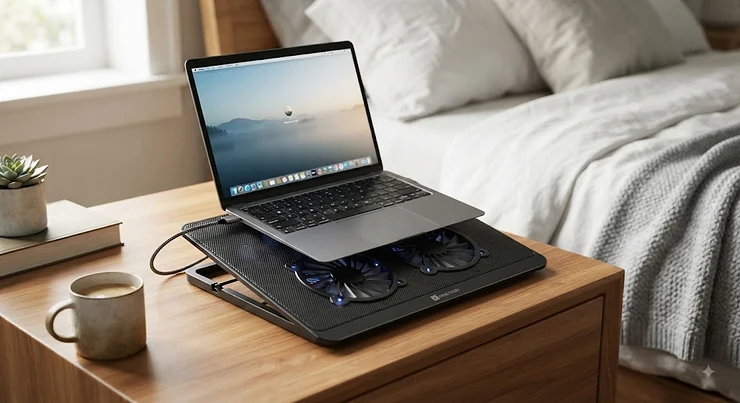
There’s a specific kind of betrayal that happens around 11 p.m. You’re finally horizontal, laptop propped on a pillow, halfway through an email you should’ve sent that afternoon — and then the fan inside your machine starts screaming like it’s trying to take off. Ten minutes later the bottom of the laptop is hot enough to make your thigh flinch. This is the exact problem a laptop cooling pad for bed is built to solve. In plain terms, it’s a fan-equipped or elevated platform, usually USB-powered, designed to sit safely on a mattress or blanket while pulling ambient air into your laptop’s intake vents instead of letting soft bedding smother them.
Under the hood, an overheating laptop doesn’t just feel unpleasant — it actively slows down. Once internal temperatures climb too high, most CPUs trigger thermal throttling, a built-in safeguard that deliberately cuts clock speed to avoid damage, which is why a laptop can feel sluggish right when you need it most. Most laptop cooling pads were actually designed for a desk. Rigid mesh trays with legs that dig into hardwood floors, wall-powered turbofans that assume you’re three feet from an outlet — none of that translates well to a duvet. What you actually need in bed is different: a low-profile, USB-powered, ideally cushioned unit that won’t tip, won’t need a wall socket, and won’t block its own intake the second it sinks half an inch into a comforter.
That’s exactly the gap we’re closing here. Below, you’ll find seven real, currently available products — a mix of true lap desks with built-in cooling fans and a couple of higher-powered mesh pads worth knowing about — broken down honestly, with real specs, aggregated review sentiment, and price ranges instead of numbers that’ll be outdated by the time you read this. We’ll also cover setup, common mistakes, and what actually keeps a laptop cooler for lap use safe on skin and fabric alike.
Quick Comparison Table
| Product | Type | Standout Feature | Price Range | Best For |
|---|---|---|---|---|
| HUANUO Lap Desk with Cooling Fan | Lap desk | Detachable mesh cushion + fan | $30-$40 | Everyday bed use |
| AGPTEK Laptop Desk for Bed with Cooling Fan | Lap desk | Silent fan, 5 height settings | Under $30 | Tight budgets |
| WonderWorker Einstein Adjustable Laptop Desk | Lap desk | Dual USB fans | $35-$50 | Hot-running laptops |
| Kootek Cooler Pad Chill Mat 5 | Cooling pad | Five-fan array | $40-$60 | Big gaming laptops |
This table is intentionally the short version — a scannable gut-check before you commit to reading seven full breakdowns. Notice the pattern: price climbs roughly in step with fan count and build materials, not with brand hype, which is a useful filter to keep in your back pocket. If your laptop rarely goes above 60°C during Netflix and email, the AGPTEK-tier options are plenty; if you’re rendering video or gaming nightly, look toward the Kootek end of the table.
💬 Just one click — help others make better buying decisions too!😊
Top 7 Laptop Cooling Pads for Bed: Expert Analysis
1. HUANUO Lap Desk with Cooling Fan — best all-rounder for nightly bed use
The HUANUO Lap Desk with Cooling Fan earns its spot at the top for one simple reason: it was actually engineered around the problem, not adapted from a desk product. Per the listing specs, it runs a USB-powered fan through a soft, detachable air-mesh cushion, so the fan draws air from the sides rather than trying to punch through fabric from below — a meaningful distinction when you’re working under a comforter. Five adjustable viewing angles and a raised blocking strip keep the laptop from sliding into your lap when you shift position, which matters more in bed than at a desk, where gravity and posture are less forgiving. Reviewers on Amazon consistently mention the mesh cushion staying comfortable through long sessions and the detachable, washable mouse pad as a genuinely practical extra rather than a marketing bullet point; a smaller but recurring theme in the feedback is that the plastic frame flexes slightly under 17-inch laptops. This is the pad we’d point a first-time buyer toward: it’s not the most powerful option here, but it’s the one built specifically for the use case you’re shopping for.
Pros:
- ✅ Soft mesh cushion won’t dig into your legs
- ✅ Detachable, washable mouse pad on either side
- ✅ Five angle settings for reading or typing
Cons:
- ❌ Frame can flex under 17-inch laptops
- ❌ Fan is single-speed, no adjustment
Sitting in the $30-$40 range at the time of research, this is genuinely hard to beat for value — check current price before buying, since Amazon pricing shifts often.
2. AGPTEK Laptop Desk for Bed with Cooling Fan — quietest budget pick
If your priority is not waking up a sleeping partner, the AGPTEK Laptop Desk for Bed with Cooling Fan is worth a close look. Its fan sits behind a fine mesh grille specifically designed, per the product listing, to keep small debris out without restricting airflow — a small engineering choice that also happens to dampen fan noise. Height adjusts across five positions from roughly 9.4 to 12.6 inches, and the tilt clamps swing through a 0-36 degree range, which covers everything from flat typing to a steep angle for watching a movie propped against your knees. What most buyers overlook about a stand like this is that the ergonomic adjustability matters as much as the cooling — a laptop angled correctly reduces neck strain independent of temperature. Aggregated review sentiment on retail sites leans positive on the height-lock mechanism holding firm overnight, with an occasional complaint about the fan whirring audibly in a silent room. For the price, that’s a reasonable trade.
Pros:
- ✅ Five height positions, wide tilt range
- ✅ Fine-mesh fan grille reduces noise and debris
- ✅ Works for laptops, tablets, and e-readers
Cons:
- ❌ Fan noise noticeable in a quiet bedroom
- ❌ Smaller surface than premium lap desks
At under $30 in most listings, this is the pick for anyone who wants a functional bed laptop cooling stand without spending real money on it.
3. SAIJI Height & Angle Adjustable Laptop Stand for Bed with Cooling Fan — lightest and most foldable
Portability is the whole pitch with the SAIJI Height & Angle Adjustable Laptop Stand for Bed with Cooling Fan, and on that front it delivers. The frame folds flat for storage under a bed or in a bag, which is a genuine advantage if you split time between a bedroom, a couch, and a dorm common room. Height and angle adjust independently, letting you dial in a typing position on a mattress that’s inherently less stable than a desk chair. Because SAIJI markets several similar bed-tray products, it’s worth double-checking the exact listing includes the cooling fan variant rather than the fan-free tray version before buying. Review themes across similar SAIJI stands point to easy folding and light weight as the consistent strengths, with occasional notes that the legs feel less sturdy than heavier metal-frame competitors when a laptop is pushed toward the edge. Based on the spec comparison with bulkier options on this list, this is the one to grab if you genuinely move your setup around the house daily.
Pros:
- ✅ Folds flat, easy to store or travel with
- ✅ Independent height and angle adjustment
- ✅ Works on couch, floor, or bed alike
Cons:
- ❌ Legs feel less rigid than metal-frame rivals
- ❌ Multiple similar SAIJI SKUs — verify fan is included
Priced around $25-$35 depending on the retailer, it’s a fair trade of raw sturdiness for genuine portability.
4. WonderWorker Einstein Adjustable Laptop Desk with 2 USB Cooling Fans — most airflow per dollar
Two fans instead of one is the headline feature on the WonderWorker Einstein Adjustable Laptop Desk with 2 USB Cooling Fans, and in practice that means more consistent cooling across a wider laptop chassis — useful if your machine runs hot on both sides rather than just near the battery. The folding lap table integrates a mouse pad directly into the surface, which keeps everything in one portable unit instead of juggling separate accessories on a mattress. What the spec sheet won’t tell you, but user reports suggest, is that dual fans draw more total USB power, so older laptops with limited USB output may run the fans at reduced speed — worth testing on your specific machine. Reviewers commonly describe the folding mechanism as sturdy enough for daily setup and breakdown, a detail that matters if you’re not leaving this permanently assembled in your bedroom. Between this and the single-fan options above, the extra airflow here is the clearest reason to pay a bit more.
Pros:
- ✅ Dual fans cool a wider footprint
- ✅ Built-in mouse pad, no extra accessory
- ✅ Folds down for storage between sessions
Cons:
- ❌ Dual fans draw more USB power
- ❌ Bulkier than single-fan lap desks
Expect a price in the $35-$50 range, positioning it as the mid-tier step up from the AGPTEK and SAIJI options above.
5. WorkEZ Cool Laptop Cooling Stand — most feature-complete for daily use
The WorkEZ Cool Laptop Cooling Stand rounds out its cooling fan with built-in USB ports and a mouse pad, aiming squarely at people who use their bed as a genuine secondary workstation rather than an occasional laptop spot. That USB pass-through is a small but real convenience — it means your laptop’s limited port count isn’t the bottleneck when you also want a mouse and a phone charger plugged in at 10 p.m. Height adjustability lets it double as a genuine standing-adjacent lap desk if you sit up against a headboard rather than lying flat. Based on the spec comparison with simpler stands on this list, the added ports and mouse pad justify the price step up for anyone doing real work — not just browsing — from bed. Aggregated feedback on similar hub-equipped stands tends to praise the added connectivity, with the recurring caveat that more moving parts (hinges, port doors) means slightly more that could eventually wear out.
Pros:
- ✅ Built-in USB pass-through ports
- ✅ Integrated mouse pad included
- ✅ Height adjustable for sitting upright
Cons:
- ❌ More moving parts than simpler stands
- ❌ Premium price for the lap-desk category
At roughly $50-$70, this sits near the top of the lap-desk price range covered here — reasonable if the added ports genuinely replace accessories you’d otherwise buy separately.
6. AICHESON Laptop Cooling Pad with 6 High-Speed Fans — most raw cooling power
Stepping outside the lap-desk format entirely, the AICHESON Laptop Cooling Pad with 6 High-Speed Fans is a traditional rigid mesh cooling pad, compatible with 14 to 17.3-inch laptops and offering adjustable angles per the manufacturer listing. Six fans moving air simultaneously is genuinely more cooling capacity than any single-fan lap desk on this list can match — the kind of airflow that matters if you’re running a CPU-intensive task like video export or a demanding game. Here’s the honest caveat, and it’s an important one: rigid mesh pads like this are designed to draw air from underneath, which means placing them directly on a mattress or blanket defeats their own purpose by blocking the very vents they’re built around. The fix is straightforward — pair it with a rigid lap tray or a stack of firm pillows that keeps the pad’s own underside clear, and you get desk-level cooling in bed. Reviewers frequently note the six fans running cooler than single-fan competitors, alongside comments that the fan noise is more noticeable than on lap-desk alternatives.
Pros:
- ✅ Six fans deliver desk-grade cooling power
- ✅ Compatible with larger 15-17.3 inch laptops
- ✅ Adjustable angle settings
Cons:
- ❌ Needs a rigid surface underneath — not bed-safe alone
- ❌ Louder than single-fan lap desks
Typically priced $25-$35, it’s a genuine bargain for the cooling power — provided you use it correctly on a firm base, not directly on soft bedding.
7. Kootek Cooler Pad Chill Mat 5 — premium pick for demanding laptops
The Kootek Cooler Pad Chill Mat 5 is the most capable cooling pad on this list by raw specification: five fans (four 70mm units surrounding one central 120mm fan), six height settings, and three selectable fan modes so you can balance airflow against noise depending on the time of night. A full metal mesh surface and dual USB passthrough round out a build that’s clearly aimed at 17-inch gaming laptops and creative workstations rather than casual browsing machines. Reviewers across multiple retail sites consistently mention the adjustable fan-zone selection as a standout — you can run just the center fan for quiet late-night sessions or all five when your laptop is under genuine load, which is more flexibility than any other product here offers. The same honest caveat from the AICHESON pad applies: this is a rigid, air-from-below design, so bed use means elevating it on a firm tray rather than setting it straight on a comforter. Build quality feedback is mixed — strong cooling performance paired with a plastic chassis that some reviewers feel doesn’t match the price.
Pros:
- ✅ Selectable fan zones for power vs quiet
- ✅ Six height settings, widest range here
- ✅ Handles up to 19-inch gaming laptops
Cons:
- ❌ Plastic build feels less premium than the price
- ❌ Requires a firm surface underneath for bed use
Priced in the $40-$60 range at most retailers, it’s the pick for anyone whose laptop genuinely runs hot under sustained load and who’s willing to pair it with a rigid base for safe bed use.
Setting Up Your Bed Laptop Cooling Stand: Practical Usage Guide
Getting real value out of any bed laptop cooling stand comes down to a handful of setup details manufacturers rarely spell out. First, flip your laptop over before you buy anything and note exactly where the intake vents sit — most sit along the rear or left edge near the battery and CPU. Center that spot over the strongest fan on your pad rather than just centering the laptop visually; a millimeter of misalignment can be the difference between a real temperature drop and none at all. Second, during the first week, check the fan connection every session — USB-powered fans on lap desks sometimes ship with connectors that need a firm push to seat properly, and a loose connection looks identical to a dead fan from the user’s side. Third, build a light maintenance habit: once a month, wipe the mesh surface and the underside of your laptop with a dry microfiber cloth, since dust accumulates faster in a bedroom (from bedding fibers) than it does on a desk. Common first-30-days mistakes include stacking a laptop cooling pad on top of a pillow that’s too soft, which reintroduces the exact airflow-blocking problem the pad exists to solve, and running the fan on the lowest of multiple speed settings out of noise-consciousness even when the laptop is under heavy load — match fan speed to workload, not to habit.
Blanket Airflow: Real-World Scenarios for Every Sleeper
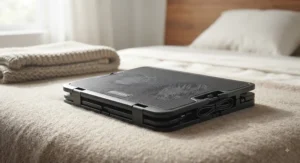
The late-night grad student. She’s finishing a thesis chapter at midnight, laptop propped against her knees under a heavy comforter, and her CPU regularly hits sustained high loads from statistical software. For her, blanket airflow is the entire ballgame — a rigid pad won’t survive contact with that comforter, so a cushioned lap desk like the HUANUO Lap Desk with Cooling Fan that draws air from the sides, above the blanket line, is the only category that actually works for her setup.
The budget-conscious remote worker. He mostly answers emails and joins video calls from bed before his shift starts, rarely pushing his laptop past light load. A full six-fan pad would be overkill and expensive; the AGPTEK Laptop Desk for Bed with Cooling Fan covers his actual usage pattern for a fraction of the price, and its quieter single fan won’t compete with his call audio.
The weekend gamer with a couch habit. She splits time between her bed and living room couch, running a demanding laptop that throttles hard under sustained gaming sessions. She needs both portability and real cooling force — the Kootek Cooler Pad Chill Mat 5, elevated on a firm lap tray to keep its own vents clear, gives her desk-level airflow wherever she sets up, provided she never rests it directly on cushions.
Common Problems With a Laptop Cooler for Lap Use
Problem: the laptop still feels hot despite the fan running. This usually means vent misalignment, not a defective product — recheck that your laptop’s actual intake sits over the fan, not just centered on the pad’s surface.
Problem: the fan drains your laptop’s battery faster. USB-powered fans pull a small but real current. If battery life matters more than raw cooling on a given night, plug the laptop into the wall and let the USB fan run off that connection instead of the battery.
Problem: the pad slides around on a comforter. Soft, uneven bedding doesn’t grip like a desk surface. Look for models with a wider non-slip base or add a thin rubber shelf liner between the pad and the blanket — a two-dollar fix for a recurring annoyance.
Problem: overheating persists even with elevation. If your laptop still throttles noticeably, the issue may be internal dust buildup in the laptop’s own heatsink, which no external pad can fully compensate for — a can of compressed air through the internal vents solves what an external fan can’t.
Problem: the cooling pad itself gets uncomfortably warm. Cheaper plastic frames near the fan motor can warm slightly during long sessions; this is normal for most laptop cooler for lap use products, but if it becomes hot to the touch, that’s a sign to stop use and check for a manufacturing defect.
Problem: direct skin contact keeps happening anyway. Even with a cooling pad, some sessions start with the laptop briefly touching bare legs. This matters more than it seems — the Cleveland Clinic notes that repeated low-grade heat exposure, including from laptops, is a documented cause of a lasting skin rash, so treating a cooling pad as a habit rather than an afterthought pays off over months, not just single sessions.
✨ Don’t Miss These Exclusive Deals!
🔍 Take your bedtime laptop setup to the next level with these carefully selected cooling stands. Click on any highlighted item to check current pricing and availability. A cooler laptop means quieter fans, better performance, and legs that don’t regret your 11 p.m. work session!
How to Choose a Laptop Cooling Pad for Bed
- Match power draw to your laptop’s port. USB-A and USB-C deliver different current; a dual-fan pad on an underpowered port may run both fans slower than advertised.
- Prioritize a soft, wide base over raw fan count. A six-fan pad that can’t sit flat on a comforter is less useful in bed than a single quiet fan built into a proper cushion.
- Check the noise rating if you share a bed. Quoted dB figures vary by measurement distance, so treat them as relative, not absolute — read review sentiment on noise specifically.
- Confirm your laptop’s size fits the pad’s stated range. A 17-inch gaming laptop overhanging a 15-inch pad defeats the airflow design entirely.
- Decide if you need elevation, cushioning, or both. Rigid mesh pads need a firm surface under them in bed; true lap desks solve that problem by design.
- Look for washable or detachable cushioning. Bedroom use means more skin contact and more washing needs than desk use.
- Weigh added features against price. USB pass-through and mouse pads are genuinely useful for some users and dead weight for others — buy for your actual habits, not the longest feature list.
Lap Desk With Cooling vs Traditional Cooling Pad
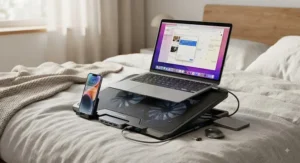
The core difference isn’t cooling power — it’s airflow direction. A traditional cooling pad, like the AICHESON Laptop Cooling Pad with 6 High-Speed Fans or the Kootek Cooler Pad Chill Mat 5, pulls air from underneath the unit and pushes it up into the laptop’s intake vents; that design assumes a rigid, open surface beneath it, which a mattress or comforter simply doesn’t provide. A lap desk with cooling, like the HUANUO Lap Desk with Cooling Fan or AGPTEK Laptop Desk for Bed with Cooling Fan, is engineered specifically around that constraint — the fan draws air from the sides or through a raised cushion, so soft bedding underneath doesn’t choke it the same way.
| Factor | Lap Desk With Cooling | Traditional Cooling Pad |
|---|---|---|
| Bed-safe alone | Yes | No — needs firm base |
| Raw cooling power | Moderate | High |
| Best For | HUANUO, everyday bed use | Kootek, sustained heavy load |
In practice, this means the traditional pad wins on pure thermal performance if you can guarantee a rigid surface beneath it — a lap tray, a hardback book, even a large hardcover — while the lap desk category wins on convenience and safety for anyone who genuinely works flat in bed. Most casual users are better served by the lap desk format simply because it removes a step they’d otherwise skip on a tired Tuesday night.
Common Mistakes When Buying a Portable Laptop Cooler for Bed
The single most common mistake is buying based on fan count alone, without checking whether the product is designed for a soft surface in the first place — a powerful pad used incorrectly on a comforter can perform worse than a modest lap desk used correctly. A close second is ignoring size compatibility; a portable laptop cooler bed shoppers pick for a 13-inch ultrabook often turns out too small when they upgrade to a 15 or 16-inch machine later. Buyers also frequently skip checking the actual USB power delivery of their laptop’s ports, then are surprised when a dual-fan unit runs quieter than advertised. Finally, plenty of shoppers overlook noise entirely until the first quiet night in bed — read review sentiment specifically for noise complaints, since spec-sheet dB numbers rarely reflect real bedroom conditions.
Lap Safe Surface: Safety, Skin Health, and Blanket Rules
This is worth taking seriously, not just as marketing copy. Prolonged direct laptop-on-lap contact has documented consequences — clinical reports have measured laptop underside temperatures well above the general safe-contact threshold for continuous skin exposure after extended daily use. The resulting condition is medically known as erythema ab igne, sometimes nicknamed “toasted skin syndrome” — a netlike skin rash from repeated heat exposure that often fades but can leave lasting discoloration. It’s generally not dangerous, but it’s also completely avoidable, which is really the whole argument for owning a proper lap safe surface in the first place.
A genuine lap-safe product does two things at once: it physically distances the hottest part of the chassis from skin, and it keeps the laptop’s own vents clear so internal temperatures — and therefore surface temperatures — stay lower to begin with. This is also where thermal throttling comes in: CPUs typically start sacrificing clock speed once they hit critical internal temperatures, dialing performance back specifically to avoid heat damage. A cooling pad that keeps your laptop below that threshold isn’t just protecting your legs — it’s protecting your work session from mid-task slowdowns. For deeper clinical detail on how repeated low-grade heat exposure affects skin over time, the published case literature on erythema ab igne is a useful, non-alarmist reference if you want to understand the mechanism rather than just take our word for it.
Practically, this means: never rest a laptop directly on bare skin for extended sessions, always use a barrier (a lap desk or cooling pad counts), and treat any “hot to the touch” sensation as a signal to check vent placement immediately rather than push through it.
Long-Term Cost & Maintenance for Comfortable Bed Use
A laptop cooling pad is a small purchase compared to the laptop it protects, but the math is still worth doing. A $30-$60 lap desk with a two-to-three-year lifespan works out to roughly a dollar or two a month — genuinely negligible against the cost of even a modest laptop repair, let alone a full replacement from heat-related component failure. Maintenance costs are close to zero: an occasional wipe-down, a monthly dust check on the mesh, and eventually a USB cable replacement if the original wears out. The bigger long-term consideration is less about the pad itself and more about comfortable bed use as a habit — pads with washable, detachable cushions hold up noticeably better over a year of nightly use than fixed-foam alternatives, since skin oils and fabric fibers accumulate on anything in constant contact with bedding. If you’re weighing a $25 pad against a $60 one, the real question isn’t which cools slightly better on paper — it’s which one you’ll actually keep using consistently, since a pad left in a drawer protects nothing.

Frequently Asked Questions
❓ Can I use a regular laptop cooling pad on a bed?
❓ Do laptop cooling pads actually work?
❓ How do I stop my laptop from overheating in bed?
❓ Is it bad to put a laptop directly on your lap?
❓ What is the best laptop cooling pad for bed use?
Conclusion
If there’s one thing worth remembering from all of this, it’s that a laptop cooling pad for bed isn’t a luxury accessory — it’s a small, inexpensive fix for a problem that quietly costs you performance, comfort, and occasionally your skin’s patience. The right pick genuinely depends on how you use your laptop: casual browsers and remote workers are usually best served by a cushioned lap desk like the HUANUO Lap Desk with Cooling Fan or the budget-friendly AGPTEK Laptop Desk for Bed with Cooling Fan, while anyone running demanding workloads night after night should look toward the raw cooling power of the Kootek Cooler Pad Chill Mat 5 or AICHESON Laptop Cooling Pad with 6 High-Speed Fans, paired responsibly with a firm surface underneath. Whichever direction you go, the underlying principle stays the same — keep the vents clear, keep the heat off your skin, and your laptop (and your legs) will thank you for years of nightly use.
Recommended for You
- Quiet Laptop Cooling Pad: 7 Best Silent Picks for 2026
- Laptop Cooling Pad 17 Inch: 7 Best Picks That Actually Work (2026)
- 7 Best gaming laptop cooling pad Picks in 2026
Disclaimer: This article contains affiliate links. As an Amazon Associate, I earn from qualifying purchases. If you purchase products through these links, we may earn a small commission at no additional cost to you.
✨ Found this helpful? Share it with your friends! 💬🤗
