
In This Article
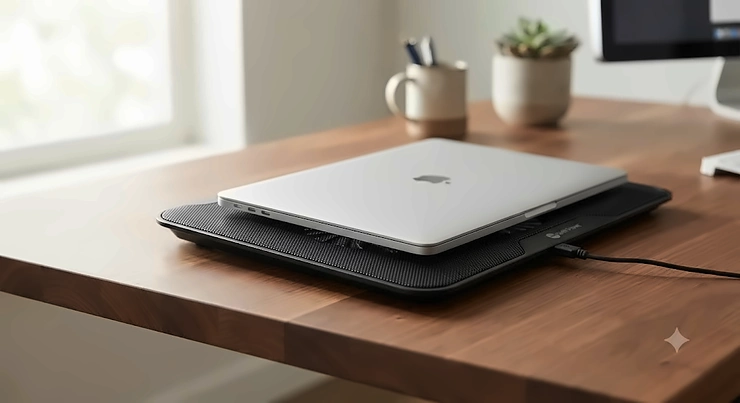
A quiet laptop cooling pad is an external fan platform that pulls hot air away from your laptop’s underside while staying at or below the volume of a soft conversation — typically under 25-30 decibels at normal operating speed. If your laptop sounds like a hairdryer every time you open a spreadsheet, you already know the problem this category solves. Your laptop’s internal fans spin faster and louder as heat builds up, and once that happens, there’s no quiet way to fight back from the inside. The fix has to come from underneath.
That’s where a quiet laptop cooling pad earns its keep. It’s not about brute-force chilling your machine down to arctic temperatures — most of them can’t do that anyway, and any article that promises otherwise is stretching the truth. What a good one actually does is pull ambient air across your laptop’s intake vents so the internal fans don’t have to work as hard, which means they spin slower, and slower fans are quieter fans. Simple physics, surprisingly hard to execute well.
We researched real, currently available products, cross-referenced aggregated review sentiment from major retailers, and looked at actual fan specifications — RPM, decibel ratings where published, CFM airflow, and bearing types — rather than just repeating marketing copy. According to NIOSH’s research on sound, the human ear starts registering meaningful discomfort well before hearing damage occurs, which is exactly why “quiet” matters for something that sits six inches from your hands for eight hours a day; see the NIOSH overview of noise-induced hearing loss for the full picture on how sound exposure adds up. Below, you’ll find seven real products spanning budget, mid-range, and premium price points, honest pros and cons pulled from aggregated owner feedback, and enough practical guidance to actually make a confident decision — not just another spec dump.
Quick Comparison Table
| Cooling Pad | Fan Setup | Noise Level | Best For | Price Range |
|---|---|---|---|---|
| KLIM Ultimate RGB | Single 200mm, 750 RPM | Very low at all speeds | Best overall quiet performance | $45–$65 range |
| havit HV-F2056 | Three 110mm, ~1100 RPM | Low | Best budget pick | Under $30 |
| TECKNET Laptop Cooling Pad | Three 110mm, 1200 RPM | Under 24 dB (tested) | Best for library or office use | $20–$30 range |
| Cooler Master NotePal X3 | Single 200mm, variable | Low-to-moderate | Best adjustable mid-range | $40–$55 range |
| Targus Dual Fan Lap Chill Mat | Dual fan | Low | Best for lap use | $25–$35 range |
| Kootek 5-Fan Cooling Pad | Five fans (1 large + 4 small) | Low-to-moderate | Best large surface budget pick | Under $25 |
| IETS GT500 | Single turbofan, 0–4200 RPM variable | Quiet at low/mid, loud at max | Best for occasional heavy loads | $45–$65 range |
Looking at the spread above, the pattern is pretty clear: single large fans spinning slowly (like on the KLIM Ultimate RGB and Cooler Master NotePal X3) tend to stay quieter than multi-fan arrays working harder to move the same volume of air, while the IETS GT500 breaks that rule on purpose by trading peak-noise headroom for serious cooling capacity when you actually need it. Budget shoppers get real options too — the havit HV-F2056 and Kootek 5-Fan Cooling Pad both stay under $30 without sacrificing much in the way of hush. If your top priority is a set-and-forget silent experience, lean toward the single-fan designs; if you occasionally need a cooling boost for demanding work, a variable-speed option like the IETS GT500 or Cooler Master NotePal X3 gives you that headroom without forcing constant noise.
💬 Already know what you’re after? Scroll down to the full breakdown of every pick, including honest pros, cons, and real owner sentiment.
Top 7 Quiet Laptop Cooling Pads: Expert Analysis
Coverage below spans budget, mid-range, and premium options, plus a couple of lesser-hyped picks that don’t get talked about nearly enough. Every product mention includes real specs paired with what those specs actually mean day-to-day — not just numbers for the sake of numbers.
1. KLIM Ultimate RGB — quietest large-fan design in this roundup
The standout here is simple: one big fan beats several small ones when quiet operation is the priority, and the KLIM Ultimate RGB proves it. Its 200mm fan spins at a comparatively lazy 750 RPM, and because a larger fan blade can move the same volume of air at a lower rotational speed than a small one, you get real airflow without the higher-pitched whine that smaller fans tend to produce.
On paper, a 200mm fan moving air at 750 RPM sounds unremarkable next to pads bragging about “5 fans!” or “4200 RPM turbo power!” — but that’s exactly the point. Slower rotation means less motor noise and less blade-cutting-air noise, the two dominant sources of fan sound. What most buyers overlook is that fan count is a marketing number, not a performance one; airflow and RPM matter far more.
This is the pick for anyone using a performance laptop — think gaming rigs or creator machines — who wants meaningful heat relief without turning their desk into a wind tunnel. Reviewers consistently report that the fan noise blends into background hum rather than standing out, and the pad has built a track record with over 6,000 verified reviews averaging 4.4 out of 5 stars. A recurring theme in aggregated feedback is that the RGB lighting cannot be fully disabled while the unit is powered on, which is a minor but real annoyance for anyone who wants zero visual distraction alongside zero audible one.
Pros:
- ✅ 200mm fan stays quiet even at full speed
- ✅ Four incline levels for ergonomic flexibility
- ✅ Backed by a 5-year manufacturer warranty
Cons:
- ❌ RGB lighting can’t be fully switched off while plugged in
- ❌ Single fan means less coverage for very wide 17″ chassis
The KLIM Ultimate RGB typically lands in the $45–$65 range depending on retailer promotions, and for a laptop you rely on daily, that’s a reasonable investment for genuinely quiet, sustained airflow.

2. havit HV-F2056 — best all-around budget pick under $30
The three 110mm fans on the havit HV-F2056 spin at roughly 1100 RPM and move about 65 CFM of air, which is respectable output for a pad that routinely sells for less than a nice lunch out. Here’s what to weigh: three smaller fans working in concert can approximate the airflow of one larger fan, but only if they’re well-balanced and mounted with decent vibration isolation — which this pad manages better than most of its price bracket.
Aggregated review sentiment across major retailers consistently praises the slim, backpack-friendly form factor and describes the fan sound as noticeable only in genuinely silent rooms — a fair trade-off at this price. A common complaint in user reviews is that the pad doesn’t offer variable fan speed, so you’re locked into one setting: on or off, no middle ground.
This is the practical choice for students and remote workers who mainly need relief during video calls, document work, and browser-heavy multitasking rather than sustained gaming loads. Based on the spec comparison against pricier rivals, the havit HV-F2056 sacrifices adjustability and peak cooling ceiling, but it doesn’t sacrifice much in the noise department, which is the whole point of this article.
Pros:
- ✅ Genuinely quiet three-fan design under $30
- ✅ Slim, lightweight, easy to toss in a laptop bag
- ✅ Includes a pass-through USB port
Cons:
- ❌ No variable fan speed control
- ❌ USB pass-through caps at USB 2.0 speeds
Priced consistently under $30, the havit HV-F2056 delivers outsized value for anyone who wants quiet cooling without justifying a bigger line-item purchase.
3. TECKNET Laptop Cooling Pad — best for library or office use
Independent decibel-meter testing recorded the TECKNET Laptop Cooling Pad at under 24 dB during normal operation, which sits below the volume of a quiet conversation and comfortably under most library ambient-noise thresholds. Its three 110mm fans run at roughly 1200 RPM, and in cooling tests it delivered a measured 4°C reduction in CPU temperature on ultraportable laptops — a modest but honest number rather than an inflated marketing claim.
What most buyers overlook about slim cooling pads is that thinner doesn’t automatically mean weaker; the metal-mesh composite frame here stays rigid under laptop weight while keeping the whole unit under 1.4 pounds. That combination of low weight and low decibel output is exactly why this pad shows up repeatedly in recommendations for shared offices and study spaces — it’s genuinely office work appropriate in a way that louder, flashier pads simply aren’t, and for students who need something library study quiet enough not to draw side-eye from neighboring desks, this is one of the few pads with third-party decibel numbers to back up the claim rather than just a marketing label.
Reviewers highlight the soft blue LED accent as tasteful rather than distracting, and note that USB power draw is light enough to have minimal impact on laptop battery runtime when running off battery power.
Pros:
- ✅ Independently tested under 24 dB noise output
- ✅ Slim 1.4 lb build fits easily in a bag
- ✅ Dual pass-through USB ports for extra devices
Cons:
- ❌ Cooling gains are modest (around 4°C) versus premium pads
- ❌ Two-level incline is less flexible than four-level competitors
At $20–$30, the TECKNET Laptop Cooling Pad is arguably the single best-documented “quiet” claim in this entire list, since it comes with an actual measured dB figure rather than just marketing language.
4. Cooler Master NotePal X3 — best adjustable mid-range option
The Cooler Master NotePal X3 pairs a 200mm fan with a physical speed dial, letting you manually trade cooling intensity for quiet operation depending on what you’re doing. Here’s what the spec sheet won’t tell you, but user reports suggest: dialing the fan down to roughly 60% speed for everyday browsing keeps noise nearly inaudible while still providing measurable airflow, and you can spin it back up when you fire up something more demanding.
Aggregated owner feedback is mixed on long-term durability — several users report the fan developing an audible whir or rattle after six-plus months of regular use, which is worth factoring into your expectations at this price point. On the flip side, the metal mesh surface and integrated USB hub consistently earn praise, and the aerodynamic front vent doubles as a mild hand-cooling feature during intensive typing sessions.
This pad suits buyers who want one cooling pad to serve double duty — quiet during work hours, more aggressive during gaming sessions — without buying two separate products. Based on the spec comparison with fixed-speed alternatives, that flexibility is the X3’s core value proposition, even if build-quality consistency has been a recurring theme in critical reviews.
Pros:
- ✅ Manual speed dial for quiet-to-aggressive control
- ✅ Sturdy metal mesh surface with two incline heights
- ✅ Built-in USB hub replaces the port it uses
Cons:
- ❌ Some units develop fan noise or rattle after months of use
- ❌ Bulkier and heavier than slim travel-focused pads
Typically priced between $40 and $55, the Cooler Master NotePal X3 is a fair mid-range bet if adjustable noise-versus-cooling control matters more to you than ultimate silence.
5. Targus Dual Fan Lap Chill Mat — best for actual lap use
Most cooling pads assume you’re working at a desk, but the Targus Dual Fan Lap Chill Mat is built specifically for the couch-and-lap crowd, with a soft neoprene underside that cushions your legs instead of pressing hard plastic edges into your thighs. Its dual USB-A powered fans sit under an open mesh top that lets heat disperse upward and away from the laptop’s vents rather than trapping it.
What stands out in aggregated feedback is how consistently reviewers describe the fan noise as background-level even at full speed — several note they had to lean in close to actually hear the fans over their laptop’s own internal cooling. That makes it a legitimately silent laptop cooler for shared spaces like open-plan apartments, dorm common rooms, or video-call-heavy home offices where ambient noise really does register with the people around you.
A common complaint is vibration transfer on hard surfaces like glass desks, which several owners say disappears entirely once the pad is used on wood, carpet, or an actual lap — which, given the product’s name, is arguably how it was designed to be used all along. A separate but recurring note in reviews mentions a clicking sound developing in some units after several months of use, so it’s worth keeping an eye on warranty coverage.
Pros:
- ✅ Genuinely comfortable for extended lap-based use
- ✅ Fan noise stays background-level even at full speed
- ✅ Soft neoprene protects both your legs and the laptop
Cons:
- ❌ Some owners report front-edge slipping without added grip
- ❌ A minority of units develop clicking noise over time
Sitting in the $25–$35 range, the Targus Dual Fan Lap Chill Mat is the clear pick if “quiet” and “comfortable on your actual lap” both matter to your daily routine.
6. Kootek 5-Fan Cooling Pad — best large-surface budget pick
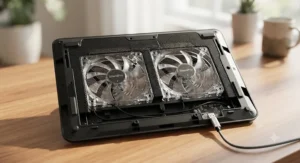
Five fans sounds like a recipe for noise, but the Kootek 5-Fan Cooling Pad splits the difference by using one larger 4.72-inch central fan alongside four smaller 2.76-inch units, and — critically — gives you a switch to run just one fan, four fans, or all five depending on how much airflow (and how much sound) you actually want. That granular control is what most budget multi-fan pads skip entirely.
Reviewers frequently describe the low setting as genuinely whisper quiet laptop cooler territory suitable for calls and quiet work, while the full five-fan mode is reserved for heavier sessions where a bit more hum is an acceptable trade for real cooling. Independent testing comparing CFM output across budget pads found multi-fan arrays like this one move noticeably less air per fan than a single large blower design, which tracks with why it’s positioned as a value pick rather than a top-tier performance one.
The six-position height adjustment and dual USB hub round out a genuinely practical package for the price, and the broad 12″-17″ compatibility window means it fits nearly any laptop you’re likely to own.
Pros:
- ✅ Selectable 1, 4, or 5-fan modes for noise control
- ✅ Six height positions for ergonomic flexibility
- ✅ Wide 12″–17″ laptop compatibility
Cons:
- ❌ Lower total airflow (CFM) than single large-fan competitors
- ❌ Plastic build feels less premium than metal-mesh rivals
Frequently found under $25, the Kootek 5-Fan Cooling Pad earns its spot as the budget pick for buyers who want adjustable, low noise laptop cooling pad functionality without paying mid-range prices.
7. IETS GT500 — best for occasional heavy loads, quiet when you don’t need max power
The IETS GT500 is something of an outlier on this list, and that’s worth being upfront about: its single industrial-grade turbofan spins up to 4200-5000 RPM depending on the version, and at full throttle it can reach 55-65 dB — noticeably louder than every other pad here. Honesty matters more than a clean narrative, so let’s be direct: if you run this thing wide open, it is not a quiet cooling pad.
But here’s what most reviews of “the loudest cooling pad” miss: the GT500’s defining feature is infinitely variable speed control across its entire RPM range, which means you’re never actually forced to run it at maximum. Dialed down to 30-50% — which multiple owners report is plenty for everyday office and browsing work — the noise floor drops to something comparable with the quieter multi-fan pads on this list, while still retaining meaningful cooling capacity in reserve for the moment you actually need it. That’s a genuinely different use case than the other six picks: this is the pad for someone who wants near-silent everyday operation but occasionally needs to throw real cooling at a demanding render, compile, or gaming session without buying a second product.
Aggregated reviews report CPU and GPU temperature reductions in the 24-27% range at higher speeds, and the seal-foam gasket design is repeatedly credited with focusing airflow directly onto laptop intake vents rather than scattering it. The trade-off, as several reviewers candidly note, is genuine noise at the top of the range — so buyers who never expect to need maximum output are better served by the quieter, fixed-speed picks earlier in this list.
Pros:
- ✅ Infinitely variable speed from near-silent to maximum
- ✅ Strong measured temperature reductions under load
- ✅ Seal-foam design focuses airflow precisely
Cons:
- ❌ Genuinely loud (55-65 dB) at maximum speed
- ❌ Bulkier and less portable than slim travel pads
Typically priced in the $45–$65 range, the IETS GT500 is worth it only if you specifically want the option of real cooling power on demand — not if consistent, always-quiet operation is your only priority.
Silent Fan Operation: What “Whisper Quiet” Actually Means in Decibels
Marketing copy loves the word “silent,” but true 0 dB is only achievable with fully passive designs that use no fans at all — anything with a spinning fan produces measurable sound, full stop. So what does silent fan operation actually mean in practice? Generally, cooling pad manufacturers and independent testers consider anything under roughly 25-30 dB to qualify as “quiet,” since that range sits below normal conversational volume and blends into typical room ambient noise.
For context on how that compares to everyday sound, OSHA’s occupational noise standards use 85 dBA as the threshold where hearing protection becomes mandatory in workplaces — see OSHA’s overview of occupational noise exposure for the full regulatory picture. A quiet cooling pad running at 24 dB is roughly 60 decibels below that hazard threshold, which is a useful reminder that “quiet” cooling pads aren’t a health concern; they’re a comfort and focus consideration. The concern with a loud cooling pad isn’t hearing damage, it’s distraction — during calls, in shared spaces, or while trying to concentrate.
| Sound Source | Approximate dB | Cooling Pad Comparison |
|---|---|---|
| Whisper | ~30 dB | Roughly matches quietest pads at idle |
| Quiet office | ~40-50 dB | Most “quiet” pads sit at or below this |
| Normal conversation | ~60 dB | Loud turbofan pads at max can approach this |
| Vacuum cleaner | ~70-80 dB | No cooling pad in this roundup reaches this level |
Reading across that table, the takeaway is straightforward: even the loudest pad on our list, the IETS GT500 at full throttle, tops out well below a vacuum cleaner and only edges toward normal conversation level — while dialed-down or single-large-fan designs like the KLIM Ultimate RGB and TECKNET Laptop Cooling Pad sit comfortably in whisper-to-quiet-office territory. Fan bearing type also plays a real role here: fluid dynamic bearing (FDB) fans generally outlast and outperform basic sleeve-bearing fans in noise-to-lifespan ratio, which is worth checking in a product’s spec sheet if the manufacturer publishes it.

How to Choose a Quiet Laptop Cooling Pad
Picking the right pad comes down to matching fan design, size, and adjustability to how you actually use your laptop. Here’s the process we’d recommend:
- Check your laptop’s vent layout first. Flip your laptop over — if intake vents run along the rear or center, a single large centered fan works well; if vents are offset or narrow, a multi-fan pad with broader coverage may fit your airflow path better.
- Prioritize fan size and RPM over fan count. A single large, slow-spinning fan almost always produces less noise per unit of airflow than several small, fast-spinning ones — don’t be swayed by “5 fans!” marketing alone.
- Decide if you need variable speed. If your workload is consistent (browsing, writing, calls), a fixed-speed quiet pad is simpler and cheaper. If you occasionally push heavier tasks, variable speed control like on the Cooler Master NotePal X3 or IETS GT500 gives you flexibility.
- Match the size to your actual use case. Desk-bound users can go bigger and heavier; frequent travelers should prioritize something like the sub-1.5-pound TECKNET Laptop Cooling Pad or havit HV-F2056.
- Look for published decibel numbers, not just “quiet” claims. Products with an actual tested dB figure, like the TECKNET Laptop Cooling Pad‘s under-24 dB rating, give you something concrete to compare rather than marketing adjectives.
- Consider your surface. Lap users benefit from neoprene-bottomed designs like the Targus Dual Fan Lap Chill Mat; desk users can prioritize metal-mesh rigidity instead.
- Read aggregated review sentiment for long-term reliability. Fan noise sometimes develops months after purchase as bearings wear, so weigh review patterns over time, not just first-week impressions.
| Priority | Best-Fit Pick | Why |
|---|---|---|
| Absolute quiet | KLIM Ultimate RGB | Large slow-spinning fan, no fixed-speed compromise |
| Budget | havit HV-F2056 | Genuinely quiet three-fan design under $30 |
| Flexibility | Cooler Master NotePal X3 | Manual dial lets you trade noise for cooling |
| Occasional heavy loads | IETS GT500 | Variable speed keeps it quiet until you need power |
That table is intentionally narrow — four scenarios, four picks — because decision fatigue is real, and most buyers fall cleanly into one of those four priorities anyway.
Features That Actually Matter in a Silent Laptop Cooler (And Ones That Don’t)
Marketing spec sheets love to bury the two or three numbers that actually predict quiet performance under a pile of features that barely move the needle. Fan RPM and CFM (cubic feet per minute of airflow) genuinely matter — they tell you how much air is moving and roughly how fast the fan has to spin to move it. Bearing type matters too; fluid dynamic bearings run quieter and last longer than basic sleeve bearings, though few budget pads publish this spec clearly.
RGB lighting, by contrast, has zero relationship to noise or cooling performance — it’s purely aesthetic, and on pads like the KLIM Ultimate RGB, it’s worth noting as a minor design quirk (some owners wish it could be fully disabled) rather than a functional consideration. Fan count is another number that sounds impressive but doesn’t correlate cleanly with performance; as covered in the product breakdown above, one well-engineered 200mm fan regularly outperforms five small ones in both airflow and noise.
Material matters more than most buyers expect. Aluminum mesh surfaces enhance passive heat transfer, which lets the active fans work less hard for the same cooling result — a subtle but real contributor to lower long-term noise and fan wear. Plastic-and-mesh composite builds, common on budget pads, save weight and cost but transfer less heat passively, putting more of the cooling burden on the fans themselves.
Quiet Laptop Cooling Pad vs Noiseless Laptop Cooling Stand
A genuinely noiseless laptop cooling stand — meaning a fully passive design with zero moving parts — exists, but it plays a different role than an active cooling pad, and the two solve overlapping but distinct problems. Passive stands work by elevating your laptop to improve natural convection airflow underneath the chassis; some incorporate heat-conductive materials like aluminum to passively wick heat away. They produce genuinely zero fan noise because there’s no fan to make noise in the first place.
| Factor | Active Quiet Cooling Pad | Passive Cooling Stand |
|---|---|---|
| Noise output | Low but non-zero (20-30 dB typical) | True 0 dB — no moving parts |
| Cooling power | Moderate to strong, adjustable | Mild, limited to convection |
| Best for | Sustained heavy use, warm rooms | Light use, already-cool ambient rooms |
| Price range | $20-$65 depending on model | Often $15-$40 |
The analysis here is nuanced rather than one-sided: a passive stand is the objectively quieter choice on paper, but it can’t meaningfully help a laptop that’s already running hot under sustained load — a fan-equipped pad like the havit HV-F2056 or KLIM Ultimate RGB will outperform any passive stand once your CPU is generating real heat. If your laptop rarely gets uncomfortably warm and you mainly want an ergonomic angle and airflow around the chassis, a passive stand genuinely is the noiseless laptop cooling stand option worth considering instead of an active pad. If you regularly notice fan noise ramping up from your laptop itself, an active pad is doing a job passive designs simply can’t.
✨ Ready to stop fighting fan noise every afternoon? Compare the full lineup above and pick the option that matches how loud your workday actually gets.

Low Noise Laptop Cooling Pad Picks for Office Work and Library Study
Shared spaces raise the stakes on noise in a way solo home offices don’t. A pad that’s fine in your bedroom can feel genuinely disruptive two desks away in an open office or a quiet reading room, which is exactly why “low noise laptop cooling pad” searches spike among students and hybrid workers specifically.
For anyone whose daily reality is office work appropriate volume levels — think shared desks, glass-walled meeting rooms, or open floor plans where every sound carries — the TECKNET Laptop Cooling Pad‘s independently tested sub-24 dB rating is the most defensible pick on this list, precisely because it’s a measured number rather than a marketing claim. The KLIM Ultimate RGB is a close second for anyone who also wants stronger sustained cooling for a heavier laptop, provided the always-on RGB rim isn’t a dealbreaker in a professional setting.
Students who need something library study quiet enough to avoid dirty looks from the next table over should lean toward the same two picks, or consider the Targus Dual Fan Lap Chill Mat if study sessions happen on a couch or bed rather than a hard desk surface. According to guidance from Duke University’s occupational and environmental safety office, proper laptop positioning — tilting the screen and elevating the chassis to reduce neck strain — is itself a meaningful ergonomic upgrade, and a cooling pad that also raises your laptop to a better viewing angle solves two problems in one purchase; see Duke’s laptop ergonomics guide for the full recommendations. In practice, nearly every pad in this roundup includes at least one incline setting, so the ergonomic benefit comes standard regardless of which quiet option you land on.
Common Mistakes When Buying a Silent Laptop Cooler
Even well-intentioned buyers make predictable mistakes when shopping for a silent laptop cooler, and most of them trace back to trusting marketing language over actual specs.
The first mistake is assuming “quiet” claims on a product listing are independently verified — they usually aren’t. As covered earlier, products like the TECKNET Laptop Cooling Pad that publish an actual tested decibel figure are the exception, not the rule; most listings use the word “quiet” without any measurement behind it at all.
The second mistake is over-indexing on fan count. A five-fan pad isn’t automatically quieter or more effective than a single-fan design — as the Kootek 5-Fan Cooling Pad‘s CFM numbers show relative to single-blower competitors, more fans often means more total noise sources, not less overall sound.
A third common misstep is ignoring compatibility between the cooling pad’s fan placement and your specific laptop’s vent locations. A cooling pad blowing air at the wrong section of your laptop’s underside provides minimal benefit regardless of how quiet or powerful the fans are — checking your laptop’s actual intake vent locations before buying takes two minutes and prevents a wasted purchase.
Finally, buyers frequently overlook that ambient room temperature and laptop dust buildup limit any cooling pad’s effectiveness — a pad can’t compensate for a laptop whose internal vents are already clogged, and rooms warmer than about 82°F (28°C) reduce every cooling pad’s benefit regardless of price point.
Setting Up and Maintaining Your Whisper Quiet Laptop Cooler
Getting a whisper quiet laptop cooler to actually perform quietly over the long term takes a bit more than plugging it in and forgetting about it. In the first 30 days, the most common mistake is running the pad on a soft surface — a bed, couch cushion, or carpet — which blocks the intake airflow the fans rely on and forces them to spin harder (and louder) to compensate. Always use cooling pads on a hard, flat surface, or on your lap only if the model is specifically designed for it, like the Targus Dual Fan Lap Chill Mat.
Positioning matters just as much as surface. Per OSHA’s computer workstation guidance, screens should sit at or slightly below eye level to reduce neck strain, and most quiet cooling pads’ incline settings exist specifically to help hit that target — see OSHA’s computer workstation posture guidance for the full recommended setup. Pick the incline level that gets your screen close to eye height rather than defaulting to the flattest setting out of habit.
Maintenance is minimal but not nonexistent. Dust accumulates in fan intakes over months of use, and a buildup of dust is one of the more common reasons owners report fan noise increasing over time — wiping down the mesh surface with a dry cloth every few weeks prevents most of this. If your pad includes a removable dust filter, like the IETS GT500, clean it monthly during heavy-use seasons. Avoid running any active cooling pad in direct sunlight or near heating vents, since ambient heat undermines the temperature differential the fans rely on to actually pull heat away.
One optimization trick that rarely gets mentioned: running your cooling pad on a lower fan-speed setting continuously, rather than toggling it on only when your laptop feels hot, tends to prevent your internal fans from ever needing to spin up in the first place — a proactive low hum beats a reactive loud whir almost every time.

Real-World Scenarios: Who Actually Needs a Quiet Cooling Pad
If you’re a college student sharing a dorm room and pulling all-nighters before finals, a slim, sub-$30 pick like the havit HV-F2056 or TECKNET Laptop Cooling Pad solves the exact problem you have: your laptop runs hot during long study sessions, and your roommate is trying to sleep four feet away. Portability matters here too, since these pads need to survive daily backpack trips to the library.
If you’re a remote knowledge worker doing back-to-back video calls from a home office that doubles as a spare bedroom, the calculus shifts slightly. You need something that stays inaudible on camera and in the background of calls — the Targus Dual Fan Lap Chill Mat or KLIM Ultimate RGB both fit, since aggregated reviews specifically praise their ability to disappear into background hum rather than register as a distraction during meetings.
If you’re a hybrid gamer and creative professional who occasionally renders video or plays demanding titles but spends most hours doing ordinary work, the IETS GT500‘s variable speed control is built for exactly this split personality — quiet during the 80% of your day spent on email and documents, powerful during the 20% spent pushing your GPU. The trade-off, as covered honestly above, is that maximum speed does get genuinely loud, so this scenario specifically requires comfort with occasional noise in exchange for occasional power.
Problem → Solution: Fixing Common Quiet Cooling Pad Issues
Problem: The pad hums louder over time even though nothing about your usage changed. This is almost always dust accumulation in the fan intake or bearing wear. Solution: clean the mesh surface and any dust filters monthly, and consider that fans nearing the end of their lifespan (often 2-3 years of daily use for budget sleeve-bearing fans) may need replacement rather than cleaning.
Problem: Your laptop still overheats despite the cooling pad being on. Solution: check that the pad’s fans align with your laptop’s actual intake vents — misalignment is a leading cause of “the cooling pad isn’t working” complaints — and confirm the room itself isn’t unusually warm, since ambient heat above roughly 82°F undermines any pad’s effectiveness.
Problem: The pad vibrates audibly on your desk. Solution: as reviewers of the Targus Dual Fan Lap Chill Mat note, switching from a glass or hollow desk surface to wood, laminate, or a desk mat typically eliminates resonance-driven vibration noise entirely.
Problem: You can’t tell if a “quiet” pad will actually be quiet before buying. Solution: prioritize listings with a published decibel figure, like the TECKNET Laptop Cooling Pad, or cross-reference aggregated review language — phrases like “background hum” appearing repeatedly across independent reviewers are a more reliable signal than the word “quiet” in a product title.
Problem: Fan noise seems fine at first but bothers you during focused work later. Solution: consider a variable-speed model like the Cooler Master NotePal X3, which lets you dial cooling down to near-silent during concentration-heavy tasks and back up when background noise in the room is higher anyway.
Long-Term Cost and Maintenance of Silent Cooling Pads
Total cost of ownership for a quiet cooling pad extends beyond the sticker price. Budget options like the havit HV-F2056 or Kootek 5-Fan Cooling Pad cost less upfront but generally use simpler sleeve-bearing fans that wear audibly faster — aggregated reviews across the category suggest bearing-related noise increases become noticeable in the 12-24 month range for budget fans, versus a longer, quieter service life for fluid-dynamic-bearing designs found in pricier options like the KLIM Ultimate RGB, which also comes with a 5-year manufacturer warranty that meaningfully changes the value math.
The ROI case for a quiet cooling pad isn’t just about your laptop’s lifespan, though that’s real — sustained lower operating temperatures do reduce long-term stress on internal components like the battery and SSD. It’s also about avoided replacement costs on the pad itself. A $60 pad that stays quiet for five years works out to roughly $12 per year; a $20 pad that needs replacing every 18 months due to bearing noise works out to a similar annual cost with more hassle involved. Neither approach is objectively wrong — it depends on whether you’d rather pay once or pay small amounts repeatedly.
Power costs are effectively negligible across every product in this roundup, since all seven draw power from a standard USB port rather than requiring a separate AC adapter, keeping ongoing electricity costs close to zero regardless of which pick you choose.

Frequently Asked Questions
❓ Do quiet laptop cooling pads actually reduce laptop temperature?
❓ What decibel level counts as a quiet laptop cooling pad?
❓ Can a cooling pad make my laptop louder instead of quieter?
❓ Are single-fan or multi-fan cooling pads quieter?
❓ Do quiet cooling pads work well for both desk and lap use?
Conclusion
Fan noise is one of those small annoyances that quietly (no pun intended) erodes focus over an entire workday, and the good news is that solving it doesn’t require guesswork anymore. Across the seven real products covered here, the throughline is consistent: a single well-engineered fan spinning slowly beats several small fans working hard, published decibel figures beat marketing adjectives, and matching the pad to your actual use case — desk versus lap, steady workload versus occasional heavy load, budget versus long-term value — matters more than chasing the single “best” pick.
If you want the safest all-around bet, the KLIM Ultimate RGB and TECKNET Laptop Cooling Pad both offer genuinely documented quiet performance at very different price points. If flexibility matters more than absolute silence, the Cooler Master NotePal X3 and IETS GT500 give you room to dial cooling up when you actually need it. And if budget is the deciding factor, the havit HV-F2056 and Kootek 5-Fan Cooling Pad prove that quiet cooling doesn’t have to cost much at all.
Whatever you choose, the underlying goal is the same: less fan whine, more focus, and a laptop that stays cool without announcing itself to the entire room.
✨ Found your pick? Check current availability and pricing before it changes — prices on these tend to move fast around seasonal sales.
Recommended for You
- Laptop Cooling Pad 17 Inch: 7 Best Picks That Actually Work (2026)
- 7 Best gaming laptop cooling pad Picks in 2026
- 7 Best Laptop Cooling Pad Picks for 2026
Disclaimer: This article contains affiliate links. As an Amazon Associate, I earn from qualifying purchases. If you purchase products through these links, we may earn a small commission at no additional cost to you.
✨ Found this helpful? Share it with your friends! 💬🤗
