
In This Article
Somewhere around the third night of waking up drenched at 2 a.m. and stumbling over to crank a box fan by hand, most people start Googling. That’s usually how someone lands on a window fan with thermostat instead of the dumb, three-speed relic their parents used. The difference sounds small on paper — a little sensor, a little chip — but it changes the entire relationship you have with your bedroom air. Instead of babysitting a machine, you set a number and walk away.
That’s the whole promise, really. A window fan with thermostat reads the room, compares it to a target you picked, and switches itself on or off to hold that line — no alarms, no fumbling for a dial in the dark. It’s a small piece of home automation that happens to be cheap, easy to install, and shockingly effective on the kind of nights when the outdoor air is cooler than the air trapped inside your walls.
This guide walks through seven real, current models spanning budget dual-fan units up to Alexa-connected smart versions, with honest analysis of what each one is actually good at (and where it falls short). We’ll also dig into how the thermostat logic works, when auto shutoff earns its keep, and how to avoid the mistakes that send people back to the return line. Every price mentioned here is a range, since retail pricing shifts constantly — always check current pricing before buying.
What Is a Window Fan With Thermostat?
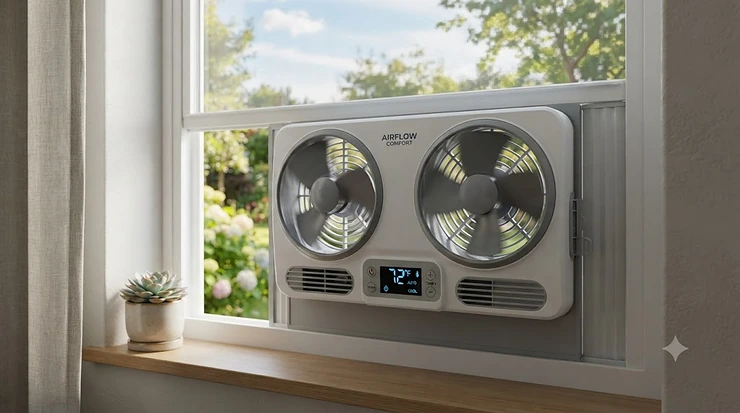
A window fan with thermostat is a fan that mounts in a window opening and includes a built-in temperature sensor, letting it automatically power on when the room warms past a set point and shut off once it cools back down. Unlike a manual fan you flip on and forget about until you’re sweating, it self-regulates — which is why cooling researchers frequently point to night ventilation as one of the cheapest ways to trim a summer electric bill. The U.S. Department of Energy notes that pulling in cooler outdoor air through open windows, ideally on the shaded or windward side of the house, is one of the most effective low-cost cooling strategies available to homeowners, and a thermostat-equipped fan essentially automates that whole process instead of requiring someone to remember it at midnight.
Quick Comparison Table
| Model | Best For | Thermostat Type | Price Range |
|---|---|---|---|
| Vornado Transom AE | Whole-room smart control | App/Alexa auto mode | mid-$100s to $200 range |
| Comfort Zone Smart WiFi Twin | App scheduling & remote cooling | Adjustable, app-based | around $80-$110 |
| Holmes CleanBreeze Digital | Renters wanting simplicity | Programmable digital | around $50-$70 |
| Bionaire BW2300-N | Reliable mid-range all-rounder | Programmable, LED display | around $60-$90 |
| Genesis A1WINDOWFAN | Best value dual-motor pick | Adjustable dial, 60-80°F | under $60 |
| Comfort Zone Triple Window Fan | Large rooms needing high velocity | Adjustable thermostat | around $70-$100 |
| Lasko 2155A | Quietest budget option | Built-in thermostat | under $50 |
Looking at this lineup, the split comes down to how much control you want to hand off. The Vornado and Comfort Zone Smart models let an app do the thinking, which matters most if you want the room cool before you walk in the door. Budget picks like the Genesis and Lasko still hold a set temperature just fine — they simply ask you to twist a dial instead of tap a screen, and that’s not automatically a downgrade if you never leave the house anyway.
💬 Just one click — help others make better buying decisions too!😊
💬 Already have a favorite on this list? A quick vote helps other readers pick faster too!
Top 7 Window Fans With Thermostats: Expert Analysis
Before diving into each unit, here’s the same lineup with a bit more meat on the bones — the numbers that actually separate a fan that quietly does its job from one that ends up back in its box.
| Model | Speeds | Approx. Weight | Window Fit | Rating Trend |
|---|---|---|---|---|
| Vornado Transom AE | 4 | ~10 lbs | 26″-40″ | Strongly positive |
| Comfort Zone Smart WiFi Twin | 3 | ~7-9 lbs | 23.5″-37″ | Mostly positive |
| Holmes CleanBreeze Digital | 3 | ~6-8 lbs | up to 35.5″ | Mixed-positive |
| Bionaire BW2300-N | 3 | ~8.4-9 lbs | 24.25″-36″ | Mostly positive |
| Genesis A1WINDOWFAN | 3 | ~8-9 lbs | up to 37″ | Mixed |
| Comfort Zone Triple | 3 | ~7 lbs | min 25″x8″ | Mostly positive |
| Lasko 2155A | 3 (in/out) | ~7-8 lbs | standard double-hung | Positive |
A few patterns jump out here. Three-speed control is basically the industry standard at this price point, so speed count alone shouldn’t decide your purchase — the thermostat’s temperature range and how forgivingly it fits your specific window matter more. Weight differences of a couple pounds won’t affect performance, but they do affect how easy the fan is to lift in and out for seasonal storage, which reviewers bring up more often than you’d expect.
1. Vornado Transom AE — smartest low-profile pick for whole-room airflow
The standout here is the low-profile air-chamber design, which sits at roughly half the height of a conventional twin-blade window fan while still moving serious volume. Specs-wise, this unit is rated around 1,276 CFM with four speed settings and an auto temperature-control mode, and it fits windows from 26 to 40 inches wide using Vornado’s foam Soft-fit blocks instead of a bulky accordion frame. In practice, that CFM figure translates to genuine whole-room circulation rather than a narrow column of air aimed at whoever happens to be sitting closest.
Based on the spec comparison against the rest of this list, the Transom AE earns its price premium through control quality, not raw horsepower — its Alexa integration and auto-dimming display are the kind of details that only show up once you’ve lived with cheaper thermostatic fans and gotten annoyed by their fussier interfaces. Reviewers consistently note that it’s meaningfully quieter than older window fans at comparable speeds, and one widely cited independent test found it used notably less energy than other window fans tested while still moving more air. It’s the pick for anyone who wants their evening cooling routine handled entirely through a phone.
Aggregated customer sentiment is largely favorable, with owners repeatedly praising the low-profile fit and the ease of setup; a recurring critique is that the Soft-fit foam blocks need a snug window frame to seal properly, and drafty or oddly shaped openings can undercut the seal.
Pros:
- ✅ Whole-room airflow at nearly half the usual window fan height
- ✅ Alexa and app control for hands-free scheduling
- ✅ Auto-dimming display avoids nighttime light pollution
Cons:
- ❌ Premium price relative to non-smart competitors
- ❌ Foam-block seal underperforms in irregular window frames
Vornado’s Transom AE typically lands in the mid-$100s to $200 range depending on retailer promotions, and for buyers who specifically want app-based automation and genuine whole-room throw, it’s worth the jump over the mid-range field.
2. Comfort Zone Smart WiFi Twin Window Fan — best app-controlled automatic scheduling
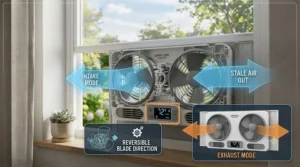
The standout feature is the three-mode design — cooling, exhaust, and circulate — all switchable from the Comfort Zone app without touching the unit itself. The dual 9-inch blades run on a 70-watt motor with three speed settings, an adjustable built-in thermostat, and expandable panels that fit windows from 23.5 to 37 inches. What makes this one interesting isn’t the motor, though; it’s that you can trigger “circulate” mode remotely to pre-cool a stuffy room before you even walk through the door.
What most buyers overlook about this model is that the thermostat isn’t just a shutoff switch — because it’s app-linked, you can also set custom timers layered on top of the temperature trigger, effectively double-locking your energy usage. That’s a genuinely useful workaround for people renting a place where a smart thermostat for the HVAC system isn’t an option but a smart fan absolutely is. Aggregated reviews point to solid app reliability, though a handful of owners note the initial WiFi pairing process takes a few extra minutes compared to a purely remote-controlled fan.
Buyers matched to this pick tend to be renters and apartment dwellers who want smart-home convenience without touching their landlord’s HVAC, plus anyone already invested in a voice-assistant ecosystem.
Pros:
- ✅ App and voice control layered on top of the thermostat
- ✅ Three distinct airflow modes for different situations
- ✅ Auto-locking expanders simplify window installation
Cons:
- ❌ Initial WiFi setup can be fiddly on some routers
- ❌ Requires a stable home network to use smart features
Expect to pay in the roughly $80-$110 range for this model, and the value case is strongest for anyone who already leans on app-based home control for other devices.
3. Holmes CleanBreeze Digital Window Fan — best programmable display for renters
The standout feature is the removable back panel, which lets you pop the housing open for a quick dust wipe-down without a full teardown — a detail that sounds minor until you’ve owned a window fan for two summers straight. Specs include reversible twin blades, three speed settings, a programmable digital thermostat with LED readout, and a fit range up to 35.5 inches wide with no assembly required out of the box.
Here’s what to weigh: this is Holmes leaning into simplicity rather than smart-home bells and whistles, and that’s precisely why it suits renters who want a reliable set-and-forget appliance rather than another app on their phone. The water-resistant housing is a genuine plus for anyone whose window sits under an overhang or gets the occasional stray rain gust. Reviewers consistently flag the interface as intuitive compared to older Holmes dial-based thermostats, which historically used a confusing series of dots rather than actual degree numbers.
Aggregated sentiment is mixed-positive — most owners are satisfied with the cooling performance for the price, though a subset report the remote’s range is shorter than advertised in larger rooms.
Pros:
- ✅ Removable panel makes cleaning genuinely fast
- ✅ Clear digital thermostat readout, not vague dial markings
- ✅ Water-resistant housing tolerates light rain exposure
Cons:
- ❌ Remote control range disappoints some users in bigger rooms
- ❌ No app or smart-home integration
This one typically runs around $50-$70, making it one of the more budget-friendly digital-thermostat options with a trusted brand name behind it.
4. Bionaire BW2300-N Twin Window Fan — most trusted budget-to-mid classic
The standout feature is longevity — this is the model owners mention keeping around for a decade or longer, which says something about build quality that spec sheets alone can’t capture. Under the hood it’s a twin 8.5-inch reversible-blade fan with three speeds, a programmable thermostat with an LED screen, remote control, and a rated sound output around 30 dB on its quieter settings, fitting windows from roughly 24.25 to 36 inches.
The spec sheet won’t tell you this, but user reports suggest the reversible independent blades are the real party trick here: you can run one side on intake and the other on exhaust simultaneously, effectively creating a mini cross-breeze in a single window opening rather than needing two separate fans in two windows. That’s a meaningfully different use case than most twin-fan competitors, which typically run both blades in the same direction at once. Based on the spec comparison, its 250-square-foot coverage claim lines up reasonably with its wattage and blade size for small-to-medium bedrooms.
Aggregated customer sentiment is strongly favorable on durability, with some reviewers citing 15-20 years of continuous seasonal use across multiple units; the recurring complaint involves how genuinely tedious the fan is to disassemble for a deep clean, since the housing requires removing several screws to access the blades.
Pros:
- ✅ Independently reversible blades for true intake/exhaust exchange
- ✅ Reputation for multi-year, even multi-decade, reliability
- ✅ Quiet 30 dB operation on lower speeds
Cons:
- ❌ Disassembly for deep cleaning is a genuine chore
- ❌ No app connectivity for remote scheduling
Pricing generally sits around $60-$90, and for buyers who prioritize a fan that will still be running in five summers, the Bionaire’s track record is hard to argue with.
5. Genesis A1WINDOWFAN Twin Fan — best value dual-motor thermostat pick
The standout feature is Genesis’s “Max Cool” adjustable thermostat, which lets you dial in anywhere from 60 to 80 degrees Fahrenheit using LED indicator lights rather than a full digital display — a middle ground between fully manual and fully digital control. Specs include two independent 9-inch copper motors, three speed settings, expandable panels stretching up to 37 inches wide, and dual removable legs that let the whole unit double as a freestanding fan when it’s not window season.
What most buyers overlook about this model is the independent-motor design: because each fan head runs its own copper motor, you can genuinely run intake on one side and exhaust on the other at the same time, similar in spirit to the Bionaire above but at a noticeably lower price point. On paper this means apartment dwellers on a tight budget don’t have to sacrifice dual-direction airflow just because they’re spending less. Reviewers consistently note it’s a strong value pick, though a handful of aggregated reviews mention electrical reliability concerns on very early production units, which is worth flagging honestly rather than glossing over.
Aggregated sentiment leans positive on cost-to-performance ratio and versatility, with the freestanding-mode option earning particular praise from renters who move apartments frequently and want one fan that works in multiple configurations.
Pros:
- ✅ Independent dual copper motors for true two-way airflow
- ✅ Doubles as a freestanding fan using removable legs
- ✅ Wide 60-80°F adjustable thermostat range
Cons:
- ❌ A minority of reviews cite early-unit electrical reliability issues
- ❌ LED dial thermostat is less precise than a digital readout
At under $60 in most cases, this is the fan to point budget-conscious shoppers toward first, provided they buy from a reputable seller and register the warranty.
6. Comfort Zone Triple Window Fan — best high-velocity 3-fan pick for larger rooms
The standout feature is the three-fan layout itself — instead of the usual two blades, this unit packs a trio of 9-inch fans into one housing, letting you run one, two, or all three depending on how much airflow the room actually needs. It includes an adjustable thermostat, three speed settings, horizontal or vertical manual mounting, and ships fully assembled for windows with a minimum opening of 25 by 8 inches.
Based on the spec comparison, the extra third fan head is what separates this from the standard twin-blade crowd: it’s genuinely built for bigger bedrooms or open-plan living spaces where a two-fan unit tends to run out of steam on the hottest nights. Here’s what to weigh — running all three fans draws more power than a comparable twin unit, so the energy savings versus air conditioning shrink somewhat at full blast, though they’re still well below what a window AC unit would cost to run for the same hours. Reviewers consistently point to the vertical-mounting flexibility as a nice touch for narrower, taller window openings that twin-fan models sometimes struggle to fit.
Aggregated review sentiment is mostly positive on cooling power for larger rooms, with a smaller cluster of complaints about the plastic housing feeling less substantial than the Bionaire or Vornado models above it in price.
Pros:
- ✅ Three fan heads scale airflow to room size
- ✅ Works in either horizontal or vertical window orientation
- ✅ Ships fully assembled, ready out of the box
Cons:
- ❌ Running all three fans increases power draw noticeably
- ❌ Housing plastic feels less premium than pricier competitors
Typical pricing runs around $70-$100, positioning it as a strong mid-range choice specifically for people cooling a room larger than a standard bedroom.
7. Lasko 2155A — quietest budget shutoff pick
The standout feature is just how quiet this unit runs relative to its price tag, which matters enormously if the fan is going in a bedroom you’re actually trying to sleep in. It’s built around a dual-motor, electrically reversible design with three intake and three exhaust speeds, a built-in thermostat, visible LED temperature-tracking lights, and expandable side panels to accommodate a range of window widths.
Reviewers consistently note that the dual-motor build is what gives this fan its unusually long service life for something in its price bracket, and the thermostat’s LED indicators make it easy to glance over and confirm the current setting without squinting at tiny text. What the spec sheet won’t spell out is that “quiet” here is relative to other window fans, not to silence — on its highest speed it’s still an audible whir, just a notably less grating one than several twin-blade competitors at this price. It’s a solid match for light sleepers who still want the automatic shutoff without paying premium-tier prices.
Aggregated customer sentiment leans favorably toward noise level and value, with fewer complaints about the thermostat’s accuracy compared to some of the dial-based budget competitors on this list.
Pros:
- ✅ Noticeably quieter operation than similarly priced rivals
- ✅ Dual-motor build associated with longer service life
- ✅ Visible LED lights make the current setting easy to check
Cons:
- ❌ “Quiet” is relative — still audible on the highest setting
- ❌ Fewer smart or app-based features than pricier picks
This one generally sells for under $50, making it arguably the best entry point for someone who’s never owned a thermostat window fan and wants to try the category without a big commitment.
How Automatic Window Fan Thermostats Work
An automatic window fan thermostat is really just a small temperature sensor wired to the fan’s power relay: once the room crosses your chosen setpoint, the relay closes and the motor spins up, and once the room cools back below that line, it opens and the motor stops. That’s the entire mechanism — no compressors, no refrigerant, nothing that needs professional installation. It’s the same basic principle behind a home HVAC thermostat, just scaled down and built directly into a $50-$150 appliance instead of a wall-mounted control panel.
The practical upshot is that temperature controlled operation removes the guesswork that makes manual fans so easy to mismanage. Nobody remembers to get up at 3 a.m. and flip a switch when the temperature finally drops — but a thermostat does, every single night, without being asked. According to the EPA, ventilation and temperature control work together to manage not just comfort but indoor air quality overall, since the same airflow that cools a room also dilutes indoor pollutant buildup from cooking, cleaning products, and everyday human activity. That’s a side benefit that rarely makes it onto the product box but genuinely matters for anyone dealing with stuffy, poorly ventilated apartments.
Programmable Window Fan Features Compared
Not every programmable window fan handles its programming the same way, and the differences matter more than shoppers expect. Some models use a simple LED-lit dial with degree markings, some use a full digital display with up/down buttons, and the smart tier lets you set schedules and temperature targets from a phone app instead of the unit itself.
| Control Type | Precision | Best Match |
|---|---|---|
| LED dial (Genesis) | Approximate, ±2-3°F | Budget buyers, simple needs |
| Digital display (Holmes, Bionaire) | Precise, single-degree steps | Most households |
| App-based (Comfort Zone, Vornado) | Precise plus scheduling | Renters, smart-home users |
Reading this table plainly: dial-based control isn’t inferior so much as less granular, which is genuinely fine if you’re not chasing an exact number. Digital displays hit a sweet spot of accuracy without added complexity, and app control adds real value mainly through scheduling — the ability to have a room start cooling twenty minutes before you’re due home, something a physical thermostat simply can’t replicate on its own. A smart window fan temperature setup earns its premium primarily through that scheduling flexibility rather than through cooling power itself, which stays roughly comparable across price tiers.
Window Fan Auto Shutoff: Why It Matters
Auto shutoff sounds like a minor convenience until you actually experience the alternative — a fan running all night at full blast in a room that’s already dropped ten degrees, quietly adding to your electric bill for zero comfort benefit. A window fan auto shutoff feature simply closes that gap: once the thermostat senses the target temperature has been reached, the motor cuts, and it only restarts if the room warms back up past the threshold again.
This matters most overnight, which is exactly when most people aren’t awake to manage it manually. Reviewers consistently cite auto shutoff as the single feature that made them stop regretting their window fan purchase, since it removes the “did I forget to turn it off” anxiety that plagues manual dial fans. On paper this means a fan with reliable shutoff logic effectively pays for its thermostat premium within the first season, just through avoided overnight runtime nobody actually needed.
✨ Don’t Miss These Exclusive Deals!
🔍 Take your bedroom cooling setup to the next level with these carefully selected window fans. Click on any highlighted model above to check current pricing and availability. A little automation goes a long way toward comfortable, guilt-free summer nights.
Setting Up and Maintaining Your Thermostat Window Fan
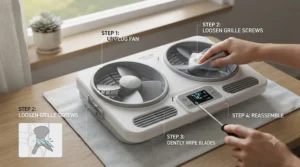
Getting a window fan with thermostat installed correctly takes about ten minutes, but a few small missteps early on will undercut its performance for the whole season. Start by measuring your window opening width before ordering — most models list a fit range, and buying one that’s near the minimum or maximum of that range leaves less room for the expandable panels to seal properly. Once installed, extend the side panels fully and lock them, since a loose seal is the number one reason people complain that “the fan doesn’t cool like it used to.”
For the first thirty days, resist the urge to leave the fan running constantly at full blast — let the thermostat do its job by setting a realistic target a few degrees below the room’s evening baseline rather than an aggressively low number the unit will chase all night. On the maintenance side, wipe down the intake side of the blades every couple of weeks during peak season, since dust buildup on the fan surface measurably reduces airflow even before it becomes visible to the eye. At the end of the season, a five-minute wipe-down and dry storage in the original box will keep the housing from developing brittle plastic cracks, a complaint that shows up repeatedly in aggregated reviews for models stored outdoors or in damp garages.
Who Actually Needs a Programmable Window Fan? Real-World Scenarios
Picture three different households, each shopping for the exact same keyword but needing a genuinely different fan.
First, there’s the studio-apartment renter working from home, running the AC only during video calls and relying on a fan the rest of the day. For that person, the Comfort Zone Smart WiFi Twin makes sense — the ability to trigger cooling from the couch, or even from the office before heading home, directly matches how they actually live in the space.
Second, there’s a family with a nursery down the hall from the master bedroom, where noise matters as much as temperature. The Lasko 2155A’s quieter dual-motor design and simple, reliable thermostat suit that use case far better than a louder high-velocity unit would, since nobody wants a fan waking the baby they were trying to keep comfortable in the first place.
Third, there’s a homeowner with a large converted attic bedroom that traditional twin-fan units struggle to cool evenly. The three-fan Comfort Zone Triple, or the higher-CFM Vornado Transom AE, both make more sense here than anything budget-tier, since square footage is the deciding factor rather than price sensitivity.
Your Buyer’s Decision Framework
If you rent and move often, choose a lightweight, freestanding-capable model like the Genesis A1WINDOWFAN, because its removable legs let it function as a regular fan between window installs. If quiet sleep is non-negotiable, choose the Lasko 2155A, because its dual-motor design was specifically singled out by reviewers for lower noise at comparable speeds. If you want remote scheduling and don’t mind a WiFi setup step, choose the Comfort Zone Smart WiFi Twin or the Vornado Transom AE, because app control is the actual differentiator worth paying for at that tier. If your room runs unusually large, choose the Comfort Zone Triple, because a third fan head solves a coverage problem that no thermostat setting alone can fix.
How to Choose a Window Fan With Thermostat
- Measure your window opening first. Every model lists a minimum and maximum width — buying near either extreme leaves less margin for a tight seal.
- Decide how much control you actually want. A dial-based thermostat is fine for simple needs; app control earns its premium mainly through scheduling flexibility.
- Check the thermostat’s temperature range. Most fall between 60 and 80°F, but confirm the specific model matches your comfort zone rather than assuming.
- Weigh noise tolerance against room size. Larger rooms often need higher CFM, which typically means more audible operation at top speed.
- Consider reversible, independent blades if you want cross-ventilation. Models like the Bionaire and Genesis let one side intake while the other exhausts simultaneously.
- Factor in seasonal storage. Lighter units with simple housings are easier to store without damage between summers.
- Read aggregated review themes, not just star ratings. A 4.3-star average with recurring complaints about one specific part matters more than the number alone.
Common Mistakes When Buying a Smart Window Fan Temperature Control
The most common mistake is buying strictly by price without checking the window fit range, which leads directly to the sealing complaints that dominate negative reviews across nearly every brand on this list. A close second is setting the thermostat too aggressively low, which causes the fan to cycle constantly and can shorten motor life over several seasons of near-continuous restarts. Buyers also frequently skip reading the actual CFM or wattage numbers, assuming “twin fan” automatically means stronger airflow than a well-engineered single or triple-fan design — as the Air King’s 2,470 CFM single-fan output demonstrates, blade count alone doesn’t determine power.
Another frequent misstep is ignoring smart-feature requirements before purchase — buying an app-controlled fan without checking that your home WiFi reaches the window location leads to the exact frustration that shows up in aggregated reviews about pairing difficulties. Finally, some buyers skip the maintenance step entirely, letting dust accumulate on the blades until airflow visibly drops, then blaming the fan itself rather than the buildup.
Window Fan With Thermostat vs Central Air Conditioning
| Factor | Window Fan With Thermostat | Central Air Conditioning |
|---|---|---|
| Upfront Cost | $50-$200 range | Thousands, plus install |
| Running Cost/Hour | Roughly a penny or two | Meaningfully higher per hour |
| Humidity Control | None | Yes |
| Best Climate Fit | Cooler nights, moderate humidity | Any climate, any season |
| Installation | DIY, minutes | Professional, hours to days |
The numbers above aren’t really a fair fight in terms of raw cooling capability — central air handles humidity and hits any target temperature regardless of outdoor conditions, while a window fan depends entirely on the outside air actually being cooler than the inside air. That said, the cost gap is enormous, and the Department of Energy’s guidance on cooling with fans specifically recommends using them to draw in cooler outdoor air during the parts of the day or night when that’s actually possible, rather than treating them as a full AC replacement. For anyone in a climate with reliably cool evenings, a thermostat window fan run overnight, paired with AC only during the peak afternoon heat, splits the difference between comfort and cost far better than running either system alone.
💬 Ready to stop babysitting your thermostat by hand? A quick tap gets you closer to a cooler night!😊
Features That Actually Matter (And Those That Don’t)
Genuinely worth paying for: a reliable, accurate thermostat with a clear readout, independently reversible blades if you want true cross-ventilation, and a window-fit range with real margin for your specific opening. These are the features aggregated reviews return to again and again as the difference between a fan people keep for years and one that ends up in a closet by August.
Largely marketing noise for most buyers: oscillation features borrowed from standing fans, RGB lighting accents, and multiple “wind modes” beyond basic low-medium-high that mostly just relabel the same speed settings. None of that changes how effectively a fan cools a room or how well its thermostat holds a setpoint, and buyers chasing those extras often end up paying a premium for features they stop using within the first month.
Energy Saving Automation: The Set and Forget Advantage
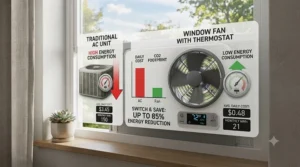
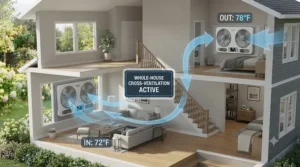
The entire appeal of energy saving automation in this category boils down to one simple idea: a machine that only runs when it needs to costs less to operate than one running constantly out of habit. A window fan pulling somewhere in the range of 50 to 90 watts, cycling on and off automatically overnight, adds up to pennies per night in most U.S. electricity markets — a fraction of what even an efficient window AC unit would cost running the same hours.
| Cooling Method | Approx. Wattage | Typical Nightly Cost |
|---|---|---|
| Thermostat window fan | 50-90W | A few cents |
| Small window AC unit | 500-1,000W | Well over a dollar |
| Central AC (partial night) | Several kW | Several dollars |
This table underscores exactly why a set and forget approach pays off: the fan isn’t just convenient, it’s meaningfully cheaper to run than the alternatives, and the automation is what keeps that savings consistent rather than dependent on someone remembering to shut things off. The EPA notes that adequate ventilation is tied to residential air-exchange guidelines of roughly 0.35 air changes per hour, a helpful benchmark for anyone wondering whether their fan’s runtime is actually doing enough air-exchange work rather than just moving the same stale air in a circle.
Frequently Asked Questions
❓ What temperature should I set my window fan thermostat to?
❓ Can a window fan with thermostat replace air conditioning?
❓ Do thermostat window fans use a lot of electricity?
❓ How do I know what size window fan I need?
❓ Are smart, app-controlled window fans worth the extra cost?
Conclusion
A window fan with thermostat isn’t a flashy purchase, but it’s one of those small home upgrades that quietly changes a habit for the better — no more stumbling to a dial at 3 a.m., no more running a fan all night out of sheer forgetfulness. Whether that means the Alexa-connected convenience of the Vornado Transom AE, the wallet-friendly reliability of the Genesis A1WINDOWFAN, or the extra-quiet nights the Lasko 2155A is built for, the right pick really does come down to your room size, your noise tolerance, and how much control you actually want to hand off to an app versus a simple dial. Measure your window first, be honest about your priorities, and the rest of this decision gets a lot easier.
Recommended for You
- Twin Window Fan: 7 Best Picks for Powerful Cooling in 2026
- Reversible Window Fan: 7 Best Picks for 2-Way Airflow in 2026
- Best Window Fan 2026: 7 Top-Rated Picks for Whole-Room Cooling
Disclaimer: This article contains affiliate links. As an Amazon Associate, I earn from qualifying purchases. If you purchase products through these links, we may earn a small commission at no additional cost to you.
✨ Found this helpful? Share it with your friends! 💬🤗
