
In This Article
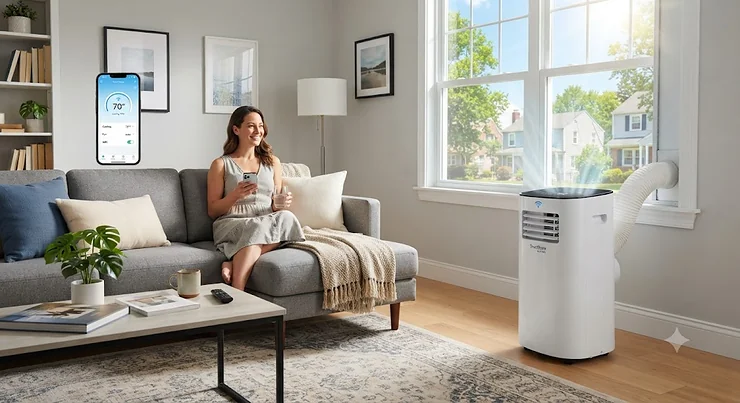
A WiFi portable air conditioner is exactly what it sounds like: a freestanding cooling unit you can start, stop, schedule, or check on from your phone instead of walking over and pressing buttons. It connects to your home network, links to a companion app, and in most cases plays nicely with Amazon Alexa or Google Assistant. That’s the 40-60 word version, and it covers the basics, but it doesn’t tell you which one is actually worth your money.
Here’s the thing nobody tells you upfront: the “smart” part of a WiFi portable air conditioner is rarely the reason it succeeds or fails in your home. The compressor, the hose design, and the SACC rating do the heavy lifting. The app is the cherry on top — genuinely useful when it’s built well, mildly irritating when it isn’t. We dug through real spec sheets, verified aggregated review sentiment, and government testing standards to figure out which models earn their smart-home reputation and which ones are riding on marketing buzzwords.
This guide walks through seven real, currently available models spanning budget bedroom units to serious dual-hose machines for larger rooms. You’ll get honest analysis on what each spec actually means for your electric bill and your sanity, a side-by-side comparison table, and dedicated sections on the features people ask about most — remote access, scheduling, and energy tracking. No fabricated five-star testimonials here, just what the data and real owners consistently report.
Quick Comparison Table
Before the deep dive, here’s the 30-second version. Room coverage listed here uses each manufacturer’s own DOE/SACC-based estimate, which is the number you should trust over the bigger “ASHRAE” figure printed in large font on the box.
| Model | Cooling Area | Noise Level | Smart Control | Best For |
|---|---|---|---|---|
| DREO 318S | Up to 150 sq. ft. | 45 dB | App/Voice/Remote | Small bedrooms |
| GrowthWing 14,000 BTU | Up to 700 sq. ft. | Moderate | WiFi/Voice/Remote | Big rooms on a budget |
| BLACK+DECKER BPACT14WT | Up to 700 sq. ft. | Louder | WiFi App/Alexa/Google | Budget workhorse cooling |
| Midea Duo MAP14S1TBL | Up to 550 sq. ft. | 42 dB | SmartHome App/Alexa/Google | Best all-around smart AC |
| LG LP1419IVSM | Up to 500 sq. ft. | 44 dB | ThinQ App/Alexa/Google | Quiet living spaces |
| Whynter ARC-1230WN | Up to 600 sq. ft. | 48 dB | NetHome Plus/Alexa/Google/Siri | Large rooms, dual hose |
| ZAFRO 16,000 BTU | Up to 600 sq. ft. | 42 dB | ZAFRO App/Remote | Maximum cooling power |
Looking at the spread here, room size and noise level pull in opposite directions more often than not — the quietest units tend to be the smaller-capacity ones, while the big-room coolers like the ZAFRO 16,000 BTU and Whynter ARC-1230WN trade a few extra decibels for genuine square footage. If your priority is a silent bedroom, start with the DREO 318S or LG LP1419IVSM; if you’re cooling an open-plan living room, the dual-hose options deserve a longer look despite the noise trade-off.
💬 Found the comparison helpful? Share it with someone shopping for a new AC this summer!
Just one click — help others make better buying decisions too!😊
Top 7 WiFi Portable Air Conditioners: Expert Analysis
1. DREO 318S — best for small bedrooms on a budget
The DREO 318S leans into a simple pitch: quiet, compact cooling for a single bedroom without the bulk of larger dual-hose units. At 8,000 BTU ASHRAE (5,000 BTU DOE), it’s rated for spaces up to roughly 150 square feet, which realistically means a standard bedroom rather than a living room. DREO’s patented noise isolation system brings operation down to around 45 dB, and the drainage-free design uses sensors and a pump to self-evaporate condensate in normal humidity, so you’re not hauling a bucket to the sink every few days.
Based on the spec comparison, this is squarely a first-apartment or guest-room unit — the compact footprint and lighter weight make it easy to move between rooms, but don’t expect it to touch a large open floor plan. Reviewers consistently note that the DREO app is refreshingly uncomplicated: temperature, mode, and a sleep curve setting, without a maze of sub-menus. Aggregated customer sentiment also flags the compressor as noticeably quieter at night than comparable single-hose competitors in this price tier, though a handful of owners mention the unit runs closer to its rated noise ceiling than the marketing copy suggests once the compressor kicks into full cooling mode.
Pros:
- ✅ Genuinely quiet operation for a budget unit
- ✅ Simple, uncluttered app with sleep curve control
- ✅ True drainage-free design for most humidity levels
Cons:
- ❌ Limited to small rooms around 150 sq. ft.
- ❌ Not powerful enough for open-concept spaces
In the mid-$300s to low-$400s range depending on the retailer, the DREO 318S is a smart pick if your goal is a quiet single bedroom rather than whole-apartment coverage — check current price before buying since portable AC pricing shifts with the season.
2. GrowthWing 14,000 BTU Smart WiFi — most affordable big-room coverage
The GrowthWing 14,000 BTU Smart WiFi portable air conditioner is one of the lesser-known names in this roundup, but its spec sheet punches above its price point: rated to cool spaces up to 700 square feet with auto-evaporation, WiFi and voice control, and the standard 3-in-1 cool/fan/dehumidify mode set. What most buyers overlook about newer entrants like this one is that big brand names aren’t the only route to legitimate WiFi connectivity — the underlying compressor and hose hardware matter more than the logo on the front panel.
Here’s where honesty matters: independent, in-depth review coverage of the GrowthWing is thinner than for the established brands in this list, so treat the room-coverage claim with a bit more skepticism than you would from LG or Midea, and lean on the buyer Q&A section and photo reviews on the retail listing before committing. What is verifiable is that the auto-evaporation system and remote/app/voice control trio put it in the same feature class as competitors costing considerably more. If you’re outfitting a large room on a tight budget and don’t need a recognizable smart-home ecosystem tie-in, this is worth a look — just size your expectations to “value alternative” rather than “flagship.”
Pros:
- ✅ Large 700 sq. ft. rated coverage at a low price
- ✅ Includes WiFi, voice, and remote control options
- ✅ Auto-evaporation reduces manual drainage needs
Cons:
- ❌ Thinner track record of verified long-term reviews
- ❌ Less brand support infrastructure than major names
Priced under $400 in most listings, the GrowthWing 14,000 BTU is a reasonable budget bet for square footage, provided you go in with realistic expectations about brand maturity.
3. BLACK+DECKER BPACT14WT — smartest budget workhorse
The BLACK+DECKER BPACT14WT is the portable AC equivalent of a pickup truck: not elegant, but it gets the job done and doesn’t ask for much. Rated at 14,000 BTU ASHRAE (10,200 BTU SACC) for rooms up to 700 square feet, it pairs a WiFi-enabled app (compatible with Alexa and Google Assistant) with the brand’s signature FOLLOW ME remote, which senses temperature from wherever you’re sitting rather than at the unit itself — a legitimately clever trick that most competitors in this price range skip entirely.
Reviewers consistently note it’s louder than the inverter-based models further down this list, and one long-term reviewer specifically flagged the compressor noise and a fairly basic window kit that sometimes needs DIY foam adjustments for wider windows. What the spec sheet won’t tell you is that the smart features here are best understood as a convenience layer on top of a genuinely strong single-hose cooler, not the headline feature — Reviewers consistently note it’s better to buy this unit for the cooling power and FOLLOW ME remote, with the app as a nice bonus rather than the main event. For a home office or garage where noise matters less than raw square footage, that trade-off is easy to accept.
Pros:
- ✅ FOLLOW ME remote senses room temperature accurately
- ✅ Rated for a genuinely large 700 sq. ft. space
- ✅ WiFi app plus Alexa and Google Assistant support
Cons:
- ❌ Noticeably louder than inverter-based competitors
- ❌ Basic window kit may need DIY adjustment
Typically found in the $400-$500 range, the BLACK+DECKER BPACT14WT is best for buyers prioritizing cooling area and value over whisper-quiet operation.
4. Midea Duo MAP14S1TBL — best all-around smart ecosystem
The Midea Duo MAP14S1TBL is the model most review outlets point to when someone asks for a single well-rounded recommendation, and the spec sheet backs that up. Its 14,000 BTU (12,000 BTU SACC) inverter compressor covers rooms up to 550 square feet while running as low as 42 dB — close to library-quiet — thanks to Midea’s variable-speed Inverter Plus technology, which the brand claims delivers over 40% energy savings versus the federal CEER minimum.
What most buyers overlook about the Midea Duo is the hose-in-hose “Duo” design, which locks cool air in while pushing hot air out more efficiently than a typical single-hose unit, functionally landing it between single- and true dual-hose performance. Control runs through the SmartHome app, with support for Apple Watch and both Alexa and Google Assistant — a broader ecosystem tie-in than most competitors offer. Aggregated review sentiment is largely positive on cooling speed and quiet operation, though independent testers note it lacks an Energy Star rating (a category portable ACs generally can’t earn anyway) and doesn’t yet support Apple HomeKit or IFTTT, so buyers deep in an Apple-only smart home may find the voice-control options thinner than expected.
Pros:
- ✅ Whisper-quiet 42 dB inverter operation
- ✅ Broad app, Apple Watch, and voice assistant support
- ✅ Hose-in-hose design improves real-world efficiency
Cons:
- ❌ No Apple HomeKit or IFTTT integration yet
- ❌ Premium pricing relative to single-hose competitors
Expect to pay somewhere in the $500-$600 range for the Midea Duo MAP14S1TBL — a fair price for what is consistently rated one of the best all-around smart portable ACs available this year.
5. LG LP1419IVSM — quietest ThinQ-powered cooling
The LG LP1419IVSM brings LG’s Dual Inverter compressor technology to the portable AC category, and the standout number here is noise: as low as 44 dB, which testers have described as noticeably quiet compared to traditional compressor cycling. Rated at 14,000 BTU ASHRAE (10,000 BTU SACC) for rooms up to roughly 450-500 square feet, it’s positioned as a medium-room cooler rather than a whole-open-floor-plan solution.
Based on the spec comparison, the real differentiator is the ThinQ app itself, which one hands-on review from a major buying guide called well-designed and user-friendly, letting owners check indoor temperature, adjust settings remotely, set timers and sleep functions, and even pick preset “smart routines” for conditions like high humidity. That’s a genuinely deeper feature set than most competitors’ apps, which usually stop at on/off and temperature. In testing, one reviewer reported the unit dropped a room from 77°F to 71°F in about two hours, a solid result for its size class. Reviewers consistently praise the design and app polish; the trade-off is a single-hose system, which is inherently less efficient than dual-hose designs in very hot climates.
Pros:
- ✅ Among the quietest units in its BTU class
- ✅ ThinQ app includes automation-style smart routines
- ✅ Auto-swing vent reduces uneven cooling hot spots
Cons:
- ❌ Single-hose design is less efficient in extreme heat
- ❌ Smaller coverage area than dual-hose alternatives
Prices for the LG LP1419IVSM generally sit in the $550-$650 range, making it a strong pick for anyone who wants app polish and quiet operation over maximum square footage.

6. Whynter ARC-1230WN — quietest inverter for large rooms
The Whynter ARC-1230WN is the dual-hose specialist of this lineup, built for larger living rooms and home offices rather than a single bedroom. Rated at 14,000 BTU ASHRAE (12,000 BTU SACC) for spaces up to 600 square feet, it uses Whynter’s NEX Inverter technology, which the company states achieves roughly 20% more cooling capacity and over 40% energy savings compared to non-inverter models, while running as low as 48 dB on its lowest fan speed — the quietest rating in Whynter’s own portable lineup.
What the spec sheet won’t tell you is how much the dual-hose “hose-in-hose” system matters in practice: by drawing in fresh outdoor air to cool the room and exhausting warm air separately, it avoids the negative-pressure problem that plagues single-hose units, where conditioned air gets pulled back in through door and window gaps. Smart control runs through the NetHome Plus app, with the broadest voice assistant support in this roundup — Alexa, Google Home, and Apple Siri all work natively. Intelligent features like sleep curve scheduling, self-diagnosis, and express-run settings go further than most competitors’ scheduling tools, which is a genuine advantage if automation is your priority.
Pros:
- ✅ True dual-hose design avoids negative-pressure loss
- ✅ Broadest voice assistant support, including Siri
- ✅ Advanced scheduling and self-diagnosis features
Cons:
- ❌ Louder than the single-hose LG and Midea options
- ❌ Higher price point than most single-hose competitors
Typically priced in the $650-$800 range, the Whynter ARC-1230WN earns its premium for genuinely large rooms where single-hose efficiency losses would otherwise show up on your electric bill.
7. ZAFRO 16,000 BTU Smart Inverter — most powerful dual-hose coverage
The ZAFRO 16,000 BTU Smart Inverter leads this roundup on raw numbers: 16,000 BTU ASHRAE (12,000 BTU SACC), rated for rooms up to 600 square feet, with a CEER of roughly 12.8 — notably above the federal minimum standard for dual-duct portable ACs. The inverter dual-cylinder compressor delivers four-way airflow oscillation, and independent testing found the closed dual-hose loop meaningfully reduces the room depressurization issue that hurts single-hose competitors.
Based on the spec comparison, the extra mode that locks the unit at 61°F for full-power emergency cooling is a legitimately useful feature during a heat wave that most competitors don’t offer. Smart control runs through 2.4GHz WiFi and the ZAFRO app, covering remote on/off, mode switching, temperature adjustment, and scheduling, plus a self-evaporating system rated for up to 72 hours of drainage-free operation under normal humidity. One independent reviewer who tested the unit directly described it as a “serious portable AC” for large spaces, noting the roughly 55-pound weight means two-person moves are advisable on stairs, and that the app and remote worked reliably throughout testing.
Pros:
- ✅ Highest CEER efficiency rating in this roundup
- ✅ Four-way airflow oscillation cools evenly
- ✅ Extra Mode delivers full-power emergency cooling
Cons:
- ❌ Heaviest unit in this list at nearly 56 lbs
- ❌ Among the pricier options for its coverage class
Expect to pay somewhere around $550-$650 for the ZAFRO 16,000 BTU Smart Inverter, a reasonable ask for the highest efficiency rating and largest genuine cooling output on this list.
Connected Portable Air Conditioner Setup & Network Guide
Getting a connected portable air conditioner online is usually a five-minute job, but the first 30 days are where most frustration happens. Start by connecting the unit to your 2.4GHz WiFi band specifically — nearly every portable AC on the market, including every model above, only supports 2.4GHz, not 5GHz, and that single detail causes the majority of “my app won’t find my AC” support tickets. If your router broadcasts a combined network name for both bands, you may need to temporarily split them during setup.
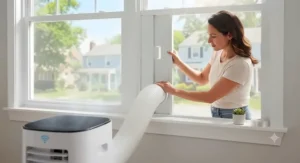
Once connected, resist the urge to run every mode at once during the first week. Let the unit complete a full cool-and-drain cycle before switching between cool, fan, and dehumidify repeatedly, since some inverter compressors need a stable cycle to calibrate properly. Clean or rinse the washable filter every two weeks during heavy summer use — a clogged filter is the single most common cause of “it’s not cooling like it used to” complaints, and it has nothing to do with the smart features. For the exhaust hose, keep it as short and straight as possible; excess slack or sharp bends reduce airflow and can trick the app’s usage tracking into reporting longer run times than necessary.
✨ Ready to set up your own smart cooling routine? Grab one of the picks above and start with the basics.
Problem → Solution: Fixing Common WiFi Portable AC Issues
Even a well-reviewed smart portable AC runs into a handful of recurring problems, and most have simple fixes.
Problem: The app won’t connect after a power outage. Most units default to their last mode after a restart, but the WiFi module sometimes needs a manual re-pair. Power-cycle the unit and reconnect through the app rather than assuming it’s defective.
Problem: Room isn’t cooling despite the app saying it’s running. Check the SACC rating against your actual square footage first — a unit rated for 350 square feet in a 500-square-foot open room will run constantly and still lose the battle with real-world DOE testing conditions.
Problem: Water pooling near the unit. This usually means the drain hose or internal tank has reached capacity faster than expected, often due to high humidity exceeding the drainage-free threshold most manufacturers cap around 90% relative humidity.
Problem: Scheduling automation doesn’t trigger reliably. This is almost always a WiFi signal strength issue rather than an app bug — smart plugs and portable ACs in a garage, basement, or far corner of the house often sit at the edge of router range.
How to Choose a Smart Portable AC
Here’s a snippet-friendly rundown of what actually matters when comparing a smart portable AC purchase, in the order most experts recommend weighing them:
- Match SACC, not ASHRAE, to your room size. The bigger number on the box is almost always the less useful one — SACC reflects real-world performance.
- Decide if dual-hose is worth the size and price jump. Larger rooms and hotter climates benefit; small bedrooms usually don’t need it.
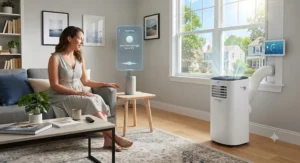
- Check which voice assistants you actually use. Not every app supports Siri or HomeKit, so verify before assuming compatibility.
- Confirm 2.4GHz WiFi support. Nearly universal, but worth a five-second check before buying.
- Weigh noise level against room use. A 48 dB unit in a bedroom is a different experience than the same unit in a home office.
- Look at drainage-free thresholds. If you live somewhere humid, this single spec saves real hassle.
- Compare warranty length and brand support. Established brands generally offer faster parts and service access than newer entrants.
WiFi Portable Air Conditioner vs Traditional Portable AC
The core mechanical difference between a WiFi portable air conditioner and a traditional non-connected model is, unsurprisingly, just the control module — the compressor, hoses, and cooling mechanics are identical or nearly so within the same product line. What changes is how you interact with the machine day to day. A traditional unit means walking over, checking a dial or basic LED display, and manually managing timers. A connected model adds remote scheduling, voice control, and in several cases like the LG LP1419IVSM and Whynter ARC-1230WN, energy usage visibility you simply can’t get from a physical control panel.
The trade-off is upfront cost. WiFi-enabled models in this roundup typically run $30-$80 more than a nearly identical non-connected sibling from the same manufacturer. Whether that premium is worth it comes down to lifestyle: if you’re commonly out of the house when the heat spikes, or you want the unit to pre-cool a room before you arrive home, the smart features pay for themselves in comfort even if they don’t dramatically change your electric bill. If you’re home most of the day anyway, a traditional unit with a physical timer accomplishes almost the same thing for less money.
Common Mistakes When Buying a WiFi Portable Air Conditioner
The single most common mistake is buying based on the ASHRAE BTU number printed largest on the box rather than the SACC figure on the mandated Energy Guide label — a unit’s real cooling capacity, per the Department of Energy’s testing standards, can be 40-50% lower than the flashy ASHRAE number suggests. The second most common mistake is undersizing for the room; when in doubt, size up rather than down, since running an undersized unit constantly is both less comfortable and less energy-efficient than a properly sized one cycling normally.
A third mistake worth flagging: assuming every “smart” AC works with every voice assistant. Apple HomeKit support in particular is inconsistent across this category — the Midea Duo lacks it entirely, for instance — so anyone building an all-Apple smart home should verify compatibility before buying rather than after unboxing. Finally, many buyers skip checking whether their router even supports the 2.4GHz band the unit requires, leading to an entirely avoidable return.
App Controlled Portable AC: What the Apps Actually Do
Every app controlled portable AC in this roundup handles the basics — power, temperature, fan speed, and mode — but the depth beyond that varies more than most buyers expect. The LG ThinQ app stands out for its preset “smart routines” tied to conditions like humidity, essentially light automation without manual scheduling. The Whynter NetHome Plus app leans into self-diagnosis and express-run presets, useful for troubleshooting without a support call. Budget apps from brands like DREO and GrowthWing intentionally stay simpler — fewer menus, less to configure, which some owners genuinely prefer.
What most buyers overlook is that app quality is more brand-dependent than price-dependent. A $400 unit with a well-built app can be more pleasant to live with day-to-day than a $700 unit with a clunky one, so it’s worth reading recent app store reviews for the specific companion app — not just the AC itself — before committing to a purchase.
Remote Access Control: How Far Can You Really Go?
Remote access control on these units generally means exactly what it sounds like — full functionality from anywhere with an internet connection, not just the same WiFi network. All seven models above support genuine remote-anywhere control through their respective apps, meaning you can start cooling a room from work, a road trip, or another country, provided the unit stays powered and connected. The practical limit isn’t distance; it’s your home network staying online and the unit’s WiFi module maintaining a stable connection, which is why a strong router signal near the unit’s install location matters more than most buyers initially assume.
One safety note worth flagging clearly: remote access control is a genuine convenience, but it also means the account tied to your app is effectively a remote power switch for an appliance drawing significant current. Treat that account credential with the same care as any other connected home device — a point we expand on in the security section below.
Scheduling & Automation: Building a Cooling Routine
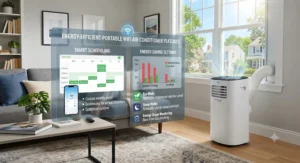
Scheduling automation is where the smart-home premium earns its keep for most owners. Rather than manually toggling the unit, you can set a WiFi portable air conditioner to start cooling 30 minutes before you typically arrive home, shut off automatically overnight once a bedroom reaches a comfortable temperature, or run only during off-peak electricity hours if your utility offers time-of-use pricing. The Whynter ARC-1230WN‘s sleep curve and express-run settings and the ZAFRO 16,000 BTU‘s 24-hour timer with Eco mode are both built specifically around this kind of routine-building.
A practical tip most manufacturer manuals bury: layer your schedule in stages rather than one hard on/off trigger. Setting a mid-strength cooling schedule an hour before your main comfort window, followed by a stronger setting at your actual arrival time, tends to use less total energy than blasting full power the moment you walk in, according to the energy-use patterns several of these apps report back to owners.
Energy Usage Tracking: What the Data Actually Tells You
Energy usage tracking, when an app includes it, is genuinely one of the more useful smart features rather than a gimmick — it turns an abstract “my electric bill went up” complaint into an actual number you can act on. The LG ThinQ app and Midea SmartHome app both surface estimated run-time and consumption data, letting owners spot, for example, that dehumidify mode on a humid day is quietly running the compressor almost as hard as full cooling mode.
Here’s what most owners don’t realize until they check the data: a portable AC’s biggest energy-usage lever isn’t the fan speed setting, it’s how tightly the exhaust hose is installed. A poorly sealed window kit lets conditioned air leak and hot air infiltrate, which shows up in usage tracking as unexplained longer run times for the same set temperature. If your app-reported energy usage climbs without a corresponding heat wave, the window kit seal is the first thing worth checking before assuming the unit itself is failing.
Long-Term Cost & Maintenance
Total cost of ownership on a portable AC isn’t just the sticker price — it’s the sticker price plus roughly one cooling season’s worth of electricity, plus the occasional replacement filter or drain hose. Under the DOE’s current energy conservation standards for portable air conditioners, dual-duct units like the Whynter ARC-1230WN and ZAFRO 16,000 BTU must meet a minimum CEER of 11.0, while single-duct units carry lower minimums depending on capacity — which is a big part of why dual-hose models tend to cost more upfront but even out over a full summer of daily use in hot climates.
Maintenance itself is low-effort across every model here: rinse the washable filter every one to two weeks in heavy-use months, wipe down the exterior, and drain or empty any internal reservoir per the manufacturer’s humidity threshold. None of these seven units require professional servicing under normal use, and most carry a standard one-year parts-and-labor warranty, with the Whynter brand extending compressor coverage to three years — a detail worth checking if you plan to run the unit hard every summer for years rather than replacing it after a season or two.
Features That Actually Matter (And Those That Don’t)
Cutting through the marketing noise: SACC rating, hose configuration (single vs. dual), and noise level in dB are the three specs that actually determine your day-to-day experience. Everything else is genuinely secondary. Inverter compressor technology matters more than most shoppers realize too — it’s the difference between a unit cycling on and off loudly every few minutes versus quietly modulating output to hold a steady temperature.
On the “doesn’t matter as much as it sounds” side: ambient LED lighting, multiple cosmetic color options, and the sheer number of fan speeds beyond three or four are nice-to-haves rather than meaningful differentiators. Voice assistant compatibility matters only if you already use that ecosystem daily — buying a unit specifically for Alexa support when you don’t own any other Alexa devices is solving a problem you don’t have.
Keeping Your Connected Portable AC Secure
Any WiFi-connected appliance, including a portable air conditioner, is technically a device on your home network, and it deserves the same basic hygiene as your laptop or phone. According to NIST’s guidance on smart home device security, owners should avoid reusing passwords across smart-home accounts, enable multi-factor authentication on companion apps where it’s offered, and keep the device’s firmware updated through the app rather than ignoring update prompts.
A practical, low-effort step: if your router supports a guest or IoT-specific network, connect your portable AC and other smart appliances there instead of your primary network where your laptop and financial accounts live. It takes fifteen minutes to set up and meaningfully reduces the chance that a compromised smart device becomes a stepping stone to something more sensitive on your home network.
Real-World Scenarios: Who Should Buy Which Model
The remote worker with a home office. Prioritize noise and reliable all-day operation over raw square footage. The LG LP1419IVSM or Midea Duo MAP14S1TBL fit this best — both run quiet enough to sit through video calls without the compressor becoming a background character.
The renter cooling a large shared living room. Dual-hose efficiency and genuine coverage matter more here than smart-home polish. The Whynter ARC-1230WN or ZAFRO 16,000 BTU handle bigger open spaces without the negative-pressure inefficiency single-hose units suffer in larger rooms.
The budget-conscious first apartment. A single bedroom, a tight budget, and no need for a smart-home ecosystem tie-in point toward the DREO 318S or GrowthWing 14,000 BTU, both of which deliver the core WiFi and app features without premium pricing.
Frequently Asked Questions
❓ Do WiFi portable air conditioners work without internet?
❓ Can a smart portable AC connect to 5GHz WiFi?
❓ How much does a WiFi portable air conditioner raise my electric bill?
❓ Do these units need to vent through a window?
❓ Is a dual-hose portable AC worth the extra cost?
Conclusion
A WiFi portable air conditioner earns its premium when the smart features actually match how you live — remote scheduling for an unpredictable commute, energy tracking for a curious mind, voice control for a household that already talks to Alexa all day. The seven models here cover that range honestly: the DREO 318S and GrowthWing 14,000 BTU for budget-conscious single rooms, the BLACK+DECKER BPACT14WT for straightforward big-room value, the Midea Duo MAP14S1TBL and LG LP1419IVSM for quiet, polished all-around performance, and the Whynter ARC-1230WN and ZAFRO 16,000 BTU for genuinely large spaces that need dual-hose efficiency.
None of these are magic. The SACC rating, hose design, and inverter technology do the real cooling work; the app is the convenience layer on top. Match the room-size math first, then let the smart features be the tiebreaker between two otherwise similar units. That’s the honest order of priorities, and it’ll save you from paying a premium for features you’ll never actually use.
✨ Don’t Miss These Exclusive Deals!
🔍 Take your home cooling setup to the next level with these carefully selected WiFi portable air conditioner picks. Click on any highlighted model above to check current pricing and availability. These units will help you build the connected, comfortable summer your family will actually enjoy!
Recommended for You
- Best Smart Air Conditioner 2026: 7 Top Picks
- Window fan with thermostat: 7 Best Picks That Auto-Cool in 2026
- Twin Window Fan: 7 Best Picks for Powerful Cooling in 2026
Disclaimer: This article contains affiliate links. As an Amazon Associate, I earn from qualifying purchases. If you purchase products through these links, we may earn a small commission at no additional cost to you.
✨ Found this helpful? Share it with your friends! 💬🤗
