
In This Article
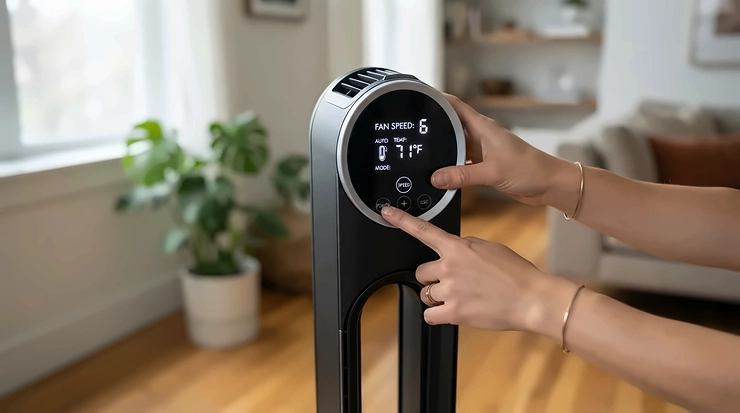
A smart tower fan with app control is a slim, floor-standing fan that joins your home Wi-Fi so you can change speed, mode, oscillation, and timers from your phone. Most also take voice commands and run on schedules, which turns a humble fan into something that cools the bedroom before you walk in.

Here’s the honest pitch. A tower fan doesn’t lower the temperature of a room. It moves air across your skin so sweat evaporates faster. Constellation’s energy-efficiency guide notes that tower fans typically draw roughly 48 to 100 watts and recirculate indoor air rather than pulling anything in from outside. That’s a tiny electric bill next to a window air conditioner, which is exactly why a smart tower fan with app control is such an easy upgrade.
The catch? “Smart” is a spectrum. Some models give you a polished app, granular speed steps, and real routines. Others give you a power button on your phone and not much else. This guide sorts the genuinely useful from the gimmicky across seven real models, from a budget first-timer to a flagship that actually humidifies.
You’ll also find dedicated sections on the tower fan with humidifier function (spoiler: it’s rare), smart fan with voice assistant control, Wi-Fi connectivity setup, and schedule automation. Everything here comes from manufacturer specs and published professional and owner reviews, not hands-on testing. Prices are ranges as of November 2026 and change often, so check current price before you buy.
Quick Comparison: Smart Tower Fan With App Control Picks at a Glance
| Pick | Best For | Voice Support | Price Range |
|---|---|---|---|
| GoveeLife Smart Tower Fan | Budget first-timers | Alexa, Google; Siri Shortcuts on some sizes | $75-$90 |
| Dreo Cruiser Pro T1S | Best all-round value | Alexa, Google | $85-$120 |
| Dreo DR-HTF004S | Light sleepers | Alexa, Google | $115-$140 |
| Levoit Smart 42-Inch Tower Fan | Levoit/VeSync households | Alexa (Google varies by source) | $110-$140 |
| Lasko Aria T40733 | Simple on/off schedules | Alexa (on/off only), Google | $95-$125 |
| Dreo Air Purifier Tower Fan MC710S | Large rooms plus cleaner air | Alexa, Google | Check current price |
| Dyson Purifier Humidify+Cool PH04 | Humidifying, purifying, and cooling | Alexa, Siri, Google Home | $900-$1,000 |
Looking at the comparison above, the Dreo Cruiser Pro T1S delivers the most balanced mix of airflow, voice support, and price, while the Dreo DR-HTF004S justifies its small premium if bedroom noise is your priority. Buyers who specifically want a tower fan with humidifier function will find the Dyson Purifier Humidify+Cool PH04 is the only mainstream option here, and it costs several times more than everything else. The Lasko Aria T40733 sits in the middle on price but offers the thinnest smart features of the group.
💬 Just one click — help others make better buying decisions too!😊
Top 7 Smart Tower Fan With App Control Models: Expert Analysis
1. GoveeLife Smart Tower Fan — cheapest way into smart cooling
The big draw is price: this is one of the lowest-cost ways into the smart tower fan with app control category. TechRadar’s review lists a 36-inch body, a 37W draw, 75° oscillation, and eight speeds in the app versus three on the touch panel. In practice, that means the app gives you finer control than the fan’s own buttons, while 37W keeps running costs low enough to leave it on overnight.
Its Auto mode adjusts speed from room temperature and humidity, but it needs the separate Govee Wi-Fi Thermo-Hygrometer, which TechRadar prices at around $40. Factor that in before calling this a bargain. Based on the spec comparison, it suits a first-time buyer who wants app scheduling and a timer rather than a power user chasing advanced automation.
Reviewers consistently praise the understated design and easy app. The recurring complaints are a lightweight base that tips easily, noise that climbs at higher speeds, and voice commands that can be temperamental.
Pros:
- ✅ Lowest entry price in this roundup
- ✅ Easy app with schedules and custom settings
- ✅ Efficient 37W power draw
Cons:
- ❌ Light base can tip over
- ❌ Louder at higher speeds
Expect to pay in the $75-$90 range. It’s good value if you park it out of the traffic path.
2. Dreo Cruiser Pro T1S — best balance of price and airflow
Think of this as the smart upgrade to one of the most reviewed budget towers around. BestReviews notes the T1S is essentially the Cruiser Pro T1 with smart capabilities added for roughly $10 more, and Reviewed lists the T1 at about 1,270 CFM. That airflow matters: it’s enough to push a convincing breeze across a medium bedroom or living room instead of just stirring the air near the fan.
You get 12 speeds, four modes (Normal, Natural, Sleep, Auto), app scheduling and timers, a remote, and Alexa compatible plus Google Assistant support. There’s no HomeKit. The Natural mode mimics a shifting breeze, which you’ll appreciate at 2 a.m. when a steady blast feels like being interrogated by a hair dryer.
Reviewers of the T1 line often mention quiet running and easy assembly. BestReviews noticed a small base wobble and advised against placing it on carpet. Some reports suggest Wi-Fi pairing can be fussy on routers that blend 2.4 and 5GHz bands, so keep that in mind.
Pros:
- ✅ 12 speeds for fine-tuned comfort
- ✅ Alexa, Google, and a physical remote
- ✅ Strong airflow for its price tier
Cons:
- ❌ No HomeKit support
- ❌ Slight base wobble on soft surfaces
Plan on the $85-$120 range. It’s probably the best overall value in this lineup.
3. Dreo DR-HTF004S — quietest low setting of the bunch
Quiet is the whole personality here. Per Smart Home Unlocked’s roundup, this 42-inch DC-motor model lists a 20 dB low-speed rating, 12 speeds, four modes, and 120° oscillation. On paper, that’s the quietest figure in this lineup. A DC motor also typically means smoother speed changes and lower power draw than older AC designs.
The Sleep mode is the smart part: it gradually steps the speed down overnight and dims the display, so the fan fades out instead of glowing at you like a tiny landing strip. Control comes from the Dreo app (schedules and timers included), Alexa, Google Assistant, or the bundled remote. What most buyers overlook is the missing temperature-sensing Auto mode. You set the schedule, but the fan doesn’t read the room. If you sleep hot and want it to react on its own, a different pick fits better.
Reviewer sentiment around Dreo’s tower line skews positive on noise and build, with owners often describing the fans as quiet and easy to connect. The 120° sweep is narrower than the 150° arc on some competitors, which matters in wide rooms.
Pros:
- ✅ 20 dB low speed suits light sleepers
- ✅ Sleep mode ramps down and dims display
- ✅ App, voice, and remote all included
Cons:
- ❌ No temperature-sensing Auto mode
- ❌ No HomeKit support
Budget roughly $115-$140. It’s worth it if bedroom noise is your top priority.
4. Levoit Smart 42-Inch Tower Fan — best for VeSync households
If you already run Levoit purifiers or humidifiers, this fan slots into the same VeSync app. That saves you another login and another home-screen folder. Smart Home Explorer lists a brushless DC motor rated at 25 dB with roughly 26 ft/s air velocity, 12 speeds, and four modes including an Advanced Sleep mode. The app adds 1-to-24-hour scheduling and timers.
The bladeless-style tower is easier to wipe down than a fan with exposed vanes and is a friendlier shape around kids and pets. The slim footprint also fits corners where wider towers won’t. Based on the spec comparison, it’s a strong match for bedrooms and small living rooms where tidy looks and low noise outrank raw airflow.
The voice story needs a careful read. Sources agree on Alexa but disagree on Google Assistant, so confirm the current listing if Google Home is your ecosystem. There’s no HomeKit support or built-in temperature sensor either. Reviewers also mention the VeSync app can be slow during first-time pairing, which is annoying but a one-time cost.
Pros:
- ✅ Shares the VeSync app with Levoit gear
- ✅ Bladeless build is easy to clean
- ✅ Slim footprint with a 25 dB rating
Cons:
- ❌ No temperature sensor or HomeKit
- ❌ App can be slow to pair
Expect roughly $110-$140. It’s best value when you’re already in the Levoit ecosystem.
5. Lasko Aria T40733 — quiet power with a bare-bones app
This is the fan you pick when you trust the brand’s airflow more than the app. Reviewed describes it as powerful and quiet even on high, with five speeds, oscillation, a timer, a control panel whose lights can be switched off, and scheduling through the Aria app. On medium, the reviewer called it virtually silent, and medium is where most people end up living.
Here’s what the spec sheet won’t tell you: voice control is thin. Reviewed found Alexa could turn the fan on and off but couldn’t change speed or oscillation. Enabling it also means digging into Third Party Control in the app and activating the skill. There’s no standalone remote either, so your phone or the top panel is your only control. That limits the Alexa compatible appeal for anyone wanting full hands-free tuning.
Reviewed’s verdict was that the smart features add little beyond a standard remote-controlled fan, and that the price was steep next to similar Govee and Dreo models. Takeaway: this is a quiet, capable tower first and a smart fan second.
Pros:
- ✅ Quiet even at high speeds
- ✅ Powerful airflow across five speeds
- ✅ Schedules through the Aria app
Cons:
- ❌ No remote included
- ❌ Alexa limited to on and off
Listings have run about $95-$125. Rivals deliver more smart features per dollar, so choose this one for the Lasko airflow, not the app.
6. Dreo Air Purifier Tower Fan MC710S — big airflow plus a built-in air purifier
This is the tower fan for people who want one tall appliance doing two jobs. Dreo bills it as the first dual-motor tower fan, so the fan and purifier run on separate motors and you can use either alone. Tom’s Guide cites an air delivery rating of 1,558 CFM at full blast. Homes & Gardens lists a 27 ft/s wind speed, a 40-foot reach, and a timer up to 24 hours.
That’s serious cooling power, but read the fine print on the purifier half. The CADR is rated 60 for smoke, dust, and pollen, a fraction of a dedicated purifier’s output. Tom’s Guide also notes that running the fan bypasses the filter, so what you feel is a mix of filtered and unfiltered air. Replacement HEPA filters cost around $40. Reviewed was more upbeat, calling it an excellent tower fan even with a limited HEPA filter.
At about 46.5 inches tall and 18 pounds, it’s a big piece of furniture, rated for roughly 150 to 300 square feet. Think open rooms, not tight bedrooms.
Pros:
- ✅ 1,558 CFM dual-motor airflow
- ✅ Fan and purifier run independently
- ✅ App tracks temperature and air quality
Cons:
- ❌ Modest CADR limits purifying power
- ❌ Heavy, tall, with recurring filter costs
Check current price, since it varies by retailer. Reviewer commentary frames it as relatively affordable next to Dyson’s purifier fans, and it’s a good value if you wanted a big fan first.
7. Dyson Purifier Humidify+Cool PH04 — the only true humidifier here
This is the answer to the tower fan with humidifier function question, with a big asterisk: it’s a bladeless 3-in-1 purifier, humidifier, and fan, not a conventional tower. Reviewed lists it at 36.33 inches tall and 18 pounds. NextPit describes setup through the Dyson app (with NFC to pair), plus support for Alexa, Siri, and Google Home.
The practical meaning: it senses air quality and humidity and reports them live in the app, so it works year-round rather than just in summer. Bob Vila’s reviewer liked the automatic modes and quiet night setting but flagged a limit: only one automatic setting can run at a time, either purify or humidify. Reviewed concluded it’s a “maybe” because its strengths add up to a niche use case.
Dyson’s own site shows a 4.2 out of 5 average across roughly 1,870 ratings, and the roughly 190 one-star ratings are worth skimming before you commit. Dyson recommends replacing the filter about every 12 months, and regular tank cleaning comes with any humidifier.
Pros:
- ✅ Real humidifier, purifier, and fan in one
- ✅ Strong app, Alexa, Siri, Google support
- ✅ Live air quality and humidity reporting
Cons:
- ❌ Roughly $900-$1,000 price territory
- ❌ Only one auto mode at a time
Verdict: poor value if you only want a fan, but worthwhile if you’d otherwise buy three separate appliances.
Side-by-Side Specs: How the 7 Compare
| Model | Key Specs | Noise / Airflow Notes | Smart Features | Best For |
|---|---|---|---|---|
| GoveeLife Smart Tower Fan | 36 in, 37W, 75° | Up to 20 ft/s | App, Alexa, timer, schedules | Budget bedrooms |
| Dreo Cruiser Pro T1S | 12 speeds, 4 modes | T1 rated about 1,270 CFM | App, Alexa, Google, remote | All-round value |
| Dreo DR-HTF004S | 12 speeds, 120° | 20 dB low speed | App, Alexa, Google, remote | Quiet sleepers |
| Levoit Smart 42-Inch Tower Fan | 12 speeds, bladeless | 25 dB, ~26 ft/s | VeSync, 24-hour scheduling, Alexa | VeSync homes |
| Lasko Aria T40733 | 5 speeds | Quiet even on high | Aria app schedules, Alexa on/off | Simple routines |
| Dreo Air Purifier Tower Fan MC710S | 46.5 in, dual motor | 1,558 CFM, 27 ft/s | Dreo app, 24-hour timer | Large rooms |
| Dyson Purifier Humidify+Cool PH04 | 36.3 in, 18 lb | Humidifier plus HEPA and carbon | App, Alexa, Siri, Google | Humidify and purify |
The Dreo MC710S wins on raw airflow, but its size and weight make it a poor fit for small bedrooms. The Levoit Smart 42-Inch Tower Fan and Dreo DR-HTF004S trade peak power for quiet, and that’s the right trade for sleeping spaces. Treat the Dyson PH04 as a different product category that happens to overlap with tower fans.
Tower Fan With Humidifier Function: What Actually Exists
Let’s clear up a common misunderstanding. Search for a tower fan with humidifier function and you’ll find far more listings than real products. Most “tower fans” with moisture claims are either aroma diffusers or evaporative coolers, and they’re not the same thing.
The true 3-in-1 option
The Dyson Purifier Humidify+Cool PH04 is the clearest real example of a tower fan with humidifier function in the mainstream US market. It’s bladeless, tall, and app-controlled, and it humidifies while it cools and purifies. The price is the obstacle, and Bob Vila’s reviewer also noted the one-auto-mode limit.
Aroma diffusers aren’t humidifiers
The Midea 42 Inch Smart Tower Fan is a good example of the confusion. Midea’s listing highlights a fresh air ionizer and an aroma diffuser, three speeds, 60° oscillation, a 7-hour timer, and MSmartHome app control with Alexa and Google Assistant. An aroma diffuser scents the air, but nothing in that listing says it adds meaningful moisture.
The practical workaround
For most households, the cheaper route is a separate smart humidifier near a fan. Levoit’s OasisMist 1000S is a smart ultrasonic cool mist tower humidifier, and Levoit advertises a runtime of up to 100 hours. Pair it with a smart fan with voice assistant control and you can build “dry-air” and “hot-night” routines on the same schedule. Evaporative tower coolers also exist, using a wet pad to add moisture while cooling. They tend to work best in dry climates and can feel muggy in humid ones, so be realistic about your local conditions.
Smart Fan With Voice Assistant Control: Alexa, Google, and Siri Explained
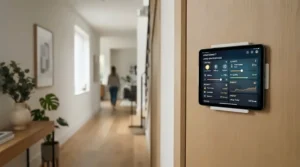
Voice control sounds simple, but a smart fan with voice assistant control often means “on, off, and maybe speed.” Here’s what reviewers actually found.
What “Alexa Compatible” Really Means
Alexa compatible is a floor, not a ceiling. Reviewed found the Lasko Aria T40733 could be switched on and off by voice but couldn’t change speed or oscillation. In a separate review of the Dreo PolyFan Max S, Reviewed reported that voice commands were mostly limited to speed changes, and that requests for sleep mode or direction weren’t understood. TechRadar also called the GoveeLife Smart Tower Fan‘s voice controls temperamental.
Google and Siri
Google Assistant support is common on the Dreo and Govee models listed above. Siri is rarer. Smart Home Explorer reports Siri support on a GoveeLife 42-inch tower, and NextPit lists it for the Dyson PH04. If you live in the Apple ecosystem, check the specific model listing, since the Dreo Cruiser Pro T1S and Dreo DR-HTF004S lack HomeKit.
Making voice control actually work
- Give the fan a short, distinct name like “bedroom fan.”
- Enable the skill from inside the fan’s own app, as the Lasko’s Third Party Control menu requires.
- Build one Alexa routine (“Goodnight”) that sets the fan’s speed and timer, rather than relying on separate commands.
Based on these reviews, treat voice as a convenience layer and keep a physical remote or panel as a backup.
Wi-Fi Connectivity: Setup Guide and Fixes for Common Problems
Wi-Fi connectivity is where most smart fan frustration starts. The good news is that nearly every problem has a short fix.
A 10-minute setup routine
- Plug the fan in near your router for the first pairing, then move it.
- Download the brand’s app (Dreo, Govee Home, VeSync, Aria, or Dyson) and create an account.
- Put the fan in pairing mode, usually by holding the power or Wi-Fi button for a few seconds.
- Join your 2.4 GHz network when prompted.
- Name the fan clearly, then link it to Alexa or Google.
Problem to solution
Problem: pairing keeps failing. Govee states that 5GHz Wi-Fi isn’t supported on its 42-inch tower, and Klarstein’s tower cooler manual specifies a 2.4 GHz network. Temporarily split your router’s bands, or pair from a phone connected to 2.4 GHz.
Problem: the app says offline. Move the router closer or use a mesh node nearby, and power-cycle the fan once.
Problem: slow first pairing. Reviewers mention the Levoit Smart 42-Inch Tower Fan‘s VeSync app can lag on first setup, so give it a minute.
Problem: voice commands do nothing. Re-enable the skill in the app, as the Lasko Aria T40733 requires.
If Wi-Fi connectivity still misbehaves, check for app updates first. Then confirm your router isn’t aggressively steering devices to 5GHz.
Schedule Automation: Routines That Actually Earn Their Keep
Schedule automation is the feature everyone advertises and few people use well. Reviewed’s tester couldn’t find a use for the Lasko Aria T40733‘s scheduling, which is fair if your routine never changes. Three routines tend to be worth the setup.
The pre-cool bedtime routine
Set the fan to start 30 to 45 minutes before bed at a mid speed, then drop to Sleep mode. The Dreo DR-HTF004S is built for this, since its Sleep mode ramps speed down and dims the display.
The “nobody’s home” routine
Schedule a hard shut-off during work hours so the fan doesn’t run in an empty room. At roughly 37W, the GoveeLife Smart Tower Fan is cheap to run, but wasted hours still add up. Smart Home Explorer also lists geofenced auto-on for a GoveeLife 42-inch model, which starts the fan as you approach home.
The temperature-triggered routine
TechRadar found the Govee’s Auto mode adjusts speed from temperature and humidity, though it needs the separate Govee Wi-Fi Thermo-Hygrometer. The reviewer found it useful at bedtime but said its idea of comfort didn’t always match theirs. Treat any sensor-driven schedule automation as a starting point you’ll tweak.
The Levoit Smart 42-Inch Tower Fan supports 1-to-24-hour scheduling and timers, which covers most use cases. Start simple, with one bedtime schedule and one shut-off, and add complexity only when you notice a gap.
How to Choose a Smart Tower Fan With App Control
- Match airflow to your room. The Dreo MC710S is rated for roughly 150 to 300 square feet, while a small bedroom doesn’t need 1,558 CFM.
- Check noise at the speed you’ll actually use. Low-speed decibel claims flatter every fan. TechRadar found the GoveeLife Smart Tower Fan got louder at higher speeds and on wooden floors.
- Confirm your Wi-Fi connectivity band. If your router can’t offer 2.4 GHz, skip models that require it.
- Verify voice support for your ecosystem. Alexa compatible, Google, and Siri support vary by model.
- Judge the schedule automation depth. Look for recurring schedules, timers up to 24 hours, and sleep modes that taper off.
- Keep a physical backup. The Lasko Aria T40733 has no remote, so a dead Wi-Fi network means panel-only control.
- Count ongoing costs. Filters on the Dreo MC710S and Dyson PH04 add a yearly expense.
Follow these steps and the shortlist usually shrinks to two or three models on its own.
✨ Ready to Upgrade Your Cooling?
🔍 Take your bedroom comfort to the next level with the carefully selected fans above. Click any highlighted product name to check current pricing and availability. A smart tower fan with app control could be the easiest way to sleep better this summer!
Features That Actually Matter (And Those That Don’t)
Marketing pages for any smart tower fan with app control pile on features. Here’s a filter based on what reviews and specs suggest actually changes daily life.
Features worth paying for
- DC motor and many speed steps. The Dreo DR-HTF004S and Levoit Smart 42-Inch Tower Fan offer 12 speeds, so you can land between “too weak” and “hurricane.”
- A good Sleep mode. Gradual tapering and a dimmable display beat a bright screen at 2 a.m.
- A physical fallback. Remote or panel controls matter when your router hiccups.
- Honest Wi-Fi connectivity. Stable pairing beats a longer feature list.
Features that rarely justify the cost
- Ambient lights and aroma pads. The GoveeLife Smart Tower Fan line includes both on some sizes, and Midea’s tower adds an aroma diffuser. Nice, but they don’t cool you.
- Basic voice control. If it only handles on and off, as with the Lasko Aria T40733, a remote does the same job.
- App notifications. Smart Home Unlocked flagged intrusive Govee alerts. Turn them off.
- Sensor-driven Auto modes. Useful only if you’ll buy the extra sensor.
The takeaway: pay for sound, airflow, and reliable connectivity first. Everything else is garnish.

Smart Tower Fan vs Ceiling Fan vs Window AC: Which Wins?
| Option | Typical Power Use | Smart Control | Best For |
|---|---|---|---|
| Smart tower fan | About 48-100W typical; GoveeLife Smart Tower Fan lists 37W | App, voice, schedules | Renters and bedrooms |
| Ceiling fan | About 15-90W | Varies; smart versions exist | Permanent installs, big rooms |
| Window AC | Highest of the three | Some models | Real temperature drop |
Constellation puts typical tower fan use at about 48 to 100 watts and ceiling fans at about 15 to 90 watts. ENERGY STAR says certified ceiling fans are up to 44% more efficient than conventional fans. House Digest similarly notes ceiling fans tend to deliver far more airflow per watt than tower or box fans. If you own your home and can install one, a ceiling fan wins on efficiency.
A smart tower fan with app control wins on flexibility. You can move it between rooms, take it when you move, and skip the electrician. For most renters, that portability outweighs the efficiency gap. Neither fan type lowers air temperature, so if the room is genuinely sweltering, an AC is the only option that changes the actual temperature.
Real-World Scenarios: Who Should Buy Which
The apartment renter with an Echo Dot
You’re in a 600-square-foot apartment, running a fan most evenings, with a 2.4 GHz-capable router and an Echo Dot. The Dreo Cruiser Pro T1S is a strong fit: it’s Alexa compatible, has enough airflow for a living room, and sits in the $85-$120 range.
The light sleeper
You run a fan every night and wake at small sounds. The Dreo DR-HTF004S or Levoit Smart 42-Inch Tower Fan make more sense, since both emphasize low-noise DC motors and Sleep modes. Expect to spend $110-$140.
The dry-air family
Winter heating leaves the house dry, and someone has allergies. A tower fan with humidifier function is genuinely useful here, so the Dyson Purifier Humidify+Cool PH04 fits, if budget allows. A cheaper path pairs a Dreo Cruiser Pro T1S with a separate Levoit OasisMist 1000S humidifier.
The open-plan living room
You have 250 square feet to cover and don’t mind a big appliance. The Dreo Air Purifier Tower Fan MC710S brings 1,558 CFM and a purifier bonus. Just remember the filter costs around $40 per replacement.
Common Mistakes When Buying a Smart Tower Fan With App Control
Assuming every “2-in-1” is a real humidifier. As covered above, a tower fan with humidifier function is rare, and aroma diffusers don’t count.
Ignoring the Wi-Fi band. A fan that needs 2.4 GHz will fail to pair on a 5GHz-only setup.
Paying for voice you won’t use. Reviewed’s take on the Lasko Aria T40733 suggests basic Alexa support adds little over a remote.
Chasing CFM and ignoring noise. Big airflow numbers don’t help if the fan keeps you awake. TechRadar’s reviewer found the GoveeLife Smart Tower Fan kept a partner awake even on Sleep mode.
Forgetting stability. BestReviews noted a small wobble in the Dreo Cruiser Pro T1S line’s base and advised against carpet, and TechRadar flagged tipping on the Govee.
Overlooking recurring costs. Filters turn some “bargains” into subscription products.
Long-Term Cost and Maintenance
Running costs are small, but let’s put numbers on them. At an illustrative 17 cents per kWh, the 37W GoveeLife Smart Tower Fan running 8 hours a night for 30 days uses about 8.9 kWh, or roughly $1.50 a month. A 100W fan on the same schedule uses 24 kWh, or about $4. These are rough estimates, since your local rate and speed settings will vary.
| Tier | Model | Price Range | Ongoing Costs | Value Verdict |
|---|---|---|---|---|
| Budget | GoveeLife Smart Tower Fan | $75-$90 | Optional sensor around $40 | Best first smart fan |
| Mid | Dreo Cruiser Pro T1S | $85-$120 | Dusting only | Best overall value |
| Mid | Dreo DR-HTF004S | $115-$140 | Dusting only | Best for quiet |
| Mid | Levoit Smart 42-Inch Tower Fan | $110-$140 | Dusting only | Best in VeSync homes |
| Mid | Lasko Aria T40733 | $95-$125 | Dusting only | Only for Lasko fans |
| Premium | Dreo MC710S | Check current price | HEPA around $40 | Best for large rooms |
| Flagship | Dyson PH04 | $900-$1,000 | Yearly filter, tank cleaning | Only if you want all three |
Maintenance for the plain fans is simple: wipe dust from the grille monthly and keep the base on a hard, level surface. The bladeless-style Levoit Smart 42-Inch Tower Fan is the easiest to wipe down. The purifier-equipped models add filter schedules, and the Dyson PH04 adds humidifier cleaning on top.

FAQ
❓ How much does a smart tower fan with app control cost?
❓ Which smart fan with voice assistant control works best with Alexa?
❓ Is a tower fan with humidifier function worth buying?
❓ Do I need 5GHz Wi-Fi for a smart tower fan?
❓ Can a smart tower fan run schedules without me touching it?
Conclusion
Choosing a smart tower fan with app control comes down to matching the fan to your room, router, and routine. For most people, the Dreo Cruiser Pro T1S hits the sweet spot of airflow, voice support, and price. Light sleepers should look at the Dreo DR-HTF004S or the Levoit Smart 42-Inch Tower Fan. Budget buyers can start with the GoveeLife Smart Tower Fan, accepting its tipping and noise trade-offs.
If you need a tower fan with humidifier function, be realistic: the Dyson Purifier Humidify+Cool PH04 is the real deal but costs several times more than the rest, and a fan plus separate humidifier is the practical alternative. For large rooms, the Dreo MC710S delivers big airflow with a modest purifier bonus. Skip the Lasko Aria T40733 unless you value the brand over the smart features.
Whichever you pick, verify your Wi-Fi connectivity band, confirm your voice assistant is supported, and keep a physical remote or panel as a backup. Start with one simple bedtime schedule, then build from there.
Recommended for You
- Bladeless Tower Fan Safe For Toddlers: 7 Top Picks 2026
- Oscillating Tower Fan For Large Living Room: 7 Best Picks 2026
- Cooling Seat Pad For Truck Drivers: 7 Best Picks In 2026
Disclaimer: This article contains affiliate links. As an Amazon Associate, I earn from qualifying purchases. If you purchase products through these links, we may earn a small commission at no additional cost to you.
✨ Found this helpful? Share it with your friends! 💬🤗
