
In This Article
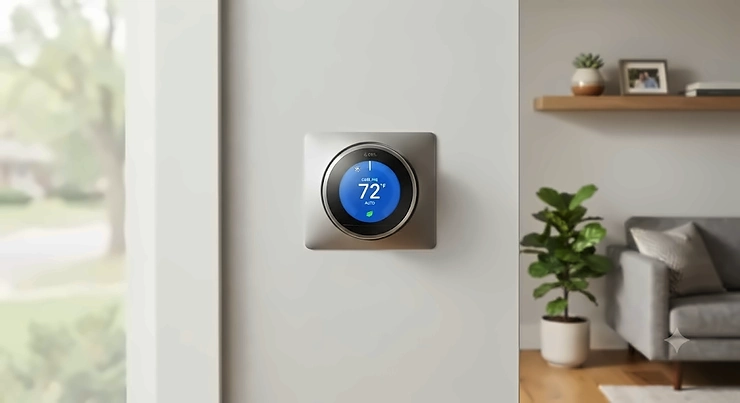
A smart thermostat for AC is a Wi-Fi-connected device that replaces your old dial-and-guess controller with something that actually pays attention — to your schedule, your habits, and sometimes even whether you’ve left the house with the windows open. Instead of running your air conditioner on a fixed loop all day, it learns when you actually need cool air and cuts the rest.
Here’s the thing nobody tells you at the store: not every “smart thermostat” works the same way with every AC system. If you’ve got central air with proper thermostat wiring, you’re shopping in one aisle. If you’re cooling a bedroom with a window unit that only responds to an infrared remote, you’re shopping in a completely different one — and picking the wrong category is the single most common mistake buyers make. This guide sorts both categories out, with real products, real specs, and the honest trade-offs that determine which one earns a spot on your wall.
Across the seven models below, you’ll see a mix of full smart thermostats and dedicated smart AC controllers, because a genuine smart thermostat for AC buying guide has to cover both. According to ENERGY STAR, heating and cooling eats up almost half of the average American household’s annual energy bill — more than $900 a year — which is exactly why getting this decision right matters more than most people assume.
Quick Comparison Table: Smart Thermostats for AC at a Glance
| Product | Best For | AC Type | Price Range |
|---|---|---|---|
| Amazon Smart Thermostat | Tightest budget, Alexa households | Central AC (wired) | $60–$80 |
| Sensibo Sky | Renters with a window unit | Window/portable/mini-split | $79–$120 |
| ecobee Smart Thermostat Premium | Most homes, fewest compromises | Central AC (wired) | $199–$249 |
| Cielo Breez Plus | Mixed AC types in one house | Window/portable/mini-split | Around $149 |
| Google Nest Learning Thermostat | Google ecosystem, design-focused buyers | Central AC (wired) | $230–$280 |
Looking at the spread above, the split really comes down to one question: does your air conditioner have thermostat wiring, or does it only take a remote? The ecobee Smart Thermostat Premium wins on all-around value for wired central systems, while the Sensibo Sky and Cielo Breez Plus exist specifically because millions of U.S. renters are stuck with window units that were never designed to be smart in the first place. Budget shoppers gravitate toward the Amazon Smart Thermostat, but only if their system already has the wiring to support it.
💬 Already know which lane you’re in? Jump down to the full reviews and start comparing specs side by side.
Top 7 Smart Thermostats for AC: Expert Analysis
We researched real, currently available products across three categories: wired smart thermostats for central AC, standalone WiFi thermostat air conditioner controllers for window and mini-split units, and a couple of hybrids that split the difference. Budget, mid-range, and premium options are all represented, and every price below is a range, not a snapshot, because retail pricing shifts constantly.
1. Amazon Smart Thermostat — cheapest way into Alexa-powered scheduling
The Amazon Smart Thermostat is built with Resideo (the company behind Honeywell Home), and it shows: this is a no-frills box that does the job Honeywell has done for decades, just with an app attached. It requires a C-wire for power and works with most 24V forced-air, heat pump, and radiant boiler systems, though it skips electric baseboard setups entirely.
What actually matters here is Alexa Hunches — the thermostat watches patterns from your connected Echo devices and nudges the temperature down when it thinks you’ve left, without you touching a schedule at all. That’s a genuinely useful shortcut for people who’d otherwise never bother programming anything. Based on the spec comparison with pricier rivals, you’re trading remote room sensors and multi-platform support (no HomeKit here) for a price that undercuts the next-cheapest smart thermostat by more than half.
Reviewers consistently describe the Amazon Smart Thermostat‘s installation as refreshingly simple and app-guided, though several note the interface itself is fairly basic compared to ecobee or Nest — a fair trade at this price point, in most reviewers’ view.
Pros:
- ✅ Lowest entry price of any wired smart thermostat here
- ✅ Alexa Hunches automates scheduling without manual setup
- ✅ ENERGY STAR certified for verified savings potential
Cons:
- ❌ No Google Assistant or Apple HomeKit support
- ❌ No remote room sensor option available
Price sits in the $60–$80 range depending on retailer promotions. For an Alexa household with a straightforward central AC system, this is hard to beat on pure value.
2. Sensibo Sky — turns any window AC into a smart AC for under $100
If your cooling situation is a window unit with a little plastic remote sitting on the sill, the Sensibo Sky is the product this guide exists to point you toward. It’s a compact IR-based controller that learns your existing remote’s signals in about two minutes, then lets your phone (or Alexa, Google Assistant, or SmartThings) take over completely.
What this means in practice: no rewiring, no electrician, no compatibility checker. You plug it in near the unit, point the app at your AC’s brand, and you’ve effectively bought yourself geofencing and 7-day scheduling for a unit that originally had none. Sensibo’s Climate React feature adds trigger-based automation — turn the AC on once the room crosses a temperature or humidity threshold you set. What most buyers overlook is that this only works with line-of-sight to the AC; tuck it behind a curtain and the signal won’t reach.
Aggregated expert reviews put the Sensibo Sky at roughly 8.2 out of 10 across multiple outlets, consistently praised as the budget gateway into real smart AC control and one of the widest-compatibility options for older mini-splits and window units that other controllers struggle to recognize.
Pros:
- ✅ Works with virtually any IR remote-controlled AC
- ✅ No wiring, drilling, or professional install required
- ✅ Climate React automates on temperature or humidity triggers
Cons:
- ❌ Requires unobstructed line-of-sight to the AC unit
- ❌ No Apple HomeKit compatibility
Expect to pay somewhere in the $79–$120 range depending on sales; it’s regularly discounted well below its $149 list price during major shopping events.
3. Honeywell Home T9 — long-range room sensors that actually reach the whole house
The Honeywell Home T9 leans on one specific advantage: its optional RoomSmart sensors run on the 900 MHz band and reach up to 200 feet, noticeably farther than the sensors bundled with ecobee or Nest. For a two-story home where the thermostat sits in a hallway that never matches the actual temperature of the bedrooms, that range difference isn’t a spec-sheet footnote — it’s the whole reason to buy this over a cheaper unit.
Each sensor tracks motion, temperature, and humidity and runs about a year on two AAA batteries, and you can deploy up to twenty of them across a large house. Here’s what the spec sheet won’t tell you, but reviewers note repeatedly: the Honeywell Home T9 makes you choose between a fixed schedule or geofencing — you can’t run both simultaneously the way ecobee allows, which is a real limitation if your household’s routine varies day to day.
Reviewers across TechHive and Tom’s Guide rate the sensor performance as best-in-class for range, while flagging the companion app as less polished and intuitive than competing options — a trade-off worth weighing if app experience matters to you.
Pros:
- ✅ Sensor range up to 200 feet, best in this lineup
- ✅ Works with Alexa, Google Assistant, and Apple HomeKit
- ✅ Competitively priced against ecobee and Nest bundles
Cons:
- ❌ Can’t combine geofencing and scheduling at the same time
- ❌ App interface rated less intuitive than rivals
Pricing runs $150–$200 range with a sensor included, occasionally dropping lower during retailer clearance events.
4. Sensi Touch 2 — biggest screen, smallest privacy footprint
Emerson’s Sensi Touch 2 takes a different approach entirely: instead of chasing every automation feature, it focuses on a genuinely painless setup and a stated commitment not to sell user data — a detail that matters more to privacy-conscious buyers than most thermostat marketing acknowledges. Setup leans on Bluetooth during the initial pairing step, and testers report getting the whole thing running in well under 30 minutes.
The touchscreen itself is noticeably larger and easier to read from across a room than competing displays, and the accompanying app mirrors that same simplicity — schedules, usage reports, and temperature adjustments without a cluttered menu tree. Based on the spec comparison, what you’re giving up compared to ecobee is built-in occupancy sensing; the Sensi Touch 2‘s room sensors are optional add-ons rather than a bundled feature, and Reviewers consistently report that the core automation depth here is simpler than premium competitors, by design.
It carries ENERGY STAR certification and includes smart maintenance alerts and usage reports, which cover the basics of energy-saving automation without needing a subscription or add-on service.
Pros:
- ✅ Fast, guided Bluetooth setup in under 30 minutes
- ✅ Explicit stated policy against selling personal data
- ✅ Large, easy-to-read touchscreen display
Cons:
- ❌ Room sensors are a separate purchase, not included
- ❌ Fewer advanced automation options than ecobee or Nest
Expect a price in the $130–$180 range, positioning it squarely between the budget and premium tiers.
5. Cielo Breez Plus — best universal controller for window, portable, and mini-split units
Where the Sensibo Sky covers the basics, the Cielo Breez Plus goes further for households juggling more than one type of non-ducted AC. It works with mini-splits, portable units, and window ACs alike, as long as the unit came with an IR remote, and it adds built-in temperature and humidity sensors plus a genuinely useful feature: full local, on-device control even if your Wi-Fi goes down.
That last point matters more than it sounds. A lot of smart AC controllers turn into expensive bricks the moment your router hiccups; the Cielo Breez Plus keeps its touch controls live regardless, so you’re never locked out of your own AC. It also supports Alexa, Google Home, Siri Shortcuts, SmartThings, and IFTTT — a wider net than most competitors in this category — and Cielo states the controller can help cut energy costs by up to 25% through scheduling and geofencing.
Reviewers at TechHive call it one of their favorite add-on remotes for exactly this reason, while some owners note it costs noticeably more than the Sensibo Sky and have reported occasional firmware update hiccups during setup — annoying, but generally resolved without much fuss.
Pros:
- ✅ Full local control works even without Wi-Fi
- ✅ Compatible with mini-split, portable, and window units alike
- ✅ Broadest smart-home integration in this AC-controller category
Cons:
- ❌ Costs more than the Sensibo Sky for similar core function
- ❌ Occasional firmware update glitches reported by owners
Pricing sits around $149, making it a mid-tier pick specifically for multi-unit or mixed-AC-type households.

6. ecobee Smart Thermostat Premium — occupancy sensing that pays for itself
The ecobee Smart Thermostat Premium ships with a SmartSensor in the box — not an add-on, not an upsell, just included — and that single decision is why it’s the pick most reviewers land on when asked for one recommendation. The sensor detects which rooms are actually occupied and directs cooling there, instead of running your whole system off a single reading from wherever the thermostat happens to hang.
It supports Alexa, Google Home, Apple HomeKit, and Matter, so it slots into whatever ecosystem you’ve already built, and it includes a built-in Alexa speaker plus indoor air quality monitoring that flags when filters need attention. A built-in Power Extender Kit also solves the common no-C-wire problem that trips up cheaper installs. On paper, this is the most complete package in the lineup; reviewers note that its scheduling menus take some getting used to, and at full retail it runs pricier than most alternatives here — buying during a promotion is genuinely worth waiting for.
Aggregated reviews consistently point to this as the model with the fewest trade-offs for most central-AC households, occupying the same tier as the Nest 4th Gen but at a lower typical price point.
Pros:
- ✅ Bundled SmartSensor targets cooling to occupied rooms
- ✅ Matter-certified with the widest ecosystem compatibility here
- ✅ Monitors indoor air quality and filter status automatically
Cons:
- ❌ Scheduling menus are fiddly until you’ve used them a few times
- ❌ Pricier at full retail than most competitors
Typical pricing lands in the $199–$249 range, with meaningful discounts showing up during major sales periods.
7. Google Nest Learning Thermostat (4th Gen) — AI scheduling with a design upgrade
Google’s fourth-generation Nest Learning Thermostat is the newest entrant here, and it shows in the hardware: a 2.7-inch display at 600×600 resolution (up from 480×480 on the prior generation), Matter certification, and AI-driven scheduling that factors in sunlight hitting your windows to fine-tune when your AC actually needs to kick on.
Here’s what most buyers overlook until they’re mid-install: reviewers have reported a C-wire and voltage compatibility issue specifically affecting people upgrading from the 3rd generation Nest in homes without a proper C-wire, which has stalled a meaningful number of setups. There’s also a mandatory migration from the classic Nest app to Google Home, which has frustrated longtime users who liked the old interface. Based on the spec comparison, you’re paying a premium for design and AI polish rather than a dramatically different set of core features than the ecobee Smart Thermostat Premium offers for less.
Reviewers broadly agree the display and AI scheduling are genuine upgrades, while consistently flagging the C-wire snag and forced app switch as the two sticking points worth knowing before you buy.
Pros:
- ✅ Sharpest, largest display of any model in this roundup
- ✅ Matter-certified for broad current and future smart-home support
- ✅ AI scheduling factors in sunlight and usage patterns
Cons:
- ❌ C-wire/voltage compatibility issues reported during upgrades
- ❌ Mandatory switch to Google Home app frustrates some longtime users
Pricing runs $230–$280 range, making it the most expensive option in this lineup — worth it mainly for committed Google ecosystem households.
Top 7 Products: Full Comparison Table
| Product | AC Type | Key Feature | Price Range | Best For |
|---|---|---|---|---|
| Amazon Smart Thermostat | Central (wired) | Alexa Hunches automation | $60–$80 | Alexa households on a budget |
| Sensibo Sky | Window/portable/mini-split | IR remote learning | $79–$120 | Renters with a window unit |
| Honeywell Home T9 | Central (wired) | 200-ft sensor range | $150–$200 | Larger homes with dead zones |
| Sensi Touch 2 | Central (wired) | Bluetooth setup, privacy focus | $130–$180 | Privacy-conscious, simple setup |
| Cielo Breez Plus | Window/portable/mini-split | Offline local control | Around $149 | Mixed AC types in one home |
| ecobee Smart Thermostat Premium | Central (wired) | Bundled occupancy sensor | $199–$249 | Most central-AC households |
| Google Nest Learning Thermostat | Central (wired) | AI scheduling, Matter | $230–$280 | Google ecosystem, design-focused |
Scanning across this table, the pattern is clear: the ecobee Smart Thermostat Premium offers the most complete feature set per dollar for standard central AC, while the Sensibo Sky and Cielo Breez Plus solve a completely different problem for the millions of households without ductwork at all. If your budget caps out under $100, the Amazon Smart Thermostat and Sensibo Sky are your realistic options, and neither one is a compromise so much as a different tool for a different job.
Setting Up Your Smart Thermostat for AC: The First 30 Days
Most installation frustration has nothing to do with the thermostat itself — it’s the C-wire question. Before you order anything, check whether your existing thermostat wiring includes a C-wire (a fifth wire, often blue or black, dedicated to power). If it’s missing, look for a model with a built-in power-extender kit, like the ecobee Smart Thermostat Premium, or budget for a $20–$25 adapter kit.
Once installed, resist the urge to immediately override every automated suggestion. Temperature scheduling features like Alexa Hunches or ecobee’s occupancy sensing need a week or two of real behavior data before they start making genuinely useful predictions — override them constantly in week one and you’re just teaching the system your patterns are inconsistent. For window-unit controllers like the Sensibo Sky or Cielo Breez Plus, the first 30 days should also include confirming the line-of-sight signal holds reliably from wherever you’ve mounted the controller, since IR interference is the single most common early complaint.
Set a calendar reminder to check filter status and sensor battery levels around day 30 — most smart room sensors (Honeywell’s included) run about a year on standard AAA batteries, but it’s worth confirming they paired correctly rather than assuming silence means success.
Real-World Scenarios: Which Smart Thermostat Fits Your Life?
If you’re a renter with a single window AC unit and no ability to touch the wiring, the Sensibo Sky or Cielo Breez Plus solves your actual problem — no landlord permission needed, no drilling, and you take it with you when you move. Between the two, choose Cielo if you also run a portable unit or mini-split somewhere else in the apartment and want one app managing both.
If you own a two-story house with central air and one room that always runs hot, the Honeywell Home T9‘s long-range sensors are built for exactly this — its 200-foot range comfortably reaches upstairs bedrooms that thermostats mounted near the stairs consistently misjudge.
If you’re a first-time smart-home buyer who just wants lower bills without becoming a hobbyist, the Amazon Smart Thermostat or Sensi Touch 2 both prioritize simple setup and passive savings over deep customization — pick Amazon if you’re already an Alexa household, and Sensi if data privacy is a genuine priority for you.
Your Smart Thermostat Decision Framework
Use this as a quick filter before you commit to any purchase:
If your AC unit only has thermostat wiring (no remote control) — choose a wired option like the Amazon Smart Thermostat, Honeywell Home T9, Sensi Touch 2, ecobee Smart Thermostat Premium, or Google Nest Learning Thermostat, based on your budget tier.
If your AC unit is a window, portable, or mini-split with only a remote control — choose the Sensibo Sky for a single unit on a budget, or the Cielo Breez Plus if you’re managing multiple non-ducted units or want offline local control.
If your home has persistent hot or cold zones — prioritize sensor range and occupancy detection, which points toward the Honeywell Home T9 or ecobee Smart Thermostat Premium over simpler budget models.
If data privacy is a deciding factor — the Sensi Touch 2‘s explicit no-data-sale policy is the clearest standout in this lineup.

How to Choose a Smart Thermostat for AC
- Confirm your AC type first. Central ducted systems need a wired thermostat; window, portable, and mini-split units need an IR-based controller instead — this single distinction eliminates half the market immediately.
- Check for a C-wire. No C-wire means either choosing a model with a built-in power kit or budgeting for an adapter.
- Decide how much automation you actually want. Occupancy sensing and AI scheduling (ecobee, Nest) cost more than basic programmable smart thermostat features (Amazon, Sensi) — pay for the tier you’ll genuinely use.
- Match your smart-home ecosystem. Alexa-only households can save money skipping HomeKit/Matter support entirely; mixed households should prioritize Matter certification.
- Weigh sensor range against your home’s layout. A single-story home rarely needs the Honeywell T9’s 200-foot range; a sprawling two-story house genuinely does.
- Factor in installation complexity honestly. DIY-friendly Bluetooth or app-guided setups (Sensi, Amazon) suit most homeowners; complex multi-zone systems may still warrant professional installation.
- Compare real price ranges, not list prices. Every model in this guide sees regular discounts — check current pricing before assuming a product is out of your budget.
Smart Thermostats for Window AC Units
Window AC units present a specific problem: they were never designed with thermostat wiring, so a traditional smart thermostat literally cannot connect to one. That’s the entire reason products like the Sensibo Sky and Cielo Breez Plus exist — they replace the physical remote with an app-controlled IR transmitter instead of tapping into wiring that isn’t there.
This matters enormously for renters. According to a smart-thermostat overview from Consumer Reports, testing has expanded specifically to cover thermostats for mini-splits, heat pumps, and window ACs because so much of the country cools individual rooms rather than whole homes through ducted central air. A device like the Sensibo Sky works by aiming at your existing window unit and mimicking every function the original remote had, then layering scheduling and geofencing on top — no rewiring, no landlord approval, and it travels with you to your next apartment.
The trade-off compared to a true wired smart thermostat is control granularity: you’re automating a single unit’s remote-control functions rather than integrating with whole-home HVAC zoning. For anyone managing one or two rooms, that’s rarely a meaningful limitation.
WiFi Thermostat vs Traditional Programmable Thermostat
A traditional programmable thermostat lets you set a fixed weekly schedule and nothing more — no remote access, no learning, no adjustments once you’ve left the house. A WiFi thermostat air conditioner setup adds remote control from your phone, real-time adjustments, and in many cases automation that reacts to your actual location or behavior rather than a schedule you set once and forgot about.
The practical difference shows up the moment your routine changes. With a traditional programmable thermostat, an unplanned late night at the office means your AC runs on the old schedule regardless — wasted energy, no way to intervene remotely. With a WiFi-connected model like any of the seven above, you open the app and adjust in seconds, or let geofencing handle it automatically. According to the U.S. Department of Energy-aligned ENERGY STAR program, this flexibility is precisely why the certification requirements now apply only to connected, WiFi-enabled thermostats rather than basic programmable models.
The catch: WiFi thermostats depend on a stable home network and, for IR-based AC controllers specifically, an uninterrupted line of sight to the unit — dependencies a purely mechanical programmable thermostat never had to worry about.
Learning Thermostat AC vs Programmable: What “Learning” Really Means
“Learning” is one of the most overused words in this category, so it’s worth being precise. A programmable thermostat runs whatever schedule you manually input, forever, until you change it. A genuine learning thermostat AC system — the approach both ecobee and Google Nest take — actively tracks your adjustments over the first one to two weeks and starts predicting your preferences without further input.
What most buyers overlook about this model is that it needs real behavioral data to work well; overriding it constantly defeats the purpose and can leave the “learned” schedule inaccurate for weeks. The Nest Learning Thermostat‘s AI scheduling goes a step further, factoring in outdoor sun exposure hitting your windows to predict cooling load before the room even heats up — a genuinely different mechanism than ecobee’s occupancy-based approach, which reacts to where people currently are rather than predicting ahead.
Neither approach beats a well-maintained manual schedule for pure energy efficiency in a household with a rigid, unchanging routine — the real advantage of learning thermostats shows up specifically in households with variable schedules, where a fixed program would otherwise waste energy heating or cooling an empty house.
Energy Saving Automation and Temperature Scheduling: The Real Numbers
Every product in this guide offers some flavor of energy saving automation, but the mechanisms differ meaningfully. Geofencing (available on nearly all seven models) uses your phone’s location to trigger setbacks the moment you leave a defined radius around your home — no schedule required, no risk of forgetting. Occupancy sensing (ecobee, optionally Honeywell) goes further, tracking which specific rooms are in use rather than just whether anyone’s home at all.
Temperature scheduling remains the baseline layer underneath all of this. According to ENERGY STAR, households spend close to half their annual energy bill — over $900 on average — on heating and cooling, and certified smart thermostats are independently verified to reduce that runtime based on real field data, not manufacturer marketing claims. The honest caveat: those savings estimates are averages across many households, not guarantees for any individual home, and actual results depend heavily on climate, insulation, and how consistently the automation is allowed to run uninterrupted.
For window and mini-split setups, energy saving automation works slightly differently — Climate React-style triggers (Sensibo, Cielo) respond to temperature or humidity thresholds you define, effectively creating a schedule reactively rather than proactively, which suits rooms with unpredictable occupancy far better than a rigid weekly calendar.
Remote Climate Control for Multi-Room Homes
Remote climate control sounds simple in marketing copy — control your AC from your phone — but multi-room homes reveal real differences between products fast. A single wired thermostat like the Amazon Smart Thermostat or Sensi Touch 2 controls the whole HVAC system as one zone; there’s no way to make one bedroom cooler than another without physical vents or dampers.
Sensor-equipped models change that equation. The ecobee Smart Thermostat Premium and Honeywell Home T9 both let you deploy multiple room sensors, effectively creating occupancy-aware zones within a single-zone HVAC system — cooling follows people rather than blasting the whole house evenly. For households with genuinely separate cooling needs per room — say, a window unit in a home office plus central air everywhere else — a Sensibo Sky or Cielo Breez Plus running alongside a wired thermostat gives you true independent remote climate control over each space from one unified app dashboard, assuming both support the same voice assistant ecosystem.
The practical lesson: remote control from your phone is table stakes at this point; the real differentiator is whether the system understands and responds to which rooms actually need attention.
Common Mistakes When Buying a Smart Thermostat for AC
The single most common error is buying a wired smart thermostat for a window AC unit that has no thermostat wiring at all — an expensive, unreturnable mistake that a five-minute wiring check would have prevented. Confirm your AC type before adding anything to a cart.
A close second: skipping the C-wire check and assuming every “easy install” claim applies to your specific home. Reviewers across multiple outlets flag C-wire compatibility as the number one setup snag, even on premium models like the Nest 4th Gen.
Buyers also frequently overpay for features they won’t use — a household with a rigid, unchanging daily schedule gains little from ecobee’s occupancy sensing or Nest’s AI scheduling, and would be better served putting that budget difference toward a properly rated HVAC service call instead. Conversely, skimping on sensor range in a large or multi-story home tends to produce persistent complaints about uneven cooling that a $40 additional sensor would have solved.
✨ Ready to stop guessing and start comparing real specs side by side? Check current pricing on the models above before making your final call.
Long-Term Cost & Maintenance: Is It Actually Worth It?
The upfront price is only part of the real cost equation. ENERGY STAR-certified models are independently verified to reduce cooling runtime, and manufacturers commonly cite figures in the range of hundreds of dollars in annual savings — though, again, these are averages, not guarantees for your specific home and climate. Factor in occasional replacement costs too: room sensor batteries need swapping roughly once a year, and IR-based controllers like the Sensibo Sky or Cielo Breez Plus have no moving parts to wear out but do rely on continued app and firmware support from their manufacturer.
One real long-term risk worth naming honestly: Google has previously ended software support for older-generation Nest thermostats, effectively bricking some smart features on hardware that still worked mechanically. That’s a genuine consideration when comparing a Google Nest Learning Thermostat against an ecobee Smart Thermostat Premium or Honeywell Home T9 built by companies with a longer track record of supporting legacy hardware. Total cost of ownership isn’t just the sticker price — it’s whether the company behind the app you depend on will keep supporting the device five years from now.
Features That Actually Matter (And Those That Don’t)
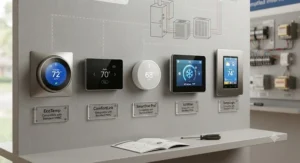
Occupancy sensing and geofencing consistently deliver measurable energy savings because they solve a real problem: nobody remembers to manually adjust a thermostat every time they leave the house. Matter certification matters if you’re actively building out a broader smart-home ecosystem, less so if this is your only connected device. C-wire power-extender kits matter enormously if your home lacks one, and are irrelevant if it doesn’t.
Built-in voice assistant speakers (ecobee’s Alexa integration, for instance) are a nice-to-have rather than a genuine differentiator for most buyers who already own an Echo or smart speaker elsewhere in the room. Similarly, indoor air quality monitoring is a legitimately useful bonus feature but shouldn’t be the deciding factor if your core need is simply reliable AC scheduling on a budget — that’s a feature to appreciate after purchase, not to chase before one.
Frequently Asked Questions
❓ Does a smart thermostat work with a window AC unit?
❓ How much does a smart thermostat for AC cost?
❓ Can I install a smart thermostat myself?
❓ Do smart thermostats really save money on AC bills?
❓ What is the difference between a smart thermostat and a WiFi thermostat?
Conclusion
Choosing the right smart thermostat for AC comes down to one decision before any other: does your air conditioner have thermostat wiring, or does it run on a remote control? Get that right, and the rest of this guide becomes a much simpler budget-versus-features conversation. For wired central AC, the ecobee Smart Thermostat Premium delivers the most complete package for most households, while the Amazon Smart Thermostat covers the budget end well. For window, portable, or mini-split units, the Sensibo Sky and Cielo Breez Plus solve a problem that traditional thermostats simply can’t touch.
None of these seven products is a universally “best” choice — they’re built for genuinely different setups, budgets, and homes. Match your AC type and household routine to the model that actually fits, and the energy savings, remote control, and daily convenience follow naturally from there.
✨ Don’t Miss These Exclusive Deals!
🔍 Take your cooling setup to the next level with the models covered above. Click through to check current pricing and availability before you decide, and start turning a “dumb” AC routine into one that actually works with your schedule instead of against it!
Recommended for You
- Smart Tower Fan: 7 Best Picks to Transform Cooling in 2026
- Smart AC Controller Guide: 7 Best Picks That Slash Bills in 2026
- Google Home Air Conditioner: 7 Best Smart Picks for 2026
Disclaimer: This article contains affiliate links. As an Amazon Associate, I earn from qualifying purchases. If you purchase products through these links, we may earn a small commission at no additional cost to you.
✨ Found this helpful? Share it with your friends! 💬🤗
