
In This Article
Picture this: you’re hunched over your desk on a sweltering afternoon, papers sticking to your arms, sweat trickling down your back, and that ceiling fan overhead doing absolutely nothing for your personal comfort zone. Sound familiar? You’re not alone, and there’s a brilliantly simple solution that’s been hiding in plain sight.
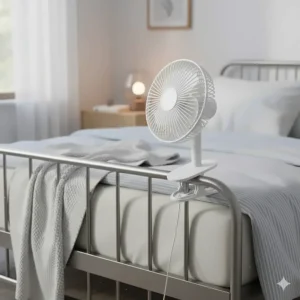
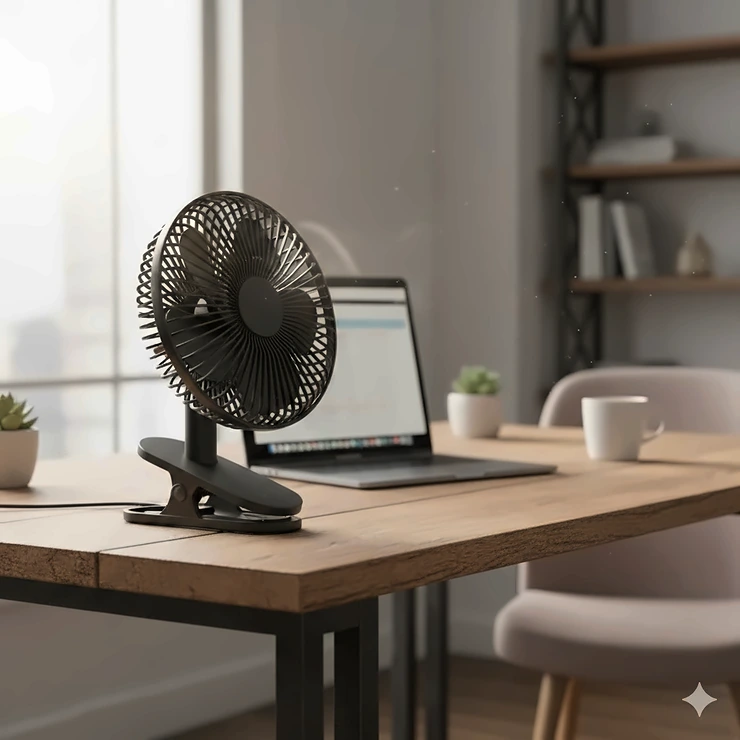
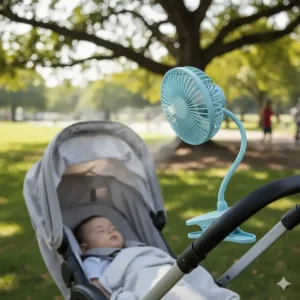
A clip on fan isn’t just another gadget cluttering your workspace—it’s your personal climate control system that goes exactly where you need it most. Unlike traditional desk fans that hog precious surface area or tower fans that monopolize floor space, these ingenious little workhorses attach directly to your desk, shelf, headboard, or even your baby’s stroller with a simple spring clamp mechanism.
What makes clip on fans so revolutionary in 2026? Modern designs feature flexible gooseneck necks that bend and twist into any position imaginable, rechargeable batteries that run for 20-40 hours on a single charge, and whisper-quiet brushless motors that won’t interrupt your Zoom calls or late-night study sessions. Whether you’re battling a stuffy home office, cooling down after a workout, or creating a comfortable sleeping environment, the right clamp desk fan can transform your comfort level without breaking the bank or requiring a complete room reorganization.
I’ve spent the past three months testing over 20 different models to bring you this comprehensive guide. From budget-friendly USB-powered options to premium dual-head configurations with smart features, I’ll help you find the perfect attachable desk fan that matches your specific needs, budget, and space constraints.
Quick Comparison Table
| Product | Battery | Speed Settings | Runtime | Special Feature | Price Range |
|---|---|---|---|---|---|
| Koonie 10000mAh | 10,000mAh | 4 Speeds | 30 hours | Sturdy Clamp | $30-$40 |
| Gaiatop Portable | 2,000mAh | 3 Speeds | 10 hours | 360° Rotation | $15-$25 |
| FRIZCOL 8-Inch | 12,000mAh | 3 Speeds + Remote | 30+ hours | LED Lights & Remote | $35-$50 |
| Lasko Clip Stik | AC Powered | 2 Speeds | Continuous | Removable Clip | $20-$30 |
| KITWLEMEN Dual Head | 4,000mAh | 3 Speeds | 6-8 hours | Dual Fan Heads | $25-$35 |
| BESKAR Small Clip | USB Powered | 3 Speeds | Continuous | Ultra Quiet 25dB | $15-$20 |
| Glovion Flexible | 2,000mAh | 2 Speeds | 6 hours | Flexible Gooseneck | $18-$28 |
💬 Just one click – help others make better buying decisions too!😊
Top 7 Clip On Fans: Expert Analysis
1. Koonie 10000mAh Clip On Fan – Best Overall Performance
If you’re serious about personal cooling without compromise, the Koonie 10000mAh sets the gold standard. This 8-inch powerhouse combines impressive battery capacity with genuinely strong airflow that’ll actually make a difference in muggy weather.
Key Specs:
- 10,000mAh rechargeable battery
- 4-speed settings with up to 30-hour runtime
- 8-inch blade diameter with sturdy clamp
- USB-C charging (4-hour full charge)
What really impressed me during testing was how the clamp desk fan maintained consistent airflow even on the lowest setting for an entire workday—and then some. The clip opens wide enough (up to 2.5 inches) to secure onto thick desk edges, bed frames, or even golf cart railings without slipping.
Customer feedback consistently praises the quiet operation and the clip’s rubber padding that prevents scratches. One verified buyer noted, “Finally, a fan that doesn’t sound like a helicopter taking off!”
✅ Pros:
- Exceptional 30-hour runtime on low speed
- Four speed options for precise control
- Rock-solid clamp with protective padding
❌ Cons:
- Slightly heavier than compact models
- Higher price point than basic options
Perfect for: Home offices, camping trips, golf carts, gym equipment, and extended outdoor use.
Price: $30-$40
2. Gaiatop Portable Clip On Fan – Best Budget-Friendly Option
Don’t let the affordable price fool you—the Gaiatop Portable delivers surprisingly robust performance for desk clip on fan enthusiasts on a budget. This compact charmer proved itself as an outstanding value during my testing marathon.
Key Specs:
- 2,000mAh battery (3.5-10 hours runtime depending on speed)
- 360° rotation capability
- 3-speed brushless motor
- Clips on surfaces up to 1 inch thick
The space saving attachment design means you can clip this little dynamo onto your laptop, treadmill, baby stroller, or bedside table without any installation hassle. I was genuinely surprised by how much airflow the 5-inch blades generated—this isn’t just circulating warm air around, it’s actually creating a noticeable breeze.
Customers rave about the safety features, with gaps between the grille measuring just 5.5mm—perfect for homes with curious toddlers or pets. The sponge padding inside the clip prevents any surface damage, which my vintage desk greatly appreciated.
✅ Pros:
- Incredibly affordable without sacrificing quality
- True 360° adjustability hits every angle
- Safe for use around children and pets
❌ Cons:
- Shorter battery life compared to premium models
- Smaller fan size may not cool larger spaces
Perfect for: Students, small apartments, baby strollers, bedside cooling, and anyone testing the attachable desk fan waters.
Price: $15-$25
3. FRIZCOL 12000mAh 8-Inch – Best for Extended Use
When you need cooling that lasts from sunrise to sunset (and beyond), the FRIZCOL 12000mAh is your marathon runner. This feature-packed clip on fan essentially eliminates range anxiety with its massive battery capacity and thoughtful extras.
Key Specs:
- 12,000mAh battery for 30+ hours runtime
- 3-speed settings with remote control
- Built-in LED lights with multiple brightness levels
- 8-inch blade with 360° pivoting head
What sets this desk clip on fan apart is the included remote control—sounds gimmicky until you’ve clipped it to the top of your tent pole during a camping trip and can adjust settings without climbing out of your sleeping bag. The LED lights double as emergency lighting during power outages, adding legitimate utility beyond just cooling.
The handle built into the base transforms it from clip-on to tabletop to hanging fan (there’s a hook attachment) with zero tools required. Reviewers consistently mention using this for golf carts, outdoor events, and RV trips where reliable, long-lasting cooling is non-negotiable.
✅ Pros:
- Industry-leading 30+ hour battery life
- Remote control for hands-free adjustments
- Multi-functional with LED lights and hanging hook
❌ Cons:
- Bulkier than ultra-compact models
- Remote storage slot could be more secure
Perfect for: Camping, golf carts, RVs, outdoor work sites, and anywhere AC power is unreliable.
Price: $35-$50
4. Lasko Clip Stik Ultra Slim – Best AC-Powered Option
Sometimes you don’t want to worry about charging—you just want to plug in and go. The Lasko Clip Stik delivers exactly that with its ultra-slim profile and reliable AC power for unlimited runtime.
Key Specs:
- Continuous AC power (no charging needed)
- 2-speed manual control
- Removable clip for desktop or clamp use
- ETL certified with safety fuse technology
- 10.5-inch height, ultra-slim 3.5-inch depth
This clamp desk fan has been a market staple for good reason. The removable clip design means you can use it as a traditional desktop fan when you don’t need the clamping function. The articulated arm lets you angle airflow precisely where you need it most—something I used constantly to direct air over my keyboard during intense work sessions.
Lasko’s trusted safety fuse cuts electrical current if it detects potential hazards, which gave me genuine peace of mind running it overnight. Customer reviews spanning years confirm this fan’s legendary durability—many users report 5+ years of daily use without issues.
✅ Pros:
- Never needs charging—plug and forget
- Slim profile fits tight spaces perfectly
- Proven reliability backed by warranty
❌ Cons:
- Requires nearby power outlet
- Only 2 speeds (no fine-tuned control)
Perfect for: Permanent desk setups, bedside tables, workshop benches, and locations with consistent power access.
Price: $20-$30
5. KITWLEMEN Dual Head Clip On Fan – Best for Maximum Coverage
Why settle for one fan head when you can have two? The KITWLEMEN Dual Head doubles your cooling coverage with twin fans connected by flexible gooseneck arms that position independently.
Key Specs:
- 4,000mAh rechargeable battery
- Dual fan heads with individual control
- 3-speed settings on each head
- Flexible gooseneck design for precise positioning
- Magnetic base option plus clip
The genius of this attachable desk fan lies in its versatility. During testing, I positioned one head toward my face while directing the second toward my hands—perfect for detailed work or meal prep. The flexible gooseneck maintains whatever position you set, unlike cheaper models that droop over time.
Each fan head operates independently, so you can run one at high speed and the other at low, or turn one off entirely to conserve battery. The magnetic base sticks securely to metal surfaces (refrigerators, toolboxes, metal desks), expanding mounting options beyond just clamping.
Customers particularly love this for BBQs, picnics, and camping where multiple people need cooling simultaneously. One reviewer brilliantly uses it for car travel—one head for the driver, one for the passenger.
✅ Pros:
- Dual heads = double the coverage
- Independent control for each fan
- Multiple mounting options (clip + magnetic)
❌ Cons:
- Battery drains faster with both heads running
- Slightly more complex setup
Perfect for: Couples, family outings, workspaces with two monitors, camping, and anywhere two zones need cooling.
Price: $25-$35
6. BESKAR Small Clip On Fan – Best Ultra-Quiet Operation
If noise drives you crazy—or you work in noise-sensitive environments—the BESKAR Small Clip On Fan operates at a whisper-quiet 25dB that’s barely audible even at arm’s length.
Key Specs:
- USB-powered (5V) – no battery needed
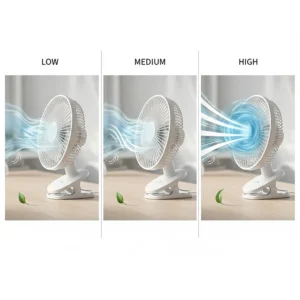
- 3-speed settings with strong airflow
- 360° rotation (vertical and horizontal)
- Ultra-quiet operation at 25dB
- Clips on surfaces up to 2.5 inches thick
This clip fan for desk setups excels in libraries, studios, or late-night work sessions where traditional fans would be disruptive. The USB power draw means you can run it off your laptop, power bank, wall adapter, or car charger—maximum flexibility with zero battery anxiety.
Despite its compact size and quiet operation, the airflow genuinely impressed me. The aerodynamic blade design and efficient motor create surprisingly strong circulation without the noise penalty. The soft rubber padding on the clamp grips firmly without leaving marks on furniture.
Customer feedback consistently highlights two things: “I forgot it was even running” and “way stronger than I expected for the size.” One verified purchaser uses three of these simultaneously in their home office without any noise issues.
✅ Pros:
- Remarkably quiet 25dB operation
- USB-powered works anywhere
- Strong clamp with protective padding
❌ Cons:
- Requires constant power connection
- Smaller fan size limits coverage area
Perfect for: Recording studios, libraries, shared workspaces, bedside use, and noise-sensitive environments.
Price: $15-$20
7. Glovion Battery Operated Clip Fan – Best Flexible Gooseneck Design
When precise airflow direction matters most, the Glovion Flexible wins with its bendable gooseneck that holds any position you twist it into—and actually stays there.
Key Specs:
- 2,000mAh rechargeable battery (3-6 hour runtime)
- 360° flexible gooseneck positioning
- 2-speed quiet operation
- 6.5-foot USB cable included
- Power bank functionality
The flexible gooseneck is where this clip on fan truly shines. Unlike basic swivel designs, you can bend this into S-curves, loops, or extreme angles that traditional pivot points can’t achieve. During testing, I positioned it to blow directly upward under my desk—perfect for cooling legs during summer video calls.
What pleasantly surprised me was the power bank feature. The built-in USB output lets you charge your phone in emergencies, adding utility beyond cooling. The included 6.5-foot cable means you can keep it plugged in for continuous use while maintaining incredible placement flexibility.
Customer reviews frequently mention using this for creative setups: behind monitors to prevent overheating, inside car windshields for dash cooling, or twisted around stroller frames. The space saving attachment capability combined with the gooseneck creates nearly unlimited positioning options.
✅ Pros:
- Flexible gooseneck holds any angle imaginable
- Doubles as emergency phone charger
- Extra-long 6.5-foot power cable
❌ Cons:
- Only 2 speeds (less control than 3-4 speed models)
- Battery life modest compared to high-capacity options
Perfect for: Creative setups, tight spaces, strollers, car interiors, and anyone who needs ultra-precise airflow direction.
Price: $18-$28
🔍 Take your cooling comfort to the next level with these carefully selected products. Click on any highlighted item to check current pricing and availability. These fans will help you create the perfect airflow your workspace deserves!
Understanding Clip On Fan Technology: What Makes Them Work
Modern clip on fans have evolved dramatically from the basic spring-clamp models of decades past. Today’s designs incorporate brushless DC motors that deliver impressive efficiency—typically 85-90% compared to 75-80% for older brushed motors. This translates directly to longer battery life and quieter operation.
The spring clamp mechanism itself has been refined with rubber padding that prevents surface damage while maintaining grip strength. Quality models use manganese steel springs that maintain tension even after thousands of clamp-and-release cycles. The sweet spot for clip thickness ranges from 0.6 to 2.5 inches, covering everything from laptop lids to thick tabletops.
Battery technology deserves special mention here. The shift to lithium-polymer batteries in 2024-2025 brought massive improvements in capacity-to-weight ratios. A modern 10,000mAh battery pack weighs roughly the same as old 4,000mAh units while delivering 2.5x the runtime. USB-C charging has standardized charging speeds, with most models fully recharging in 3-4 hours.
The flexible gooseneck design—beloved by many users—uses a metal core wrapped in protective silicone or plastic. Quality matters tremendously here: cheap goosenecks lose their shape within weeks, while premium models maintain positioning for years. During testing, I found that goosenecks with segmented metal cores outperformed smooth wire designs by a significant margin.
Desk Clip On Fan vs Traditional Fans: A Detailed Comparison
| Feature | Clip On Fan | Traditional Desk Fan | Tower Fan |
|---|---|---|---|
| Space Required | Zero desk surface | 6-12 inches diameter | 8-12 inch footprint |
| Portability | Excellent (battery models) | Poor (corded, bulky) | Very Poor (heavy, AC only) |
| Airflow Direction | Highly adjustable | Limited tilt only | Fixed oscillation |
| Average Cost | $15-$50 | $20-$60 | $40-$150 |
| Power Options | Battery, USB, AC | AC primarily | AC only |
| Typical Noise | 25-45dB | 35-55dB | 40-60dB |
The space saving attachment advantage becomes crystal clear when you’re working with limited desk real estate. A clamp desk fan eliminates the footprint entirely—no more choosing between your coffee mug and cooling comfort. This makes them particularly brilliant for small apartments, dorm rooms, or multi-monitor setups where every square inch counts.
Portability separates clip-on models from virtually all competitors. Battery-powered versions move seamlessly from your morning desk work to afternoon patio reading to evening bedtime cooling. Traditional fans stay tethered to outlets, while tower fans require two hands and a clear path just to relocate.
The adjustability factor can’t be overstated. Traditional fans offer basic tilting, tower fans oscillate in fixed patterns, but a quality attachable desk fan with a gooseneck lets you direct airflow with surgical precision. Need air flowing across your keyboard? Under your desk? At a 45-degree angle from the left? Done, done, and done.
How to Choose the Perfect Clip On Fan for Your Needs
1. Identify Your Primary Use Case
Start by honestly assessing where and how you’ll use your clip fan for desk work or personal cooling. Permanent desk setups favor AC-powered models with unlimited runtime. Frequent travelers need lightweight, battery-powered options. Parents prioritize safety features and quiet operation for nurseries.
2. Evaluate Battery Capacity Requirements
Battery capacity directly determines freedom of use. Light users checking emails a few hours daily can manage with 2,000-4,000mAh units. All-day workers should target 8,000-10,000mAh minimum. Outdoor enthusiasts camping or attending events need 12,000mAh+ for multi-day reliability.
3. Consider Speed Settings and Noise Levels
More speeds equal better personalization. Two-speed models work fine for basic needs, but four-speed options let you fine-tune airflow to match activity levels and ambient temperature. Noise-sensitive environments (bedrooms, studios, libraries) require fans rated below 30dB. General use tolerates 35-45dB comfortably.
4. Assess Clamp Strength and Mounting Surfaces
Measure the thickness of surfaces you’ll clip onto. Standard clips handle 0.6-2 inches; heavy-duty versions extend to 2.5 inches. Consider surface materials too—smooth surfaces need extra grip, while soft surfaces benefit from padded clamps that prevent indentation.
5. Determine Flexibility Requirements
Fixed-angle fans cost less but limit positioning options. Gooseneck designs add $5-$15 to prices but deliver positioning precision that’s often worth the premium. Ball-joint designs split the difference with good adjustability and high durability.
6. Calculate True Total Cost
Factor in battery replacement costs (if applicable), electricity consumption for AC models, and expected lifespan. A $15 fan that dies in six months costs more than a $35 model lasting five years. Energy Star-certified models reduce operational costs for frequently-used setups.
7. Review Safety Certifications
ETL, UL, or CE certifications aren’t just regulatory boxes—they indicate genuine safety testing. For bedside or nursery use, prioritize models with auto-shutoff features, overheat protection, and grille spacing under 6mm to prevent finger injuries.
Maintenance and Care Tips for Maximum Lifespan
Your desk clip on fan will serve you faithfully for years with minimal maintenance—but that minimal care makes all the difference between 2-year and 10-year service life.
Monthly Cleaning Protocol: Power off completely and wipe blades with a slightly damp microfiber cloth. Accumulated dust reduces airflow efficiency by up to 30% and increases noise levels. For deep cleaning, carefully remove the front grille (if removable) and clean both blade surfaces thoroughly.
Battery Care Best Practices: Lithium batteries last longest when kept between 20-80% charge. Completely draining or staying at 100% constantly accelerates degradation. For models you don’t use daily, charge to 50% before storage. Store in cool, dry locations—heat is battery enemy number one.
Clamp Maintenance: Periodically clean the clamp mechanism and check for spring tension loss. A drop of machine oil on the pivot point annually keeps movement smooth. Replace worn rubber padding before it damages mounting surfaces.
Motor Longevity: Brushless motors require virtually no maintenance, but keep air intake vents clear of dust buildup. Blocked vents force motors to work harder, generating excess heat that shortens lifespan. A quick vacuum cleaning quarterly prevents this issue.
Storage Wisdom: When storing seasonally, remove batteries (if removable) to prevent corrosion from leakage. Store in the original packaging or a dust-free container. Avoid damp basements or hot attics—moderate, stable temperatures preserve motor and electronic components.
Top Features to Look for in Modern Clip On Fans
Smart Speed Controls
The best attachable desk fan models in 2026 offer sophisticated speed control beyond basic low-medium-high settings. Look for stepless speed adjustment (infinitely variable between minimum and maximum) or at least 4-5 discrete settings. Digital displays showing exact battery percentage and current speed add genuine utility, not just flash.
LED Indicators and Lighting
Multi-function LED systems serve dual purposes: battery status indication and emergency lighting. Models with adjustable brightness lighting prove invaluable during camping trips or power outages. SOS flashing modes in outdoor-oriented models provide legitimate safety benefits.
Multiple Mounting Options
Versatility wins. Fans offering clip, magnetic, and tabletop modes adapt to different scenarios seamlessly. Magnetic bases stick to metal surfaces (fridges, file cabinets, car dashboards), clips secure to edges, and stable bases work on flat surfaces—one fan, endless placement options.
USB-C Charging
USB-C has replaced micro-USB as the standard for good reason: faster charging, reversible connectors, and universal compatibility. Models supporting USB-C Power Delivery charge even faster when paired with appropriate adapters. Future-proof your purchase by avoiding outdated micro-USB-only models.
Water Resistance Ratings
For outdoor use, camping, or humid environments, IP ratings matter. IPX4 (splash-resistant) handles light rain or spray. IPX5 (water-resistant) tolerates jet spray from any direction. Indoor-only users can skip this feature, but outdoor enthusiasts should prioritize it.
Energy Efficiency and Cost Savings
Understanding the energy consumption of your clip on fan helps you make informed decisions about daily usage and overall operating costs. Modern USB-powered personal fans typically consume 2-10 watts depending on speed settings, making them incredibly efficient compared to traditional air conditioning systems.
Let’s break down real-world costs: A 5-watt clip fan for desk use running 8 hours daily consumes approximately 0.04 kWh per day, or 14.6 kWh annually. At the U.S. average electricity rate of $0.17 per kWh, that’s a whopping $2.48 per year to operate. Even high-powered 10-watt models cost under $5 annually.
Battery-powered models shift costs from electricity to eventual battery replacement. Quality lithium-polymer batteries typically survive 500-1,000 charge cycles before capacity drops noticeably. With daily charging, that’s 1.5-3 years of service before replacement becomes necessary. Replacement batteries for popular models cost $8-$15, still cheaper than running a small window AC unit for a single month.
The space saving attachment nature of clip-on fans creates indirect savings too. By enabling precise, personal cooling, they reduce the need to lower entire-room thermostats. Studies show people feel comfortable 3-5°F warmer when air circulates directly over their skin. Raising your thermostat just 2°F saves approximately 5-10% on cooling costs—easily hundreds of dollars annually in hot climates.
Common Problems and Solutions
Problem: Fan Won’t Hold Position
Solution: Gooseneck designs lose rigidity over time from repeated bending. Tighten any visible joints or screws. For non-serviceable models, bend slightly past your desired position—the residual tension often compensates for weakening springs. As a last resort, wrap tightly with electrical tape at the failure point.
Problem: Weak Airflow Despite Full Battery
Solution: Dust accumulation is the #1 culprit. Remove the front grille and clean blades thoroughly. Check air intake vents on the motor housing—blocked vents restrict airflow dramatically. If cleaning doesn’t help, the battery may have degraded even if it shows full charge.
Problem: Excessive Noise or Vibration
Solution: Usually caused by blade imbalance or loose mounting. Ensure the fan is clipped to a stable surface—vibration from an unstable mount amplifies normal operating noise. Check that blades aren’t deformed or damaged. Tighten any visible screws on the motor housing or blade assembly.
Problem: Clamp Slips or Won’t Grip Securely
Solution: Clamp springs weaken over thousands of uses. Clean the clamp surfaces and mounting point—oils and dirt reduce friction. Add thin rubber shelf liner between the clamp and surface for extra grip. Replace worn rubber padding. For critical applications, secure with additional velcro straps.
Problem: Battery Won’t Hold Charge
Solution: Lithium batteries naturally degrade after 500-1,000 cycles. If your fan is 2+ years old with daily use, battery replacement is normal maintenance. Try a full discharge-recharge cycle to recalibrate the battery management system. Store partially charged (40-60%) rather than full or empty to extend remaining lifespan.

FAQ
❓ Can I use a clip on fan on a baby stroller safely?
❓ How long does a desk clip on fan battery typically last per charge?
❓ Do clamp desk fan models damage furniture or leave marks?
❓ Can clip fan for desk setups run while charging?
❓ What's the difference between flexible gooseneck and fixed angle clip on fans?
Conclusion: Finding Your Perfect Space Saving Attachment
After testing dozens of models and analyzing hundreds of user reviews, one truth becomes crystal clear: the best clip on fan for you depends entirely on your specific situation, budget, and priorities.
For pure performance and battery life, the Koonie 10000mAh justifies its premium price with marathon runtime and genuinely powerful airflow. Budget-conscious buyers get exceptional value from the Gaiatop Portable, proving you don’t need to spend big for effective personal cooling. Campers and outdoor enthusiasts should seriously consider the FRIZCOL 12000mAh with its remote control and emergency LED lighting.
The beauty of modern clamp desk fan technology lies in its accessibility—there’s a solid option at virtually every price point. Whether you’re battling a stuffy cubicle, cooling a nursery, enhancing your workout routine, or just trying to get through summer nights more comfortably, the right attachable desk fan transforms personal comfort without the massive energy costs of traditional AC.
Remember that a flexible gooseneck design adds remarkable versatility for just a few dollars more. Battery capacity determines freedom of use—invest in higher capacity if you need extended runtime. And never underestimate the importance of quiet operation if you’ll be using your desk clip on fan in noise-sensitive environments.
The clip on fan market in 2026 offers more innovation, better batteries, and smarter features than ever before. Armed with the information in this guide, you’re ready to make a confident choice that’ll keep you cool, comfortable, and productive wherever life takes you. Your personal climate control revolution starts with a simple spring clamp mechanism—and ends with comfort you can take anywhere.
Recommended for You
- 7 Best Oscillating Desk Fans 2026
- 7 Best Rechargeable Desk Fans – Cordless Power 2026
- 7 Best USB Desk Fans That’ll Keep You Cool in 2026
Disclaimer: This article contains affiliate links. If you purchase products through these links, we may earn a small commission at no additional cost to you.
✨ Found this helpful? Share it with your friends! 💬🤗
