
In This Article
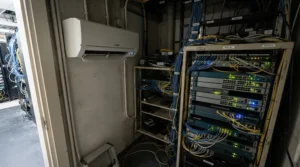
Here’s a scenario that keeps IT managers up at night: it’s 2 a.m., the building HVAC has cycled down for the weekend, and the little closet stuffed with switches, a NAS, and a couple of rack servers is quietly climbing past 90°F. Nobody notices until Monday, when half the equipment is throttling itself into a stupor. A dedicated server room air conditioner is the unglamorous fix for exactly this problem — a purpose-built unit that keeps heat-sensitive equipment inside the operating range that ASHRAE recommends even when the rest of the building isn’t cooperating.
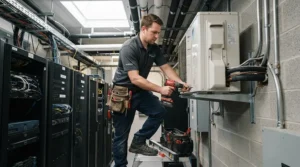
In plain terms, a server room air conditioner is a self-contained cooling unit — usually portable, sometimes wall-mounted — designed to run continuously in small IT spaces where central air either doesn’t reach or can’t be trusted after hours. Unlike a bedroom window unit, these machines are built for 100% duty cycles, self-evaporating condensate, and the kind of unglamorous reliability that a rack full of expensive hardware actually needs.
We dug into real specs, real aggregated review sentiment, and pricing patterns across seven genuine products — from a $750 wall-mount box to a three-ton commercial unit — so you can match capacity to your actual room instead of guessing. Whether you’re running a single-rack data closet or a multi-rack server room, there’s a portable AC for server room use somewhere on this list that fits your square footage, your budget, and your tolerance for 2 a.m. phone calls.
Quick Comparison Table
| Unit | BTU | Best For | Price Range |
|---|---|---|---|
| Tripp Lite SRCOOL12K | 12,000 | Best all-around portable unit | $1,050–$1,475 |
| Whynter ARC-14S | 14,000 | Best budget dual-hose option | $430–$550 |
| Global Industrial 292852 | 14,000 | Best budget alternative brand | $800–$950 |
| Tripp Lite SRCOOL2KWM | 2,000 | Best for single-rack data closets | $750–$980 |
| MovinCool Climate Pro K18 | 16,800 | Best for 24/7 commercial duty | $4,400–$4,900 |
| Koldwave 9KK14 | 13,200 | Best rugged industrial spot cooler | $3,000–$3,600 |
| MovinCool Climate Pro K36 | 36,000 | Best for large, multi-rack rooms | $6,000–$7,500+ |
Looking at the spread above, there’s roughly a 10x price gap between the cheapest and most expensive option, and that gap tracks almost exactly with duty cycle expectations rather than raw BTU count. The Whynter ARC-14S and Tripp Lite SRCOOL12K cover small closets on a startup budget, while the MovinCool Climate Pro K18 and K36 are built for facilities that genuinely cannot afford a cooling failure. If your room holds more than three or four racks, skipping straight to a commercial-grade unit will likely cost less over three years than replacing a consumer AC every twelve months.
Just one click — help others make better buying decisions too!😊
Top 7 Server Room Air Conditioners: Expert Analysis
Picking the right unit isn’t just about BTU math — duty cycle, condensate handling, and noise all change how a machine behaves once it’s been running nonstop for six months. Here’s how these seven stack up in practice.
1. Tripp Lite SRCOOL12K — most trusted name for small IT closets
The second-generation SRCOOL12K is the unit most IT consultants reach for first, and the spec sheet explains why. Rated for a 100% duty cycle, it uses copper (not aluminum) tubing that tolerates the constant vibration of a compressor that never really gets to rest, and it self-evaporates condensate through the exhaust duct — no drain line, no tank to babysit. That last detail matters more than it sounds: a portable AC for server room use that needs manual draining is a portable AC that will eventually flood a closet nobody checks on weekends.
At 12,000 BTU and 247 CFM of airflow, it’s sized for rooms up to roughly 500 square feet with a handful of racks, not a full data hall. Based on the spec comparison, its 50 dB noise rating sits below most consumer units, which matters if the closet shares a wall with an office. Reviewers who’ve run it in enterprise lab settings consistently note it integrates without a dedicated circuit or contractor visit, and the optional SNMP network module lets you monitor temperature remotely — a feature almost never found at this price point.
Pros:
- ✅ 100% duty cycle rated for genuine round-the-clock use
- ✅ Self-evaporating design eliminates drain tanks and floor drains
- ✅ Optional SNMP module for remote temperature monitoring
Cons:
- ❌ Noticeably louder than home-office consumer units under load
- ❌ 12,000 BTU ceiling means multi-rack rooms need a bigger unit
Street prices typically land in the $1,050–$1,475 range depending on retailer; check current price before buying since availability shifts. For a single-closet, budget-conscious setup, it’s the most defensible first purchase on this list.
2. Whynter ARC-14S — best budget dual-hose crossover pick
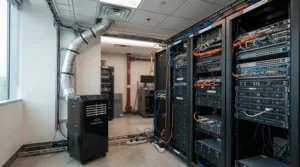
The Whynter ARC-14S wasn’t engineered specifically for IT equipment, but its dual-hose design and 500-square-foot coverage claim have made it a popular stopgap in home labs and small offices doubling as network closets. The dual-hose intake pulls makeup air from outside the room rather than depressurizing the space — a meaningful advantage over cheaper single-hose units that quietly suck warm hallway air back in through door gaps.
What most buyers overlook about this model is the gap between its 14,000 ASHRAE BTU rating and its 9,500 SACC (Seasonal Adjusted Cooling Capacity) rating — the latter is the more honest real-world number, and it’s the reason some owners report the unit “gets cold but isn’t quite window-AC strong,” as independent lab testing has also found. Reviewers consistently note it’s genuinely useful in the 300–400 square foot range but starts to strain in larger open rooms, and a handful of critical reviews describe it struggling to hit setpoint in hot, poorly insulated spaces.
Pros:
- ✅ Dual-hose design avoids depressurizing the room
- ✅ Roughly a third of the price of purpose-built server room units
- ✅ Includes remote control, carbon filter, and washable pre-filter
Cons:
- ❌ SACC rating runs meaningfully below the advertised BTU figure
- ❌ Not engineered for true 24/7 industrial duty cycles
Expect a price range around $430–$550, making it the most affordable entry on this list. It’s a reasonable choice for a home lab or a small office network closet, but budget-conscious buyers running mission-critical racks should still weigh it against purpose-built alternatives below.
3. Global Industrial 14,000 BTU Portable AC (Model 292852) — best budget alternative brand
If Tripp Lite and Whynter both feel over-marketed for your needs, Global Industrial’s 14,000 BTU unit is a straightforward, no-frills alternative aimed at exactly the office-and-server-closet crossover market. It’s UL-approved, runs on a standard 115V outlet, and the manufacturer rates it for roughly 700 square feet of coverage — generous compared to the Whynter, though real-world server rooms with dense equipment will always cool a smaller effective area than an open office.
Here’s what the spec sheet won’t tell you, but the category as a whole suggests: generic industrial-brand portable ACs in this price band tend to use simpler, single-speed compressors rather than the variable-speed or scroll compressors found in commercial-grade units. That’s a reasonable tradeoff for supplemental or after-hours cooling, but less ideal as a sole cooling source for equipment that can’t tolerate a multi-hour outage while a part gets shipped.
Pros:
- ✅ Larger claimed coverage area than most units in its price bracket
- ✅ UL-approved with straightforward 115V plug-and-play setup
- ✅ Simple mechanical controls with fewer smart-feature failure points
Cons:
- ❌ Less documented long-term reliability data than name-brand rivals
- ❌ Warranty and parts support vary by reseller
Pricing generally runs in the $800–$950 range depending on the seller — always check current price, since industrial-channel products can fluctuate more than consumer retail listings. This is a sensible pick for secondary or backup cooling rather than a room’s only line of defense.
4. Tripp Lite SRCOOL2KWM — best compact cooling for single-rack data closets
Not every “server room” is a room at all — plenty of businesses run their entire network out of a single wall-mounted rack cabinet tucked into a hallway or storage nook. For that specific case, a full-room portable AC is overkill and often can’t even fit. The SRCOOL2KWM solves a completely different problem: it mounts directly to the top of a wall-mount rack enclosure and pushes 2,000 BTU of close-coupled cooling straight through the cabinet’s ventilated door via a magnetic air scoop, rather than trying to cool the whole surrounding room.
Based on the spec comparison, this close-coupled approach is meaningfully more energy-efficient per watt of actual equipment cooling than a room-cooling unit asked to chill an entire office just to keep one rack comfortable. It uses R134A refrigerant, needs no floor drain thanks to a built-in evaporator, and restarts automatically after a power blip — a small detail that matters a lot when nobody’s in the building to manually restart it.
Pros:
- ✅ Close-coupled airflow cools equipment directly, not the whole room
- ✅ No floor drain or water tank required, ever
- ✅ Compact footprint fits directly atop a wall-mount cabinet
Cons:
- ❌ 2,000 BTU ceiling limits it strictly to single-rack setups
- ❌ Requires a ventilated cabinet door to direct airflow effectively
Typical pricing runs $750–$980 across authorized resellers. For genuine data closet AC unit needs — one rack, limited floor space, no room to spare — this is the most purpose-built option on the list.
5. MovinCool Climate Pro K18 — best for continuous 24/7 commercial duty
Once a server room graduates from “one rack in a closet” to “several racks running mission-critical workloads,” the calculus shifts from price-per-BTU to uptime-per-dollar. The MovinCool Climate Pro K18 is built around that shift. It delivers 16,800 BTU on a standard 115V/20-amp circuit, backed by a three-year parts-and-labor warranty that MovinCool positions as the strongest in the portable-AC category — a meaningful signal, since warranty length is often a proxy for how confident a manufacturer is in long-term reliability.
What most buyers overlook about commercial-grade units like this one is the programmable control panel: you can schedule cooling to ramp up automatically after hours and on weekends, precisely when central building HVAC is most likely to be powered down. Reviewers and IT integrators consistently frame the K18 as the unit you buy once you’ve already burned through a couple of consumer-grade portable ACs and are tired of the pattern.
Pros:
- ✅ Three-year parts-and-labor warranty, longest in its category
- ✅ Programmable scheduling for unattended after-hours cooling
- ✅ Wireless-connectivity-ready for remote performance alerts
Cons:
- ❌ Requires a dedicated 20-amp circuit, unlike plug-anywhere units
- ❌ Roughly four times the cost of budget portable alternatives
Expect pricing in the $4,400–$4,900 range through authorized dealers; check current price, since commercial HVAC equipment isn’t discounted the way consumer electronics are. For a room running real 24/7 cooling operation demands, this is where the category starts taking itself seriously.
6. Koldwave 9KK14 — best rugged industrial-grade spot cooler
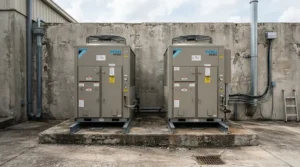
Koldwave has built spot coolers for factory floors and construction trailers for decades, and the 9KK14 brings that same rugged philosophy to a 13,200 BTU, 115V unit that happens to be equally at home in a server closet. It ships with fiberglass internal insulation, a self-diagnostic system, and safety features like anti-freezing thermistor protection and automatic restart after power interruption — details borrowed straight from industrial equipment, not consumer appliances.
Here’s what the spec sheet doesn’t advertise loudly: the R32 refrigerant used here is a lower-GWP option that already complies with tightening EPA refrigerant rules, which matters for anyone buying equipment meant to stay in service past 2026. Based on the spec comparison, its washable filters and twin-wheel casters suggest a design built around field serviceability rather than disposability — a philosophy that shows up in its noticeably higher price tag relative to consumer units of similar BTU output.
Pros:
- ✅ Industrial-grade safety features including anti-freeze protection
- ✅ Lower-GWP R32 refrigerant already meets upcoming EPA standards
- ✅ Self-diagnostic system simplifies troubleshooting
Cons:
- ❌ Meaningfully pricier than comparable-BTU consumer portable units
- ❌ Heavier and bulkier, better suited to a dedicated floor spot
Pricing typically runs $3,000–$3,600 through HVAC supply channels; always check current price given backorder timelines common to commercial equipment. It’s a strong middle-ground pick between consumer convenience and full commercial-grade investment.
7. MovinCool Climate Pro K36 — best for large, multi-rack server rooms
When a room holds enough equipment that a single 12,000–16,800 BTU unit simply can’t keep pace, the MovinCool Climate Pro K36 is the logical next step up. At 36,000 BTU on a 208/230V, 30-amp circuit, it occupies less than 12 square feet of floor space while delivering three tons of cooling — enough for a genuinely dense multi-rack room rather than a single closet.
What most buyers overlook about scaling up to a unit like this is the dual condensate tank design, which meaningfully reduces how often someone has to interrupt operations to empty water — a detail that sounds minor until you’re the person doing it at 11 p.m. on a Friday. Based on the spec comparison, its 68 dB noise level at full speed is louder than the smaller K-series units, a reasonable tradeoff given the far larger air volume being moved, and one best planned around with basic room acoustics in mind.
Pros:
- ✅ 36,000 BTU handles genuinely large, multi-rack server rooms
- ✅ Dual condensate tanks reduce manual water-emptying interruptions
- ✅ Programmable, wireless-connectivity-ready controls match the K18
Cons:
- ❌ Requires a dedicated 208/230V, 30-amp circuit
- ❌ Highest upfront cost of any unit on this list
Pricing generally starts around $6,000 and can run past $7,500 depending on configuration and dealer; this is enterprise equipment, so always request a current quote rather than assuming list pricing. For a room where downtime is measured in real dollars per minute, it’s the most defensible investment here.
✨ Don’t Miss These Exclusive Deals!
🔍 Take your server room cooling setup to the next level with these carefully selected units. Click on any highlighted item to check current pricing and availability. These tools will help you build a genuinely reliable equipment environment your whole IT team will thank you for!
Practical Usage Guide: Setting Up Your Server Room Air Conditioner
Getting a new unit running is the easy part — keeping it running well for years is where most first-time buyers stumble. Start by measuring your actual room volume and equipment heat load rather than trusting a manufacturer’s square-footage claim at face value; those figures assume open, unobstructed rooms, and a rack-dense closet cools less efficiently per square foot than an empty office. Place the unit with at least 12–18 inches of clearance around the intake and exhaust, since restricted airflow is one of the fastest ways to shorten compressor life.
During the first 30 days, check the air filter weekly rather than on the manufacturer’s default 30-day schedule — a dusty server closet accumulates debris faster than a living room, and a clogged filter forces the compressor to work harder for the same cooling output. If your unit uses a condensate tank rather than self-evaporating design, empty it on a fixed schedule rather than waiting for a full-tank alert, since alerts sometimes fail silently. Finally, set your thermostat to the ASHRAE-recommended range rather than as cold as the unit will go — overcooling wastes energy and can actually introduce humidity swings that harm equipment more than moderate heat does.
Real-World Scenarios: Matching Cooling to Your Space
Consider three common situations. A solo IT consultant running a single client’s network out of a repurposed hallway closet, with one wall-mount rack and no floor space to spare, is the exact use case the Tripp Lite SRCOOL2KWM was designed around — close-coupled cooling with zero room-cooling waste. A small business with a genuine server room — four to six racks, moderate density, occupied during business hours only — fits comfortably with a Tripp Lite SRCOOL12K or MovinCool Climate Pro K18, depending on whether budget or duty-cycle confidence matters more.
A growing company running a colocation-adjacent setup with eight-plus racks, running dense compute workloads around the clock, needs to think in tons rather than BTU-per-dollar; that’s squarely MovinCool Climate Pro K36 territory, likely paired with a second unit for redundancy. In each case, the deciding factor isn’t really the room’s square footage — it’s how much downtime the business can actually tolerate if the primary cooling source fails at 3 a.m. on a Sunday.
Problem → Solution: Common Server Room Cooling Issues
Server rooms tend to develop the same handful of problems again and again, and most have a fairly direct fix once you know to look for them.
Problem: Equipment overheats only after hours or on weekends. This almost always means central building HVAC powers down outside business hours while server loads don’t. Solution: a programmable unit like the MovinCool Climate Pro K18 that runs on its own schedule independent of building systems.
Problem: The room cools fine but humidity swings wildly. Standalone portable ACs sometimes over-cool and under-dehumidify in short bursts. Solution: look for units with dedicated dehumidification modes, such as the Whynter ARC-14S, and consider a separate humidity monitor for verification.
Problem: A single unit can’t keep up as the room grows. Racks get added faster than cooling capacity does. Solution: size for near-term growth from the start, or plan for a second unit rather than replacing the first — the MovinCool Climate Pro K36 exists precisely for this scaling problem.
Problem: Water damage from a forgotten condensate tank. Solution: prioritize self-evaporating designs like the Tripp Lite SRCOOL12K or SRCOOL2KWM, which remove this failure mode entirely.
How to Choose a Server Room Air Conditioner
Picking the right unit comes down to working through a handful of questions in order, rather than starting with brand or price.
- Calculate your actual heat load. Add up the wattage of every piece of equipment in the room, not just server nameplate specs, since switches, PDUs, and UPS units generate heat too.
- Match BTU to room density, not just square footage. A rack-dense closet needs more cooling per square foot than an open office of the same size.
- Decide how much downtime you can tolerate. If a cooling failure means real financial loss, prioritize duty-cycle rating and warranty length over sticker price.
- Check your electrical circuit before you buy. Units above 16,000 BTU commonly need a dedicated 20-amp or 208/230V circuit — an electrician visit you’ll want to plan for, not discover after delivery.
- Confirm condensate handling. Self-evaporating designs eliminate a common failure point; tank-based units need a realistic maintenance plan.
- Weigh noise against room use. A unit shared with an occupied office needs a lower dB rating than one in an unattended closet.
- Plan for growth, not just today’s rack count. Buying slightly ahead of current needs is usually cheaper than replacing an undersized unit within two years.
Common Mistakes When Buying Server Room Cooling Equipment
The single most common mistake is sizing a unit to the room’s square footage instead of its actual equipment heat load — a small closet packed with dense hardware can need more cooling capacity than a much larger, sparsely equipped office. A close second is assuming any portable air conditioner will tolerate genuine 24/7 operation; consumer-grade units are frequently rated for intermittent residential use, and running one continuously for a year is a common reason people report a unit “dying after about twelve months,” a pattern echoed in IT forum discussions among consultants who’ve cycled through several consumer units this way.
Buyers also routinely skip checking their electrical circuit before ordering, only to discover the unit they bought needs a 20-amp or 208/230V line their closet doesn’t have. Finally, plenty of businesses buy a single unit with zero redundancy for a room where a cooling failure would cause real financial damage — a mistake that a second, smaller backup unit or a higher duty-cycle rating can meaningfully offset.
Portable AC vs Mini-Split vs Wall-Mount: Which Server Closet Cooling Fits You
Server closet cooling isn’t a one-size question, and the three dominant approaches — portable floor units, wall-mount rack-top coolers, and permanently installed mini-splits — solve genuinely different problems. Portable units like the Tripp Lite SRCOOL12K win on flexibility: no professional installation, no permanent modification to the room, and the ability to move the unit if the business relocates. Wall-mount options like the SRCOOL2KWM win on efficiency for single-rack setups, since close-coupled cooling wastes far less energy than cooling an entire surrounding room.
Mini-splits, while not covered in our product roundup above since they require professional HVAC installation rather than a simple plug-in, generally win on long-term efficiency and quiet operation for permanent, larger installations — but the upfront installation cost and the requirement for a licensed technician make them a poor fit for anyone needing cooling running within the same week they buy it. In practice, most small-to-midsize IT rooms are better served by portable or wall-mount units precisely because emergency cooling needs rarely come with weeks of installation lead time to spare.
24/7 Cooling Operation: What Continuous Duty Really Means
The phrase “24/7 cooling operation” gets used loosely in product marketing, but it has a specific technical meaning worth understanding before you buy. A unit rated for a genuine 100% duty cycle, like the Tripp Lite SRCOOL12K, is engineered so its compressor can run continuously without the thermal cycling stress that shortens component life in units designed for intermittent residential use. Reviewers consistently note that consumer-grade portable ACs pushed into constant server-room duty tend to fail within twelve to eighteen months — not because the cooling itself is inadequate, but because the compressor and fan motor simply weren’t built for that operating pattern.
What most buyers overlook is that duty-cycle rating and warranty length usually move together for a reason: manufacturers who build for continuous operation back that claim with longer parts-and-labor coverage, as seen in MovinCool’s three-year commitment on its Climate Pro series. If your server room genuinely never powers down, treating duty-cycle rating as a hard requirement — not a nice-to-have — will save real money in replacement costs within two years.
Precision Temperature Control: Why ±1°F Matters
Precision temperature control sounds like marketing language until you consider what happens without it. Server hardware doesn’t fail the instant it crosses a threshold — it throttles performance, and repeated thermal cycling from a unit that swings wildly around its setpoint accelerates component wear over time. According to industry guidance on data center temperature and humidity, ASHRAE’s recommended range assumes relatively stable conditions, not repeated swings between the high and low ends of an allowable band.
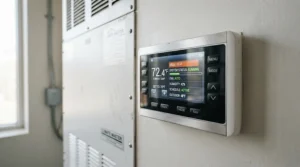
Units with programmable digital thermostats, like the MovinCool Climate Pro K18 and K36, tend to hold setpoint more consistently than basic mechanical dial controls found on cheaper units. Based on the spec comparison, this is one area where the price difference between budget and commercial-grade units genuinely reflects a functional difference in equipment protection, rather than just brand premium — tighter, more stable temperature bands mean less thermal stress on the hardware you’re actually trying to protect.
Equipment Heat Management: What to Expect in Real-World Performance
On paper, BTU ratings suggest a fairly predictable cooling outcome, but real-world equipment heat management involves variables the spec sheet doesn’t capture. Rack density matters enormously — a half-empty rack with good airflow clearance cools far more easily than a fully populated one with cables blocking exhaust vents. Ambient conditions outside the room matter too, since a unit exhausting hot air into an already-warm hallway works harder than one venting to a cooler space.
What the spec sheet won’t tell you, but IT teams consistently report, is that hot-aisle/cold-aisle arrangement — even in a small closet, simply orienting equipment so exhaust air doesn’t recirculate directly back into intake fans — measurably improves real-world cooling performance independent of which unit you buy. Reviewers who’ve run units like the Global Industrial 14,000 BTU model in cluttered, poorly organized closets report noticeably worse results than the same unit in a tidied, airflow-conscious setup — a reminder that equipment layout is doing real cooling work alongside the AC itself.
Data Closet AC Units for Single-Rack Environments
Not every business has a dedicated server room, and treating a single-rack data closet like a scaled-down version of a full server room often leads to buying more unit than the space needs. A data closet AC unit built around close-coupled cooling — like the Tripp Lite SRCOOL2KWM — solves the actual problem more efficiently than a room-cooling portable unit would, since it targets airflow directly at the rack rather than conditioning an entire small room around it.
Based on the spec comparison, the tradeoff is capacity ceiling: at 2,000 BTU, this style of unit works well for a single moderately populated rack but won’t scale to multiple cabinets without either upgrading to a room-cooling unit or adding a second wall-mount cooler. For businesses certain their footprint will stay at one rack, the efficiency gain of close-coupled cooling is meaningful; for businesses expecting growth, planning for a room-cooling unit from the start may be the more future-proof call.
Long-Term Cost & Maintenance
The sticker price on any of these units is only part of the real cost. Electricity consumption varies meaningfully across this list — a 12,000 BTU unit drawing roughly 1,250 watts costs noticeably less to run monthly than a 36,000 BTU unit drawing over 4,000 watts, even accounting for the larger unit cooling a bigger space. Filter replacement, while inexpensive individually, adds up over years, and units running genuine 24/7 duty need that maintenance performed more frequently than the manufacturer’s default schedule assumes.
Warranty length is arguably the most underrated long-term cost factor on this list. A consumer-grade unit with a one-year warranty that fails at month thirteen represents a full unplanned replacement cost, while a commercial-grade unit backed by a three-year parts-and-labor commitment spreads that risk very differently. The Department of Energy’s efficiency standards for computer room air conditioners reflect just how differently this equipment category is engineered compared to residential air conditioning, which is a useful lens when comparing the true cost of ownership rather than just the upfront price tag.
| Consideration | Consumer-Grade Units | Commercial-Grade Units |
|---|---|---|
| Typical warranty | 1 year | Up to 3 years parts & labor |
| Best For | Budget-conscious, low-risk rooms | Mission-critical, high-uptime rooms |
| Monthly power cost estimate | Lower (smaller BTU draw) | Higher (larger BTU draw) |
The takeaway from this comparison is straightforward: for a room where downtime is genuinely costly, the extra upfront spend on a commercial-grade unit like the MovinCool Climate Pro K18 typically pays for itself within two to three years of avoided failures, while budget units remain perfectly reasonable for lower-stakes rooms.
Safety, Regulations & Refrigerant Compliance Guide
Refrigerant regulations are shifting under this entire product category, and it’s worth understanding before buying equipment meant to stay in service for years. Under the EPA’s AIM Act phasedown program, higher-GWP refrigerants like R-410A face increasing manufacturing restrictions, with newer equipment increasingly shifting toward lower-GWP alternatives like R-32. This doesn’t make existing R-410A units illegal to own or operate, but it’s a reasonable factor when comparing long-term parts and service availability across units on this list.
Beyond refrigerant, basic electrical safety matters more in server rooms than most other equipment purchases, since these units often run unattended for days at a time. Confirm any unit you buy is UL-listed, verify your circuit’s amperage rating matches the manufacturer’s requirement before installation, and never daisy-chain a high-draw unit like the MovinCool Climate Pro K36 off a shared power strip. Automatic-restart-after-power-failure, found on most units in this roundup, is a genuinely important safety feature for unattended rooms rather than a nice-to-have extra.

Frequently Asked Questions
❓ What size air conditioner do I need for a server room?
❓ Can a portable AC run 24/7 in a server room?
❓ Do server room air conditioners need a drain?
❓ What temperature should a server room be kept at?
❓ Is a wall-mount rack cooler better than a portable AC?
Conclusion
A server room air conditioner isn’t a purchase most businesses think about until the moment something overheats, but by then the damage — and the downtime cost — is already done. Across the seven units here, the pattern holds steady: budget picks like the Whynter ARC-14S and Tripp Lite SRCOOL12K genuinely work for small, lower-stakes closets, while commercial-grade options like the MovinCool Climate Pro K18 and K36 exist specifically for rooms where a cooling failure translates directly into lost revenue.
The real decision isn’t which unit has the most impressive spec sheet — it’s an honest assessment of how much downtime your business can actually absorb if primary cooling fails at the worst possible moment. Size for your real equipment heat load, prioritize duty-cycle rating over sticker price if uptime genuinely matters, and treat warranty length as a meaningful proxy for how confident the manufacturer is in long-term reliability. Get that assessment right, and the rest of this decision gets a lot easier.
Recommended for You
- Portable Air Conditioner For Tiny House: 7 Picks For 2026
- Portable Air Conditioner For Shed: 7 Best Picks For 2026
- Portable Air Conditioner For Sunroom: 7 Best Picks For 2026
Disclaimer: This article contains affiliate links. As an Amazon Associate, I earn from qualifying purchases. If you purchase products through these links, we may earn a small commission at no additional cost to you.
✨ Found this helpful? Share it with your friends! 💬🤗
