
In This Article
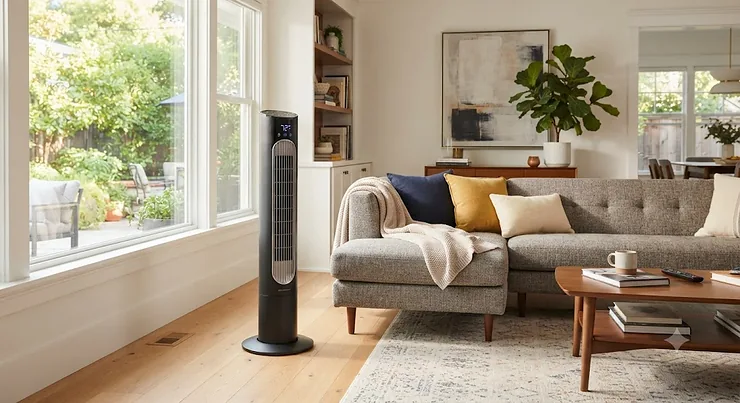
Picture this: it’s 11 PM, you’re already under the sheets, and the room feels like a sauna that forgot to shut off. Instead of hauling yourself up to fumble with a dial in the dark, you grab your phone. Three taps later, cool air is moving and you’re back to your book. That’s basically the entire pitch for a smart tower fan, and once you’ve lived with one, going back to a plain plastic knob feels almost primitive. A smart tower fan is a slim, vertical cooling unit that connects to home WiFi so you can adjust speed, oscillation, and scheduling from a smartphone app or a voice assistant instead of relying only on onboard buttons. It’s the same tower fan silhouette everyone already recognizes, just quietly upgraded with the kind of connectivity we now expect from a light bulb or a thermostat.
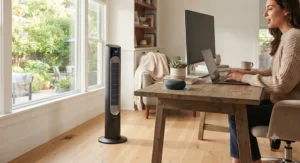
The category has grown up fast, according to research summarized in ENERGY STAR’s guidance on efficient cooling appliances. What used to mean “has an app, sort of” now includes genuine temperature-responsive auto modes, cross-ecosystem compatibility, and voice command speed quick enough that saying “set the fan to sleep mode” actually feels instant instead of a three-second stall. Brands like Dreo, Levoit, GoveeLife, and Dyson have turned the smart tower fan from a novelty gadget into real home infrastructure — the kind of WiFi tower fan setup that ties into schedules, routines, and even indoor air-quality data.
This guide breaks down seven real, currently available models spanning budget to premium, backed by spec comparisons and honest analysis of where each one shines and where it stumbles. We’ll dig into app controlled tower fan features that actually matter, voice control tower fan reliability, smartphone scheduling tricks, and the maintenance habits that keep a connected smart tower fan running quietly for years, not just through its first humid week.
Quick Comparison Table
| Model | Best For | Noise Level | Control Options | Price Range |
|---|---|---|---|---|
| Dreo Pilot Pro S | Adjustable-height premium bedrooms | 20dB | App, WiFi, voice, remote | $150-$200 range |
| GoveeLife 42″ Smart Tower Fan 2 Max | Multi-ecosystem smart homes | 27dB | App, WiFi, Alexa/Google/Siri | $100-$150 range |
| Levoit Classic 42-Inch Smart Tower Fan | Temperature-responsive auto cooling | 25dB | App, WiFi, Alexa/Google | $120-$150 range |
| Dreo 42-Inch Tower Fan with Remote and App Control | Best all-around value | Mid-20s dB | App, WiFi, remote, touch | $80-$120 range |
| Levoit Classic 36-Inch Smart Tower Fan | Whisper-quiet small bedrooms | 25dB | App, WiFi, voice | $80-$100 range |
| GoveeLife 36-Inch Smart Tower Fan | Most affordable smart entry point | Low-30s dB | App, WiFi, Alexa/Google/Siri | Under $90 |
| Dyson Purifier Cool TP07 | HEPA filtration plus cooling combo | Low, auto-adjusted | App, WiFi, voice, remote | $600-$700 range |
Looking at the spread above, the Dreo 42-Inch Tower Fan with Remote and App Control is the sensible default for most households — it hits every smart-control checkbox without asking you to justify the price to your budget. If bedroom silence is non-negotiable, the Dreo Pilot Pro S and Levoit Classic 36-Inch Smart Tower Fan both undercut 25dB, which is genuinely hard to notice over a box fan running nearby. The Dyson Purifier Cool TP07 is the outlier here, and that’s the point — you’re not paying $600+ just to move air, you’re paying for HEPA filtration bundled into the same footprint.
💬 Just one click — help others make better buying decisions too!😊
Top 7 Smart Tower Fans: Expert Analysis
1. Dreo Pilot Pro S — adjustable 40 to 45 inch height
The Dreo Pilot Pro S is the rare tower fan that lets you physically extend its height, sliding from 40 to 45 inches depending on whether it’s aimed at a couch or a queen bed. That’s a small mechanical trick, but it solves a real problem: most tower fans are one fixed height, and airflow aimed at your ankles isn’t airflow aimed at your face. Under the hood sits a brushless DC motor pushing 28 ft/s at up to 12 speeds and 4 modes, with 90° oscillation and a claimed 40-foot throw distance — in practice, that means even a large living room gets even coverage rather than one cold corner and one stagnant one. At 20dB on its lowest setting, this is genuinely one of the quietest smart tower fans on the market, which matters most for light sleepers who’ve been burned by “quiet” fans that hum louder than advertised. Aggregated buyer feedback consistently points to the height adjustment and low-speed quietness as the standout traits, while a recurring theme in reviews is that the WiFi pairing process needs a firm, uninterrupted 2.4GHz connection to go smoothly the first time.
Pros:
- ✅ Adjustable 40-45 inch height for flexible aiming
- ✅ 20dB lowest setting rivals dedicated white-noise machines
- ✅ 12 speeds and 4 modes for fine-grained control
Cons:
- ❌ Initial WiFi pairing can be finicky on 5GHz-only routers
- ❌ Premium pricing versus fixed-height competitors
Expect to find the Dreo Pilot Pro S in the $150-$200 range at the time of research, though prices may vary by retailer. For anyone who’s tired of aiming a fan at the wrong body part, this one earns its premium.
2. GoveeLife 42″ Smart Tower Fan 2 Max — Matter-certified multi-ecosystem control
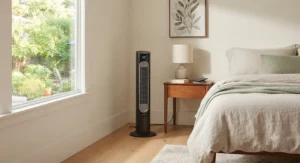
The GoveeLife 42″ Smart Tower Fan 2 Max (model H7105) is built for households that don’t want to pick a smart-home team. Matter compatibility means it talks to Alexa, Google Home, Siri, and SmartThings without forcing you into one walled garden — a meaningful upgrade over first-generation smart fans that only half-supported voice ecosystems. On paper, 12 wind speeds and 5 modes across a 150° oscillation range sound like marketing padding, but the wider-than-average sweep genuinely matters in open-plan rooms where a narrower 90° oscillation leaves one couch cushion sweating. Running at 27dB, it’s not the quietest fan here, but it’s quiet enough to disappear into background noise during work calls. What most buyers overlook is the smart thermostat pairing option: connect a GoveeLife thermo-hygrometer and the fan calculates recommended speeds from actual room temperature instead of guesswork. Reviewers frequently note the Govee Home app’s connected smart tower fan scheduling as intuitive, while a smaller number mention that Matter setup through third-party hubs can require a firmware update before it sticks.
Pros:
- ✅ Matter compatibility works across Alexa, Google, Siri, SmartThings
- ✅ Wide 150° oscillation covers open-plan rooms
- ✅ Optional thermostat pairing for temperature-based automation
Cons:
- ❌ 27dB is respectable but not class-leading for quiet
- ❌ Matter setup occasionally needs a firmware update first
Priced in the $100-$150 range at the time of research, this is the smart tower fan to buy if your smart home already spans two or three different voice assistants.
3. Levoit Classic 42-Inch Smart Tower Fan — temperature-responsive Auto Mode
The Levoit Classic 42-Inch Smart Tower Fan leans hard into its VeSync app ecosystem, and the standout feature is genuinely useful: Auto Mode reads ambient temperature and adjusts fan speed in real time, so you’re not manually nudging the dial every time the sun shifts. A brushless DC motor delivers 26 ft/s across 12 speeds and 4 modes — Auto, Turbo, Advanced Sleep, and Normal — with adjustable up-down airflow direction that’s handy for bunk beds or lofted furniture layouts. At 25dB, it sits comfortably in “won’t wake the baby” territory. Based on the spec comparison against Levoit’s own non-smart Classic line, the smart version adds voice control and app scheduling for a modest premium, which is a fair trade if you already use Alexa or Google Assistant daily. Aggregated customer sentiment consistently praises the Advanced Sleep Mode for tapering speed down overnight, while a common complaint in user reviews is that the companion app occasionally lags behind firmware updates, requiring a reinstall to restore full smart-control access.
Pros:
- ✅ Auto Mode reads room temperature and self-adjusts
- ✅ 25dB whisper-quiet Advanced Sleep Mode
- ✅ Adjustable up-down airflow direction
Cons:
- ❌ App occasionally needs reinstalling after firmware updates
- ❌ Auto Mode only applies to select modes, not all settings
Expect a price in the $120-$150 range at the time of research. For households already inside the VeSync ecosystem via other Levoit devices, this is close to a no-brainer.
4. Dreo 42-Inch Tower Fan with Remote and App Control — best all-around value
The Dreo 42-Inch Tower Fan with Remote and App Control is the fan we’d point most first-time smart-fan buyers toward, because it nails the basics without upselling you on features you won’t use. Its aerodynamic airflow system pushes air up to 26 ft/s, and the anti-tip base means it won’t wobble over if a pet brushes past it — a small detail that matters more than spec sheets suggest once you’ve actually owned a top-heavy fan. Touch controls, a physical remote, and full WiFi app control give you three redundant ways to operate it, so a phone left in another room or a dead remote battery never leaves you stuck. What the spec sheet won’t tell you, but reviewers note, is that the intuitive touch display makes this one of the easier smart tower fans for older or less tech-comfortable household members to use without opening an app at all. Aggregated review sentiment is largely positive on build quality and value, with a recurring note that the included remote’s buttons feel slightly mushy compared to the touch panel.
Pros:
- ✅ Triple control redundancy: touch, remote, and app
- ✅ Anti-tip stable base for households with pets or kids
- ✅ Strong value relative to feature set
Cons:
- ❌ Physical remote buttons feel less responsive than touch controls
- ❌ Fewer premium modes than the pricier Pilot Pro S
At a price typically in the $80-$120 range, this is the smart tower fan that makes the smart upgrade feel like an easy yes rather than a luxury purchase.
5. Levoit Classic 36-Inch Smart Tower Fan — whisper-quiet bedroom pick
The Levoit Classic 36-Inch Smart Tower Fan takes the same DNA as its 42-inch sibling and shrinks it into a footprint that fits tighter bedrooms without sacrificing the smart-control layer. Smart Control here means direct pairing with third-party voice assistants, so “hey Google, turn down the fan” works exactly as expected. Noise levels as low as 25dB and a removable back cover for easy cleaning are the two details that reviewers keep circling back to — the latter because dust buildup inside a fan housing is the single biggest reason airflow quietly weakens over a year of use. Based on the spec comparison, this model trades some of the 42-inch version’s oscillation range and modes for a smaller, more bedroom-friendly size, which is exactly the right trade for anyone living in an apartment rather than a house. Aggregated customer sentiment frequently highlights Advanced Sleep Mode’s gradual speed taper as a genuine sleep aid, while some reviewers note the smaller size means slightly less total room coverage than the 42-inch model.
Pros:
- ✅ Compact 36-inch size fits small bedrooms and apartments
- ✅ Removable back cover simplifies dust cleaning
- ✅ 25dB Advanced Sleep Mode tapers speed automatically
Cons:
- ❌ Smaller size means less total room coverage
- ❌ Fewer oscillation degrees than the 42-inch Classic
Typically found in the $80-$100 range at the time of research, this is the pick for anyone prioritizing quiet, compact cooling over maximum room coverage.
6. GoveeLife 36-Inch Smart Tower Fan — most affordable smart entry point
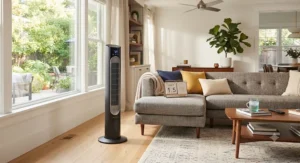
The GoveeLife 36-Inch Smart Tower Fan exists to answer one question: what does the cheapest legitimate smart tower fan actually get you? The answer is more than you’d expect. Full WiFi connectivity through the Govee Home App, plus Alexa, Google Assistant, and Siri voice command support, comes bundled with 8 speeds and 3 modes — Normal, Sleep, and Nature — across a 75° oscillation range. An AC motor delivering roughly 25 ft/s of airflow is a step down from the brushless DC motors in pricier models, and it shows up most clearly in Sleep Mode noise, which lands around 33dB rather than the 25-27dB range of this list’s mid-tier picks. Here’s what to weigh: reviewers consistently note that Custom Mode and the 24-hour scheduling function deliver real smartphone scheduling value even at this price, though the fan’s smart thermostat and Matter support are more limited than the pricier GoveeLife 42-inch model. If your goal is testing whether app controlled tower fan living fits your routine before spending more, this is the low-risk entry point.
Pros:
- ✅ Full app, WiFi, and multi-voice-assistant support at a budget price
- ✅ 24-hour scheduling and Custom Mode included
- ✅ Reliable durable AC motor rated for 5,000+ hours
Cons:
- ❌ 33dB Sleep Mode is noticeably louder than DC-motor rivals
- ❌ Smaller 75° oscillation range limits room coverage
At a price often under $90 (and sometimes discounted further with retailer coupons), this is the cheapest legitimate way into the connected smart tower fan category.
7. Dyson Purifier Cool TP07 — HEPA filtration meets whole-room cooling
The Dyson Purifier Cool TP07 is in a different category on paper, and it’s worth including specifically because a lot of buyers searching for a smart tower fan actually want purification bundled in without saying so out loud. HEPA and activated carbon filtration remove particles as small as 0.3 microns, and Dyson quotes an acoustically re-engineered design that’s roughly 20% quieter than its prior generation. The MyDyson app tracks live air quality data alongside fan speed and oscillation, and voice control spans Alexa, Siri, and Google Home. On paper, 10 speeds and Energy Star certification signal genuine engineering investment rather than a purifier bolted onto a cooling fan as an afterthought — a distinction independent researchers examining this category have flagged when comparing filtration approaches across brands, as summarized in one recent buying guide comparing filtration technologies. Aggregated review sentiment praises the quiet night-time mode and dimmed display, while a recurring theme in feedback is that replacement filters carry an ongoing cost most fan-only competitors simply don’t have.
Pros:
- ✅ HEPA and activated carbon filtration alongside cooling
- ✅ MyDyson app tracks real-time air quality data
- ✅ Energy Star certified with a quiet night-time mode
Cons:
- ❌ Filter replacement adds recurring cost over ownership
- ❌ Premium price far above fan-only competitors
Typically priced in the $600-$700 range new (with certified refurbished units sometimes available well under that), this is the pick only for buyers who specifically want purification and cooling in one connected smart tower fan.
Practical Usage Guide: Setup, Scheduling & Maintenance
Getting a new WiFi tower fan talking to your network usually takes under five minutes, but a few early missteps cause most of the frustration reviewers describe. Start by connecting the fan to a 2.4GHz WiFi band specifically — most smart tower fans, including several on this list, don’t support 5GHz networks, and that single mismatch causes the majority of “my app won’t find my fan” complaints. Once paired, set up smartphone scheduling immediately rather than leaving the fan on manual: a simple wake-up and bedtime schedule saves more electricity over a summer than any single speed setting choice. For remote operation while you’re away, most apps let you check current status and toggle power from cellular data, which is genuinely useful for confirming you didn’t leave a fan blasting an empty apartment.
Maintenance is where most of these fans quietly lose performance. Dust buildup on the intake grille reduces airflow gradually enough that owners rarely notice until they compare it to a fresh unit. A monthly wipe-down with a vacuum brush attachment, plus the removable back panels featured on several Levoit and Dreo models, keeps internal fans clean without a full teardown. In the first 30 days, the most common mistake is leaving factory firmware un-updated, since several manufacturers ship meaningful bug fixes for voice command speed and app responsiveness within weeks of a model’s launch.
Real-World Scenarios: Matching Fans to Your Life
Consider a college student in a 300-square-foot dorm room with no AC and a strict noise policy after 10 PM: the Levoit Classic 36-Inch Smart Tower Fan fits both the space and the quiet-hours requirement, and its app means roommates sharing a common living space can each control it from their own phone. Now consider a family with two working parents and young kids who nap on inconsistent schedules: the GoveeLife 42″ Smart Tower Fan 2 Max‘s wide 150° oscillation and Matter compatibility let it slot into whatever mix of Alexa and Google devices the household already owns, with smartphone scheduling handling naptime automatically. Finally, picture a remote worker with mild seasonal allergies who also wants a genuinely quiet home office companion: the Dyson Purifier Cool TP07 solves two problems in one purchase, filtering allergens while cooling the room, even though it costs several times more than a fan-only alternative. Matching the product to the actual constraint, budget, room size, noise tolerance, or air-quality need, matters far more than chasing the highest spec number on a page.
How to Choose a Smart Tower Fan: 7 Criteria
- Room size and oscillation range — a 150° sweep covers open floor plans better than a narrow 75-90° range.
- Noise floor at your typical sleeping speed — look for sub-25dB ratings if bedroom use is the priority.
- Voice assistant compatibility — confirm your existing ecosystem (Alexa, Google, Siri, Matter) before buying.
- Motor type — brushless DC motors run quieter and more efficiently than older AC motors.
- App reliability and update history — check recent reviews for complaints about app crashes or lag.
- Scheduling depth — real smartphone scheduling should support multiple daily time blocks, not just an on/off timer.
- Total cost of ownership — factor in filters, replacement parts, and expected lifespan, not just sticker price.
Smart Tower Fan vs Traditional Tower Fan
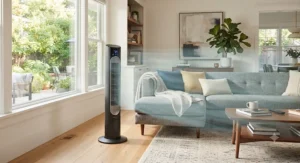
The core mechanical difference between a smart tower fan and a traditional model is smaller than marketing suggests: both move air through the same vertical bladeless or caged design. The real gap is in daily friction. A traditional tower fan requires you to be physically present to change settings, while a WiFi tower fan lets you adjust speed from bed, from the couch, or from your car on the way home. Voice control tower fan features remove even the phone-unlocking step entirely. The tradeoff is reliability under network conditions: a traditional fan works the moment it’s plugged in, full stop, while a smart model depends on a stable router and periodic firmware updates. For most households, the convenience wins comfortably, but anyone in an area with frequent WiFi outages should confirm their chosen model retains manual button and remote control as a fallback, which every product on this list does.
App Controlled Tower Fan Features That Actually Matter (And Those That Don’t)
Not every feature marketed under “app controlled tower fan” adds real value. Temperature-responsive Auto Mode does — it removes the guesswork of manually chasing comfort as a room warms or cools throughout the day. Genuine smartphone scheduling with multiple daily time blocks does too, since it directly reduces electricity use compared to leaving a fan running around the clock. Voice control tower fan functionality earns its keep specifically because of voice command speed: a half-second response to “turn off the fan” feels instant, while a three-second lag feels broken, even though both technically “work.” On the other hand, novelty extras like ambient LED lighting or elaborate custom color modes look flashy in a listing but rarely factor into how someone actually uses a fan for cooling. Matter compatibility is quietly becoming one of the more important features, not because of what it does today, but because it future-proofs the fan against whichever voice assistant ecosystem you end up standardizing on next.
Long-Term Cost & Maintenance of a Connected Smart Tower Fan
A connected smart tower fan’s sticker price is only part of the ownership equation. Fan-only models like the Dreo 42-Inch Tower Fan with Remote and App Control or GoveeLife 36-Inch Smart Tower Fan have essentially no recurring cost beyond electricity, which at typical usage runs a few dollars a month even during peak summer use. The Dyson Purifier Cool TP07 flips that math: HEPA and activated carbon filters need periodic replacement, adding a real ongoing cost that fan-only competitors don’t carry, which is worth weighing seriously against its purification benefit. Across every model here, brushless DC motors generally outlast older AC motors and draw less power at comparable airflow, which compounds into meaningful savings over a five-year ownership window. Cleaning the intake grille monthly and keeping firmware updated both extend usable lifespan, and Underwriters Laboratories notes that proper appliance maintenance and certification standards play a measurable role in long-term safety and performance for electric household devices like these.
Safety, Regulations & Compliance Guide
Every fan on this list carries ETL or UL safety certification, which matters more than it might seem at first glance since these listings confirm independent testing against electrical and fire-safety standards rather than relying on a manufacturer’s own claims. The U.S. Consumer Product Safety Commission maintains ongoing guidance on electric fan safety and recall information that’s worth checking periodically, particularly for anyone running a fan unattended overnight via smartphone scheduling. Anti-tip bases, like the one on the Dreo 42-Inch Tower Fan with Remote and App Control, reduce a real hazard for households with pets or small children who might bump into a top-heavy unit. For remote operation specifically, it’s worth confirming your model retains a physical power switch, since relying entirely on app-based shutoff during an internet outage isn’t ideal from a safety standpoint.

Frequently Asked Questions
❓ How much does a smart tower fan cost in 2026?
❓ Do smart tower fans still work if my WiFi goes down?
❓ Can a smart tower fan connect to both Alexa and Google Home?
❓ Is it safe to leave an app controlled tower fan running overnight?
❓ What's the quietest smart tower fan for a bedroom?
Conclusion
Choosing a smart tower fan in 2026 really comes down to matching three things: your room size, your noise tolerance, and how deep you want to go into voice control tower fan and smartphone scheduling territory. Budget shoppers get a genuinely capable option in the GoveeLife 36-Inch Smart Tower Fan, mid-range buyers land well with the balanced Dreo 42-Inch Tower Fan with Remote and App Control or the auto-sensing Levoit Classic 42-Inch Smart Tower Fan, and anyone chasing whole-home smart ecosystem flexibility should look hard at the Matter-certified GoveeLife 42″ Smart Tower Fan 2 Max. Premium buyers who want the quietest possible bedroom experience will appreciate the Dreo Pilot Pro S, while the Dyson Purifier Cool TP07 remains the right call only for those specifically after HEPA filtration bundled with cooling. Whichever you pick, prioritize real reviewed reliability over spec-sheet flash, keep firmware updated, and let smartphone scheduling do the electricity-saving work for you all summer long.
✨ Don’t Miss These Exclusive Deals!
🔍 Take your smart tower fan search to the next level with these carefully selected models. Click on any highlighted product to check current pricing and availability. These picks will help you create the cool, connected home comfort your whole household will love!
Recommended for You
- Smart AC Controller Guide: 7 Best Picks That Slash Bills in 2026
- Google Home Air Conditioner: 7 Best Smart Picks for 2026
- Alexa Compatible Air Conditioner: 7 Best Smart Picks (2026)
Disclaimer: This article contains affiliate links. As an Amazon Associate, I earn from qualifying purchases. If you purchase products through these links, we may earn a small commission at no additional cost to you.
✨ Found this helpful? Share it with your friends! 💬🤗
