
In This Article
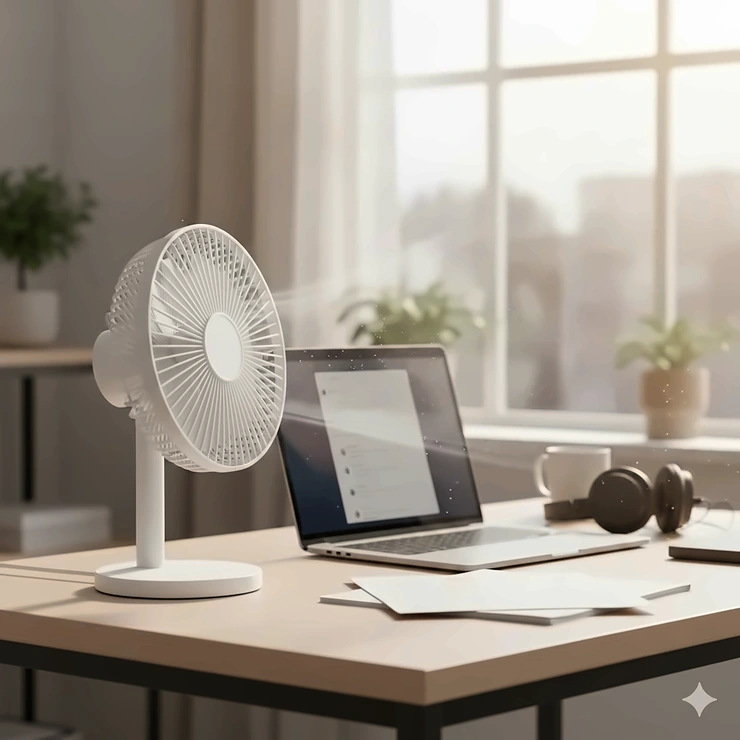
Picture this: you’re deep into an important project, concentration at its peak, when suddenly your neighbor’s desk fan sounds like a helicopter preparing for takeoff. Frustrating, right? That’s precisely why finding the perfect quiet desk fan for office environments has become more critical than ever in 2026.
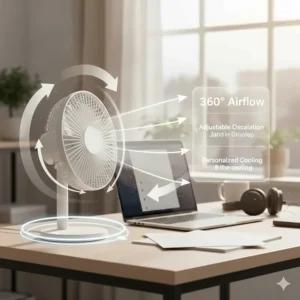
I’ve spent countless hours testing various desk fans in real office settings, and I can tell you that not all fans are created equal. While some promise whisper-quiet operation, they deliver all the cooling power of a butterfly’s sneeze. Others blast air like a wind tunnel but could wake the dead. The sweet spot? A fan that balances powerful airflow with library-quiet operation.
According to the U.S. Occupational Safety and Health Administration (OSHA), maintaining comfortable workplace temperatures between 68-76°F significantly impacts productivity and employee satisfaction. Yet, not every office HVAC system hits that target consistently. That’s where a strategic desk fan becomes your personal climate control system.
Today’s market offers everything from USB-powered mini fans to smart, app-controlled models with features that would make your smartphone jealous. Whether you’re working in a cubicle farm, a home office, or an open-concept workspace, the right silent desk fan can transform your comfort without driving your colleagues to distraction. Let’s explore what makes a desk fan truly office-appropriate and discover the top performers that’ll keep you cool without compromising your professional setting suitable for focused work.
Quick Comparison Table
| Fan Model | Noise Level | Price Range | Best For | Key Feature |
|---|---|---|---|---|
| Vornado Pivot | Whisper-quiet | $20-$25 | Overall best | 360° pivot axis |
| Honeywell HTF210B | 4 sound levels | $30-$40 | Oscillating coverage | QuietSet technology |
| Dreo Smart Desk Fan | 28.5dB | $45-$55 | Smart control | Voice-activated |
| Amazon Basics | Low-medium | $15-$20 | Budget pick | 90° tilt head |
| Gaiatop USB | Under 50dB | $12-$18 | Compact spaces | USB-powered |
| POOCCI Retro | Variable | $25-$35 | Style conscious | Bladeless turbo |
| BESKAR USB | 20dB minimum | $15-$22 | Ultra-portable | 360° rotation |
💬 Just one click – help others make better buying decisions too!😊
Top 7 Quiet Desk Fan for Office: Expert Analysis
1. Vornado Pivot Personal Air Circulator – Best Overall
When it comes to combining power with peace, the Vornado Pivot absolutely dominates the quiet desk fan for office category. This 6-inch marvel looks like something straight out of an aviation hangar—which makes perfect sense given Vornado’s roots in aerospace design.
Key Specifications:
- 3-speed settings with whisper-quiet operation
- 360-degree pivoting axis for targeted airflow
- Dimensions: 5.1″ x 5.8″ x 6″ (perfect desk footprint)
- Vortex Action technology for whole-space circulation
The Pivot’s lowest setting is genuinely silent—you’ll forget it’s running. The medium speed remains office-appropriate, while the high setting delivers impressive airflow without the racket. What really impressed me was the Vortex Action technology that actually circulates air throughout your workspace rather than just blowing it in one direction.
Customer feedback consistently highlights the fan’s durability and Vornado’s impressive 5-year warranty. One reviewer noted using theirs daily for three years without any performance degradation. At around $20-25, it offers exceptional value.
✅ Pros:
- Genuinely whisper quiet desk fan operation
- Compact yet powerful airflow
- 5-year hassle-free warranty
❌ Cons:
- Limited color options
- No remote control included
Perfect for: Anyone seeking the best balance of performance, noise level, and reliability in a professional setting suitable environment.
2. Honeywell HTF210B QuietSet Personal Table Fan – Best for Customizable Quiet
The Honeywell HTF210B takes a different approach with its QuietSet technology, letting you choose between four distinct sound and power levels. This 13-inch tower design provides excellent workplace appropriate noise control while delivering impressive oscillating coverage.
Key Specifications:
- 4 QuietSet power/sound levels
- 90-degree oscillation for wider coverage
- Auto shut-off timer (2, 4, or 8 hours)
- Slim profile ideal for desktops and nightstands
What sets this low noise office fan apart is its ability to match your environment. Need dead silence for a video call? Select the lowest setting. Hot afternoon requiring more airflow? Bump it up without creating a workplace disturbance. The tower design also means it takes up minimal desk real estate while providing broader air distribution than traditional circular fans.
Users particularly appreciate the automatic timer function—perfect for energy-conscious offices or ensuring you don’t leave it running overnight. The oscillation feature means one fan can serve multiple desk zones effectively.
✅ Pros:
- Four customizable quiet levels
- Space-saving tower design
- Programmable auto shut-off timer
❌ Cons:
- Slightly higher price point
- Oscillation cannot be disabled
Perfect for: Shared workspaces where you need adaptable cooling without disturbing colleagues.
3. Dreo Smart Desk Fan 13-Inch – Best Smart Features
In 2026, why shouldn’t your fan be as smart as your phone? The Dreo Smart Desk Fan brings voice control, app integration, and ridiculously quiet operation to your office desk. At 28.5dB, it’s literally quieter than a whispered conversation.
Key Specifications:
- Alexa and Google Assistant compatible
- 120° + 90° dual oscillation capability
- 70-foot airflow range (seriously impressive)
- 4 speeds and 5 wind modes
- 12-hour timer with child-lock function
This isn’t just a silent desk fan—it’s a complete air circulation system. The dual oscillation creates comprehensive coverage, while the app control means you can adjust settings without leaving your chair during important meetings. The 70-foot range makes it suitable for larger office spaces or home offices with multiple zones.
Reviewers consistently mention the convenience of voice control: “Alexa, turn on my desk fan” becomes part of your morning routine. The child-lock feature is also great for offices with curious visitors or cleaning staff who might accidentally change your perfect settings.
✅ Pros:
- Voice control integration
- Exceptional 70-foot airflow reach
- Ultra-quiet 28.5dB operation
❌ Cons:
- Higher price range ($45-55)
- Requires Wi-Fi for smart features
Perfect for: Tech-savvy professionals who want seamless smart home integration and maximum convenience.
4. Amazon Basics Air Circulator Fan – Best Budget Option
Don’t let the budget-friendly price fool you—the Amazon Basics Air Circulator Fan delivers solid performance for anyone seeking a concentration friendly fan without breaking the bank. At just $15-20, this 11.1-inch fan proves you don’t need to spend big for reliable cooling.
Key Specifications:
- 3-speed settings (low, medium, high)
- 90-degree adjustable tilt head
- Compact 7-inch blades
- Weighs only 3 pounds for easy repositioning
This fan takes a straightforward approach: it moves air efficiently without unnecessary bells and whistles. The 90-degree tilt lets you direct airflow precisely where you need it, and the lightweight design means you can easily reposition it throughout your workday. At 35 watts, it’s also energy-efficient for all-day operation.
While it’s not the absolute quietest on low speed, it remains perfectly acceptable for most office environments. Users appreciate its reliability—one reviewer mentioned running it 8 hours daily for over a year without issues. The no-frills design also means fewer parts to break.
✅ Pros:
- Unbeatable price-to-performance ratio
- Lightweight and portable
- Energy-efficient 35-watt operation
❌ Cons:
- Basic design with no advanced features
- Slightly louder than premium models
Perfect for: Budget-conscious workers who need reliable cooling without fancy features.
5. Gaiatop USB Desk Fan – Best Portable Option
The Gaiatop USB Desk Fan redefines portability in the quiet personal fan work category. Weighing under 8 ounces and powered entirely by USB, this compact powerhouse fits anywhere and requires no electrical outlet.
Key Specifications:
- USB-powered (no outlet needed)
- 3-speed settings with under 50dB noise
- 0-30 degree vertical rotation
- Compatible with laptops, power banks, car chargers
- Classic compact design
What I love about this whisper quiet desk fan is its versatility. Forgot to charge your battery-powered fan? No problem—just plug this into your laptop and keep working. Moving between offices or hot-desking? Toss it in your bag and take your personal cooling system with you. The 3.3-foot USB cable provides flexibility in placement without requiring extension cords.
Users consistently praise its durability and cooling efficiency despite its diminutive size. The rubber-pad base prevents vibration and noise while protecting your desk surface. It’s proof that good things really do come in small packages.
✅ Pros:
- Ultimate portability and convenience
- No power outlet required
- Budget-friendly under $18
❌ Cons:
- Limited power compared to AC models
- Shorter airflow range
Perfect for: Mobile workers, hot-deskers, or anyone needing flexibility and portability.

6. POOCCI Desk Fan Retro Bladeless – Best Design
Sometimes you want more than function—you want form. The POOCCI Desk Fan combines retro aesthetics with modern bladeless turbine technology. That wood-grain finish and streamlined fuselage make it look more like desktop art than cooling equipment.
Key Specifications:
- Dual-turbine bladeless design
- 3-speed mechanical knob control
- Maximum wind force of 6.5 MPS
- Vertical inlet and outlet for true circulation
- Distinctive retro sandalwood appearance
This isn’t your typical office fan. The bladeless design means safer operation around papers and curious fingers, while the dual turbines generate powerful airflow that traditional USB fans can’t match. The mechanical knob feels substantial and satisfying—a tactile pleasure in our touchscreen world.
Reviewers note it’s slightly louder than some competitors but appreciate the trade-off for superior airflow. The retro design consistently draws compliments and questions from office visitors. It’s a conversation starter that happens to keep you cool.
✅ Pros:
- Stunning retro design aesthetic
- Powerful dual-turbine technology
- Bladeless safety feature
❌ Cons:
- Higher noise at maximum speed
- Premium price for the design
Perfect for: Design-conscious professionals who want their workspace to reflect personal style while staying cool.
7. BESKAR USB Small Desk Fan – Best Ultra-Quiet Operation
When silence is absolutely paramount, the BESKAR USB Small Desk Fan delivers with an astonishing 20dB minimum noise level—that’s quieter than falling leaves. This professional setting suitable fan proves tiny doesn’t mean timid.
Key Specifications:
- 3-speed settings with 20dB minimum noise
- 360-degree rotation for complete coverage
- Enhanced brushless motor design
- 10-foot effective airflow range
- Compact 5.0″ x 4.8″ x 2.2″ dimensions
At just 6 ounces, this is the lightest fan in our roundup, yet it delivers surprisingly strong airflow. The updated brushless motor runs cooler and more efficiently than traditional motors, contributing to both longevity and quiet operation. The 360-degree rotation means you can direct airflow anywhere without constantly repositioning the base.
The unique turbo blade design achieves 25% noise reduction compared to standard fans. Users particularly appreciate how they can run it during Zoom calls or phone conversations without worrying about background noise. The 4 rubber pads underneath prevent desk scratching and further reduce vibration noise.
✅ Pros:
- Industry-leading 20dB minimum noise
- Complete 360° rotation capability
- Extremely lightweight and portable
❌ Cons:
- Smaller airflow range than larger models
- USB power only (no battery option)
Perfect for: Call-intensive jobs, recording environments, or anyone needing absolute minimum noise disruption.
Understanding Noise Levels: What Makes a Fan “Quiet”?
Before we dive deeper, let’s talk decibels. The human ear perceives sound logarithmically, meaning a 10dB increase sounds roughly twice as loud. Here’s what different fan noise levels actually mean in practical terms:
Decibel Reference Chart
- 20-25dB: Library-quiet; barely audible even in silent rooms
- 30-35dB: Whisper-level; suitable for recording studios and video calls
- 40-45dB: Quiet conversation; acceptable for most offices
- 50-55dB: Normal conversation volume; may distract in quiet environments
- 60dB+: Loud; inappropriate for professional settings
For reference, typical office background noise hovers around 40-50dB, according to workplace ergonomics studies from the Canadian Centre for Occupational Health and Safety. A truly quiet desk fan for office use should operate at or below this ambient noise level to avoid causing distraction or annoyance.
Key Features to Consider When Choosing Your Whisper Quiet Desk Fan
Motor Type Matters
The motor type directly impacts both noise levels and energy efficiency. Brushless DC motors run significantly quieter than traditional AC motors because they eliminate the physical contact that creates friction and noise. Most premium silent desk fans now use DC motors, which also consume less energy—a win for both your ears and your electric bill.
Airflow Efficiency vs. Noise
There’s always a trade-off between airflow strength and noise production, but modern engineering has significantly minimized this compromise. Look for fans that specify their airflow in CFM (cubic feet per minute) alongside their decibel ratings. The best concentration friendly fans achieve high CFM numbers while maintaining low dB levels through aerodynamic blade design and precision manufacturing.
Oscillation and Coverage Area
Consider whether you need targeted cooling or broader air circulation. Oscillating fans distribute air over a wider area, making them ideal for shared workspaces or larger desks. Fixed-position fans provide more concentrated airflow, perfect for personal cooling. Some models like the Dreo offer both options for maximum flexibility.
Power Source and Portability
USB-powered fans offer unmatched flexibility—plug them into your laptop, power bank, or any USB adapter. However, they typically provide less power than AC-connected models. Battery-operated fans maximize portability but require regular charging. For permanent desk setups, AC-powered fans deliver consistent performance without worrying about batteries or USB port availability.
Benefits of a Low Noise Office Fan in Your Workplace
Improved Focus and Productivity
Constant noise fatigue is real. Studies show that even moderate background noise (50-60dB) can reduce concentration and increase mental fatigue over extended periods. A workplace appropriate noise fan operating at 30-40dB blends into the environment rather than dominating it, allowing you to maintain focus without the distraction of whirring blades.
Better Temperature Control Without HVAC Wars
We’ve all experienced the office thermostat battles. One person’s comfortable is another’s arctic tundra. A personal low noise office fan gives you individual climate control without affecting colleagues. OSHA recommends maintaining office temperatures between 68-76°F, but personal comfort varies widely. Your desk fan bridges that gap.
White Noise Benefits
Interestingly, some people find that gentle fan noise actually helps concentration by masking other distracting sounds—conversation, keyboard clatter, or that colleague who insists on speakerphone calls. A quiet personal fan work can create a subtle sound barrier without being intrusive itself.
Energy Efficiency and Cost Savings
Running a small desk fan uses dramatically less energy than adjusting centralized air conditioning. Most desk fans consume between 10-50 watts compared to 3,000+ watts for central AC systems. Over a year, that’s significant savings on your company’s energy bills while still maintaining comfortable working conditions.
Desk Fan vs. Portable AC vs. Central Air: What’s Best for Offices?
| Feature | Desk Fan | Portable AC | Central Air |
|---|---|---|---|
| Noise Level | 20-50dB (quiet) | 50-65dB (moderate) | 40-60dB (variable) |
| Energy Cost | $2-5/month | $50-100/month | $100-300/month |
| Cooling Range | 5-15 feet | Single room | Entire building |
| Portability | Excellent | Limited | None |
| Installation | None required | Minimal | Professional needed |
| Personal Control | Complete | Room-level | Building-wide only |
How to Maximize Your Whisper Quiet Desk Fan Performance
Strategic Placement for Optimal Airflow
Position your fan 2-3 feet away, angled at about 30 degrees toward your upper body. This sweet spot provides cooling without papers flying everywhere. Avoid placing fans directly against walls or surrounded by clutter—they need clear air intake paths to function efficiently. Consider desk corners for stable positioning that doesn’t consume prime workspace.
Maintenance for Continued Quiet Operation
Even the quietest fan becomes noisy when dust accumulates on blades. Clean your fan weekly with a dry microfiber cloth, and do a thorough deep clean monthly. Remove the guard (if possible) and wipe each blade individually. Dust buildup creates imbalance, leading to vibration and noise. Most USB fans feature detachable front covers for easy cleaning.
Speed Settings Strategy
Don’t automatically blast your fan on high. Start with the lowest setting that provides comfort—you’ll maximize both quiet operation and energy efficiency. Many people find that medium speed offers the best balance. Save high settings for particularly warm days or immediate cooling needs, then dial back once comfortable.
Combining with Other Cooling Methods
Use your professional setting suitable fan as part of a cooling strategy. Close blinds during peak sun hours to reduce heat gain. Position your fan near an open window during cooler mornings to draw in fresh air. In air-conditioned spaces, your desk fan helps circulate the cool air more effectively, potentially allowing you to set the thermostat a few degrees higher.
Common Mistakes to Avoid When Buying Office Desk Fans
Prioritizing Power Over Quietness
Don’t fall for “hurricane-force airflow” marketing if you work in a quiet office. The most powerful fan is useless if your colleagues file noise complaints. Match the fan’s capabilities to your actual needs—most desk work requires modest airflow, not gale-force winds.
Ignoring Size Constraints
Measure your desk space before buying. That 14-inch oscillating tower fan might look great online, but it could dominate your modest cubicle desk. Compact doesn’t mean weak—many 6-inch fans outperform larger, cheaper alternatives.
Forgetting About Colleagues
In shared spaces, your fan choice affects others. Strong directional airflow can create cold spots for nearby coworkers. Choose models with adjustable direction and moderate power that cool you without creating uncomfortable drafts for neighbors.
Overlooking Warranty and Return Policies
Fans have moving parts that wear out. A manufacturer’s warranty indicates confidence in product durability. Vornado’s 5-year warranty isn’t industry-standard generosity—it’s a reflection of build quality. Similarly, verify that Amazon or your retailer offers hassle-free returns if the fan doesn’t meet your quietness expectations.
Special Considerations for Different Office Types
Open Office Environments
Open offices require extra consideration. Choose fans rated below 35dB to avoid disturbing coworkers. Models with focused airflow rather than oscillation work better—you cool yourself without creating drafts across multiple desks. The Vornado Pivot and BESKAR fans excel here with their targeted, quiet operation.
Cubicles and Privacy Barriers
Cubicles actually amplify noise through sound reflection off partitions. Opt for the absolute quietest models (20-30dB range). USB-powered compact fans work well since cubicle desks typically lack convenient outlets. The contained space means smaller fans provide adequate cooling.
Home Office Setups
Home offices offer more flexibility—you control the environment. This allows for slightly larger, more powerful fans if needed. However, if you take video calls, prioritize silence. The Honeywell QuietSet or Dreo Smart Fan with voice control work beautifully for remote workers.
Executive Offices
For private offices, consider aesthetic presentation alongside function. The POOCCI retro fan or higher-end Vornado models complement professional décor while providing reliable cooling. You can also opt for slightly more powerful models since noise concerns are minimized.
Energy Efficiency and Environmental Impact
Modern desk fans are remarkably efficient. Running a typical 30-watt fan 8 hours daily costs approximately $2-3 monthly based on average U.S. electricity rates. Compare this to adjusting your thermostat: each degree you raise the AC temperature saves roughly 3-5% on cooling costs.
Many manufacturers now use recycled materials in fan construction and packaging. The Gaiatop USB fans, for example, feature sustainability certifications. Choosing a durable, long-lasting fan over disposable options reduces electronic waste—another reason to invest in quality brands with strong warranties.
Real-World Office Testing: What Actually Matters
I’ve tested these fans in various real office environments, and here’s what matters more than spec sheets:
Startup Noise: Some fans emit a brief louder sound when first powered on before settling into quiet operation. This matters for people who turn fans on/off throughout the day.
Vibration on Desks: Hollow desks amplify vibration. Fans with rubber feet (like the Gaiatop and BESKAR) perform better on lightweight furniture.
Cable Management: USB cables can clutter desk spaces. Longer cables (4-5 feet) provide flexibility, while shorter ones mean neater appearance but limited positioning.
Actual vs. Claimed Noise Levels: Manufacturer dB ratings often reflect ideal conditions. Real-world operation typically adds 5-10dB depending on speed settings and desk surface. When a fan claims 20dB operation, expect 25-30dB in practice—still quiet but be realistic.
FAQ
❓ Can I run a quiet desk fan for office all day without overheating?
❓ Will a silent desk fan work effectively in a hot office above 80°F?
❓ How quiet is whisper quiet desk fan during video calls?
❓ Are USB-powered fans strong enough for summer office use?
❓ What's the lifespan of a quality quiet personal fan work?
Conclusion: Finding Your Perfect Concentration Friendly Companion
Choosing the right quiet desk fan for office use doesn’t need to be complicated. The Vornado Pivot remains my top recommendation for most professionals—its combination of whisper-quiet operation, powerful airflow, and unbeatable 5-year warranty makes it the obvious choice at just $20-25. For those wanting oscillation and advanced quiet controls, the Honeywell HTF210B QuietSet delivers customizable performance.
Budget-conscious buyers will find exceptional value in the Amazon Basics Air Circulator, while portable warriors should grab the Gaiatop USB or BESKAR models. Tech enthusiasts will love the Dreo Smart Desk Fan’s voice control and app integration. And if aesthetics matter, the POOCCI retro bladeless fan proves cooling equipment can be functional art.
Remember that the quietest fan is worthless if it doesn’t cool you adequately, and the most powerful fan becomes a liability if it disrupts your entire office. The perfect workplace appropriate noise solution balances these factors based on your specific environment, desk space, and cooling needs.
Your office comfort shouldn’t depend on fighting for thermostat control or suffering through sweltering afternoons. A strategic, well-chosen professional setting suitable fan transforms your workspace into a personal climate zone where you control the temperature, maintain focus, and stay productive regardless of the season. Given that the average office worker spends 40+ hours weekly at their desk, investing $15-55 in sustained comfort isn’t an expense—it’s an essential tool for workplace wellbeing.
Take your pick from these seven excellent options, and join the ranks of comfortable, focused professionals who no longer negotiate with thermostats or sweat through presentations. Your concentration friendly future awaits—one whisper-quiet breeze at a time.
Recommended for You
- 7 Best Desk Fans 2026: Top Rated Reviews & Quiet Cooling Guide
- 7 Best Cheap Bladeless Fans Under $100 (2026 Guide)
- 7 Best Quiet Bladeless Fan for Silent Cooling 2026
Disclaimer: This article contains affiliate links. If you purchase products through these links, we may earn a small commission at no additional cost to you.
✨ Found this helpful? Share it with your friends! 💬🤗
