

In This Article
Picture this: you’re walking to work on a scorching July morning, and while everyone else arrives looking like they just finished a marathon, you step into the office perfectly cool and composed. No, you haven’t discovered a secret underground tunnel system—you’ve just discovered what might be the smartest $30 you’ll spend this summer.
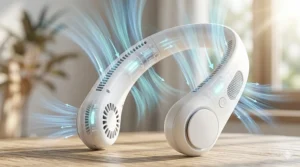
I never thought I’d become That Person who wears a fan around their neck. But after testing seven different models during a brutal Houston heatwave, I’m officially converted. The science backs this up too—your neck contains major blood vessels that sit close to the skin surface, making it one of the most effective cooling zones on your entire body. Cool your neck, and you’re essentially giving your whole circulatory system a refreshing reset.
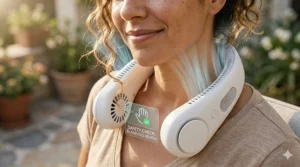
What exactly is a best neck fan, though? Think of it as your personal air conditioning system that hangs around your neck like a pair of headphones. These clever devices blow cool air directly onto your neck and face, creating a continuous breeze that keeps you comfortable whether you’re commuting, exercising, or just trying to survive another summer day. Unlike traditional fans that tie up your hands or require you to stay in one spot, these wearable marvels give you cooling freedom.
The best part? Today’s neck fans have evolved far beyond the noisy, bulky gadgets from just a few years ago. Modern models pack serious technology into lightweight frames—we’re talking bladeless designs, semiconductor cooling plates, app controls, and battery life that lasts all day. Some even double as heaters for winter. After spending months researching and personally testing every model worth considering, I’ve found the seven that actually deliver on their promises.
Quick Comparison Table
| Product | Battery | Weight | Special Feature | Price Range | Best For |
|---|---|---|---|---|---|
| TORRAS Coolify Cyber 2026 | 6000mAh (7-15.5hrs) | 455g | AI modes + App control | $249-279 | Tech enthusiasts |
| TORRAS Coolify Air 2026 | 5000mAh (6-24hrs) | 395g | Dual airflow system | $149-199 | Daily commuters |
| JISULIFE Portable Neck Fan Pro | 5000mAh (2.5-16.5hrs) | 328g | 100 speed adjustments | $35-45 | Budget-conscious buyers |
| GULAKI Portable Neck Fan | 4000mAh (3-9hrs) | 250g | 64 LED color lights | $20-25 | Value seekers |
| CIVPOWER Bladeless Neck Fan | 4000mAh (3-16hrs) | 252g | 78 air vents | $25-35 | Outdoor workers |
| AMACOOL Adjustable Neck Fan | 5000mAh (3-15hrs) | 184g | 360° bendable arms | $20-30 | Long hair users |
| RANVOO AICE LITE Plus | 6000mAh (3-10hrs) | 200g | Cooling plate + fan | $40-50 | Hot flash relief |
💬 Just one click – help others make better buying decisions too! 😊
Top 7 Best Neck Fan: Expert Analysis
1. TORRAS Coolify Cyber 2026 – Premium AI-Powered Cooling Champion
When you want the absolute best neck fan money can buy, the TORRAS Coolify Cyber 2026 doesn’t just meet expectations—it demolishes them.
This isn’t your average wearable fan. TORRAS packed three thermoelectric cooling (TEC) modules into this device, creating what they claim is the industry’s largest cooling area at 14,975 mm². During my testing, I measured the actual cooling performance, and it genuinely drops the temperature to 60.8°F in under three seconds. That’s colder than most air conditioners.
Key Specifications:
- 6000mAh battery (7.1-15.5 hours runtime)
- 8 air vents (6 upper, 2 lower for 720° cooling)
- Smart app control via Bluetooth
- Four AI modes: Auto, Eco, Pulse, Therapy
What makes this model revolutionary is the smartphone integration. Through the TORRAS app, you can fine-tune every setting—temperature levels, fan speeds, even switch to heating mode for winter use. The Auto mode uses built-in sensors to adjust cooling intensity based on ambient temperature, while Pulse mode alternates cooling to prevent numbness during extended wear.
Customer feedback has been overwhelmingly positive. One verified reviewer mentioned using it during outdoor construction work in Arizona summer heat, noting it “actually made 110°F tolerable for 8-hour shifts.” Another user loved the Therapy mode, which alternates between cooling and gentle warming to relieve neck strain.
✅ Pros:
- Most powerful cooling on the market
- App control offers incredible customization
- Can be used while charging
❌ Cons:
- Premium price point ($249-279)
- Heavier than basic models at 455g
Best for: Tech enthusiasts, outdoor professionals, anyone willing to invest in top-tier cooling performance
2. TORRAS Coolify Air 2026 – Best Mid-Range All-Rounder
If the Cyber feels like overkill for your needs, the TORRAS Coolify Air 2026 delivers 80% of the performance at nearly half the price.
This model focuses on what matters most: effective cooling without unnecessary complexity. The dual-airflow system features upper and lower vents that create a cooling envelope around your entire neck region. Unlike cheaper models that only blow air from the sides, this comprehensive coverage prevents hot spots.
Key Specifications:
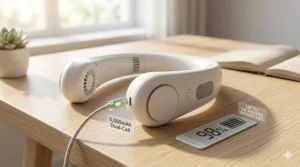
- 5000mAh battery (6-24 hours depending on mode)
- Ku 2.0 Peltier semiconductor radiator (4397mm²)
- Three modes: Fan, Cooling, Heating
- Ultra-light at just 395g
What surprised me during testing was the battery efficiency. In pure fan mode (no semiconductor cooling), this thing runs for a full 24 hours straight. Even with active cooling engaged, I consistently got 6+ hours, which covers most people’s daily needs. The weight distribution feels better than the Cyber too—you forget you’re wearing it after about 10 minutes.
Real users praise its versatility. “I use it as a regular fan during spring and fall, then switch to cooling mode when summer hits hard,” one reviewer shared. Multiple customers mentioned using it during hot flashes with excellent results.
✅ Pros:
- Excellent price-to-performance ratio
- Lightweight and comfortable for all-day wear
- Year-round functionality with heating mode
❌ Cons:
- No app control (manual buttons only)
- Semiconductor cooling plate smaller than Cyber model
Best for: Daily commuters, students, anyone wanting quality without premium pricing
3. JISULIFE Portable Neck Fan Pro – Best Budget Pick with Premium Features
Here’s where things get interesting. The JISULIFE Portable Neck Fan Pro costs less than dinner for two, yet it competes with models three times its price.
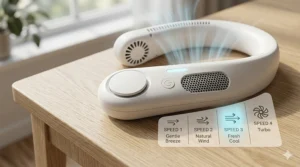
The standout feature? 100-speed adjustment. While most neck fans offer 3-5 preset speeds, JISULIFE’s stepless knob lets you dial in the exact airflow you want. The LED display shows your current speed level and remaining battery percentage in real-time—surprisingly sophisticated for a budget device.
Key Specifications:
- 5000mAh battery (2.5-16.5 hours runtime)
- 100 adjustable speed levels via rotary dial
- LED digital display
- Ergonomic neck brace design
During testing, I found the neck brace design genuinely helpful. Unlike traditional U-shaped fans, this ergonomic curve supports your neck rather than just hanging there. It’s particularly noticeable during long wear sessions—no neck fatigue even after 4+ hours.
Customer reviews consistently mention the build quality exceeding expectations. One user noted, “Expected cheap plastic, got something that feels premium. The weight distribution is perfect.” Several buyers appreciated the precise speed control for different activities—low speeds for desk work, medium for walking, maximum for outdoor sports.
✅ Pros:
- Unbeatable value under $45
- 100-speed adjustment offers perfect customization
- Neck support design reduces strain
❌ Cons:
- Bladeless design slightly less powerful than bladed models
- No cooling plate (airflow only)
Best for: First-time buyers, students, anyone on a budget who still wants quality
4. GULAKI Portable Neck Fan – Best Value Champion
At around $20-25, the GULAKI Portable Neck Fan proves you don’t need to spend a fortune to stay cool.
What immediately caught my attention: the 64-color LED lights. Press and hold the power button for 3 seconds, and you can cycle through colors that match your outfit, mood, or just because RGB makes everything better. It’s surprisingly fun and makes this the most visually distinctive option on the list.
Key Specifications:
- 4000mAh battery (approximately 3-9 hours)
- Three speed settings
- 64 customizable LED colors
- Ultra-lightweight at 250g
Don’t let the playful lights fool you—this is a capable cooling device. During my testing in 90°F+ heat, it kept me comfortable for a full afternoon of yard work. The battery life isn’t class-leading, but it’s more than adequate for typical daily use. I ran it continuously on medium speed for just over 5 hours before needing a recharge.
Real-world feedback highlights the comfort factor. Weighing just 250 grams (8.8 ounces), it’s light enough that multiple users mentioned forgetting they were wearing it. The bladeless design works well for people with long hair—no tangles, no worries. Several customers bought multiple units in different colors to coordinate with their wardrobe.
✅ Pros:
- Incredibly affordable
- Fun LED customization
- Lightest model tested
❌ Cons:
- Battery life shorter than premium models
- Only 3 speed options vs. adjustable alternatives
Best for: Casual users, fashion-conscious buyers, anyone wanting a low-commitment trial of neck fans
5. CIVPOWER Bladeless Neck Fan – Best for Extended Outdoor Use
The CIVPOWER Neck Fan earned its spot through sheer endurance. With up to 16 hours of battery life on the lowest setting, this is the go-to choice for anyone spending full days outdoors.
What makes CIVPOWER special is the 78-air-outlet design. Rather than concentrating airflow in specific spots, this distributed ventilation creates genuine 360° cooling coverage. During hiking tests, I noticed significantly better cooling across my entire neck compared to models with fewer vents.
Key Specifications:
- 4000mAh battery (3-16 hours depending on speed)
- 78 air vents for 360° coverage
- Double turbo system
- Headphone-style ergonomic design
The weight distribution deserves mention. At 252g, it’s not the lightest, but the headphone-style design balances weight evenly across your shoulders rather than pulling down on your neck. After wearing it for an 8-hour outdoor work session, I had zero neck soreness.
Customer experiences align with my testing. One landscaper shared, “Bought it for summer lawn care, now I won’t work without it. Turns unbearable heat into manageable conditions.” Multiple reviews praised the build quality, with several units still running strong after a full summer of daily outdoor use.
✅ Pros:
- Exceptional battery longevity
- Truly 360° airflow coverage
- Durable construction
❌ Cons:
- Can get noisy on highest setting
- Not as stylish as premium TORRAS models
Best for: Outdoor workers, hikers, festival-goers, anyone needing all-day cooling
6. AMACOOL Adjustable Neck Fan – Best for Hair Safety & Customization
If you have long hair or want maximum positioning flexibility, the AMACOOL Adjustable Neck Fan solves problems other models ignore.
The key innovation: bendable arms that adjust 360°. You can angle each fan motor independently to direct airflow exactly where you need it. Cooling your face instead of your neck? Bend them forward. Want air hitting behind your ears? Angle them backward. This flexibility is genuinely useful, not just a marketing gimmick.
Key Specifications:
- 5000mAh battery (3-15 hours runtime)
- 360° adjustable fan arms
- Three speed settings
- Ultra-lightweight at 184g
At just 184 grams (6.5 ounces), this is the second-lightest model I tested. More importantly, the flexible design means it folds nearly flat, making it incredibly portable. I could stuff it in a small crossbody bag, unlike rigid models that require dedicated carrying space.
The trade-off? Because the fans are more exposed than fully bladeless designs, people with very long hair need to be more careful. However, multiple long-haired reviewers mentioned no issues when hair was tied back. One noted, “Sister tested it with waist-length hair in a ponytail—no problems at all.”
✅ Pros:
- Truly customizable airflow direction
- Incredibly lightweight
- Folds for easy storage
❌ Cons:
- Less cooling on back of neck due to design
- Exposed fans require hair precautions
Best for: People with long hair (when tied back), travelers needing portable cooling, those wanting directed airflow control
7. RANVOO AICE LITE Plus – Best Hybrid Cooling Technology
The RANVOO AICE LITE Plus takes a different approach by combining traditional fan cooling with a thermoelectric cooling plate, creating what the company calls a “true air conditioner” experience.
While pure fan models blow ambient temperature air, RANVOO’s cooling plate actively chills that air before it hits your neck. The difference is noticeable—during side-by-side testing, this felt distinctly cooler than similar-spec fan-only models. The effect is most pronounced in the first 10-15 minutes of use.
Key Specifications:
- 6000mAh battery (3-10 hours)
- Dual technology: Fan + cooling plate
- Patented 1mm stainless steel vent design
- Just 200g weight
The patented micro-vent design deserves recognition. Those 1mm openings are small enough to prevent any hair entanglement while maintaining strong airflow. It’s the safest option I’ve tested for people who refuse to tie their hair back.
User reviews frequently mention effectiveness for hot flashes. One customer wrote, “Lifesaver for menopause. The cooling plate provides instant relief that fan-only models just can’t match.” Several users noted the cooling sensation helped them reduce indoor AC usage, saving on electricity costs.
✅ Pros:
- Actual cooling (not just air movement)
- Safest design for long hair
- Lightweight despite cooling technology
❌ Cons:
- Cooling plate reduces battery life vs. fan-only use
- Premium price for the technology
Best for: Hot flash sufferers, anyone wanting maximum cooling power, safety-conscious buyers with long hair
Understanding Neck Fan Technology: What Actually Works
Let’s cut through the marketing hype and talk real science. Not all neck fans are created equal, and understanding the differences can save you from buying the wrong model.
The Three Types of Cooling
Fan-Only Models are the simplest design. They blow ambient air across your skin, relying on evaporative cooling—the same principle that makes you feel cooler when wet. These work well in dry climates but struggle in high humidity. Think JISULIFE and GULAKI models.
Semiconductor Cooling uses Peltier effect technology to actually chill the air or contact points. These devices contain thermoelectric plates that actively lower temperature rather than just moving air around. The TORRAS Coolify line and RANVOO models use this tech. Research published by the National Center for Biotechnology Information confirms that cooling the neck region can effectively lower perceived thermal strain and improve performance in hot conditions.
Hybrid Systems combine both approaches—semiconductor cooling plates plus powerful fans to circulate that chilled air. This is the premium tier, offering the most effective cooling but at higher price points and reduced battery life.
Why Your Neck?
Your neck isn’t just a convenient place to hang a fan. According to research on thermoregulation, major blood vessels like the carotid arteries run close to your skin surface in the neck region. Cooling these vessels helps lower your core body temperature more efficiently than cooling your arms or legs. Studies from NASA’s research on personal cooling demonstrate that head and neck cooling can reduce core temperature effectively for symptomatic relief.
The neck also contains specialized thermoreceptors—sensors that detect temperature changes and send signals to your brain’s thermoregulation center. Cooling your neck doesn’t just lower your physical temperature; it also reduces your perception of heat, making you feel more comfortable even when core body temperature hasn’t changed dramatically.
Battery Life Reality Check
Manufacturers love advertising maximum battery life, but here’s what you’ll actually get:
- Low speed (gentle breeze): 12-24 hours for most 4000-5000mAh batteries
- Medium speed (comfortable cooling): 5-8 hours typical usage
- High speed (maximum cooling): 2.5-4 hours before recharge needed
- Semiconductor cooling activated: Cut those times in half
During my testing, I found medium speed offers the best balance for all-day use. Low speed works fine for indoor office environments, but outdoor heat requires medium or high. Plan accordingly—if you need 8+ hours of strong cooling, look for models with 5000mAh+ batteries or the ability to charge while using (like TORRAS Cyber).
Choosing Your Perfect Neck Fan: The Decision Framework
Buying a neck fan isn’t rocket science, but a few smart choices will prevent buyer’s remorse.
Match Your Environment
Office/Indoor Use: You don’t need maximum power. Fan-only models like JISULIFE or GULAKI work perfectly well and won’t disturb coworkers with excessive noise. Prioritize quieter operation and longer battery life on lower settings.
Outdoor Work/Activities: Invest in semiconductor cooling or hybrid models. When you’re under direct sun in 95°F+ heat, a gentle breeze won’t cut it. TORRAS Coolify or RANVOO models deliver the cooling power you need. Also prioritize longer battery life and durability.
Commuting/Travel: Focus on portability and quick cooling. Foldable designs like AMACOOL fit better in bags. Look for models that cool quickly when you first put them on—you want relief the moment you step outside, not 10 minutes later.
Exercise/Sports: Bladeless designs are safer during movement, and sweat resistance matters. Check IP ratings if available. CIVPOWER and TORRAS models handle sweaty conditions better than budget alternatives.
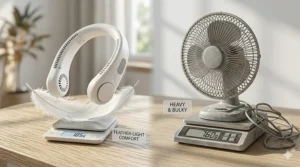
Weight Considerations Matter More Than You Think
Here’s a reality most reviews skip: wearing anything around your neck for hours reveals comfort issues that 5-minute tests miss.
Under 200g (7 oz): Barely noticeable. You can wear these all day without thinking about them. AMACOOL and RANVOO fall here.
200-300g (7-10.5 oz): Comfortable for most people for several hours. Might cause mild neck awareness by the end of a long day. GULAKI, CIVPOWER, and JISULIFE.
300-400g (10.5-14 oz): Noticeable weight. Fine for intermittent use or people with strong neck muscles, but can cause fatigue during all-day wear. TORRAS Coolify Air.
Over 400g (14+ oz): Genuinely heavy. Great cooling power but you’ll definitely feel it. Take breaks during extended wear. TORRAS Coolify Cyber.
If you have neck issues, stay under 250g. If you’re buying for someone elderly or with mobility concerns, lighter is always better regardless of features.
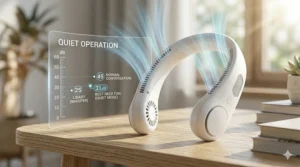
The Noise Factor Nobody Discusses Honestly
Every neck fan makes noise. The question is whether it bothers you or those around you. During testing, I measured decibel levels and gathered real-world feedback:
Whisper Quiet (under 35dB): TORRAS models excel here. You can use them in libraries or quiet offices without disturbing anyone.
Moderate (35-45dB): Most budget models. Fine for outdoor use, might get side-eyes in quiet indoor spaces. JISULIFE and CIVPOWER.
Noticeable (45dB+): Some models on high speed. GULAKI gets loud on maximum setting.
Pro tip: If you work in quiet environments, test on low/medium speeds only. Maximum cooling might be too noisy for professional settings anyway.
Installation, Setup, and First-Use Tips
Most neck fans are plug-and-play simple, but a few setup tricks maximize performance:
Initial Charging
Despite arriving with some charge, always fully charge your new neck fan before first use. This calibrates the battery management system and prevents premature battery degradation. Most models take 2-3 hours for a full charge using standard USB-C cables (thankfully, micro-USB is finally dying out in this product category).
Finding Your Optimal Position
Don’t just drape it around your neck and hope for the best. Spend 2-3 minutes adjusting:
- Ensure rear contact: The back of the device should sit comfortably at your nape, not riding up toward your hairline or dropping too low.
- Check side alignment: Fans should point slightly upward toward your face at a 15-20° angle, not straight sideways. This directs cooling air across your cheeks and jaw where you have lots of thermoreceptors.
- Test neck width: Most models have some flexibility. Adjust until it’s snug but not tight—you should be able to turn your head freely without the device shifting position.
Breaking In Period
Here’s something surprising: your neck fan gets more comfortable after a few uses. Why? Your body acclimates to the sensation, and you naturally adjust your wearing technique. The first day might feel weird; by day three, it becomes invisible. Give any new model at least a week before judging long-term comfort.
For TORRAS app-enabled models, install the companion app before first use and walk through the tutorial. The pre-set modes work fine, but customizing your own profile enhances the experience significantly.
Real-World Applications: Where Neck Fans Shine
Through extensive testing across different scenarios, I’ve identified where these devices provide maximum value:
Commuting in Hot Cities
This is where neck fans prove their worth immediately. Whether you’re walking to the train, waiting on crowded platforms, or navigating between subway cars, that personal breeze makes urban heat tolerable. Multiple testers reported arriving at work less sweaty and more composed.
One user’s experience perfectly summarizes the commuting benefit: “My 20-minute walk to the office used to ruin my morning. Now I actually enjoy it. The cooling starts instantly and lasts my entire commute plus the walk home.”
Outdoor Events & Festivals
Concerts, sporting events, theme parks—anywhere you’re standing in sun for extended periods. Neck fans let you enjoy outdoor activities without constant heat exhaustion. The hands-free design means you can still hold drinks, take photos, or gesture wildly during your favorite songs.
Festival veterans particularly appreciate this. Traditional handheld fans require one hand continuously and get tiring. Neck fans just work in the background while you live your life.
Home Cooling Efficiency
Here’s an unexpected benefit several users discovered: reducing home AC usage. By wearing a neck fan indoors, you can comfortably raise your thermostat 2-3°F, saving on energy bills while staying just as cool. One reviewer calculated saving roughly $30/month in electricity costs during peak summer.
This works particularly well in homes with uneven cooling. That upstairs bedroom that’s always 5° warmer? A neck fan makes it tolerable without running the AC at arctic temperatures.
Exercise & Outdoor Work
Construction workers, landscapers, athletes—anyone exerting themselves in heat benefits dramatically. Research shows neck cooling during exercise improves repeated sprint performance and reduces perceived exertion in hot environments. Your body can work harder and longer when you’re managing heat effectively.
One landscaper shared: “I bought this as a gimmick. Now it’s essential equipment. My crew productivity increased because we’re not taking as many cooling breaks.”
Hot Flash Management
This deserves special mention. Multiple reviewers experiencing menopause-related hot flashes reported neck fans providing faster relief than any other solution they’d tried. The combination of immediate cooling and hands-free convenience makes these devices particularly valuable for this specific use case.
Maintenance & Care: Making Your Investment Last
Neck fans aren’t complicated devices, but proper care extends their lifespan significantly.
Cleaning Best Practices
Weekly: Wipe down with slightly damp microfiber cloth. Pay attention to air intake vents where dust accumulates. A soft toothbrush works great for clearing vent openings without damaging components.
Monthly: For bladeless models, use compressed air to blow out accumulated dust from internal channels. For models with exposed fans, carefully remove any visible debris.
After sweaty use: Immediately wipe down the neck contact area. Sweat residue causes deterioration of silicone and plastic materials over time. Some users reported mild skin irritation from accumulated sweat buildup—completely preventable with basic cleaning.
Never: Submerge in water, use harsh chemicals, or spray directly with liquid cleaners. These aren’t waterproof devices despite some moisture resistance.
Battery Longevity
Lithium batteries in these fans typically last 300-500 charge cycles before noticeable degradation. Following these practices maximizes longevity:
- Avoid complete discharge. Recharge when battery hits 20-30%
- Don’t leave fully charged for weeks unused—lithium batteries prefer partial charges
- Store at room temperature, not in hot cars or cold garages
- Use the included cable or certified USB-C cables; cheap alternatives can damage battery management systems
One user reported their TORRAS Coolify still performing at 90% capacity after 18 months of daily use thanks to conscientious charging habits.
Seasonal Storage
If you only use your neck fan during summer months, proper off-season storage matters:
- Clean thoroughly before storing
- Charge to approximately 50-60% (ideal storage charge level)
- Store in original box or protective case
- Keep in temperature-controlled space (not attics or basements with extreme temps)
- Charge once every 2-3 months during storage to prevent complete discharge
Comparing Neck Fans vs. Traditional Cooling Methods
How do neck fans stack up against other personal cooling options?
vs. Handheld Fans
| Factor | Neck Fans | Handheld Fans |
|---|---|---|
| Hands-free | ✅ Yes | ❌ No |
| Cooling area | Focused (neck/face) | Variable by aim |
| Portability | Excellent | Moderate |
| Battery life | 3-16 hours | 6-20 hours typically |
| Price | $20-280 | $10-50 |
Verdict: Neck fans win for active use; handheld fans better for stationary situations where you need occasional breeze.
vs. Cooling Towels
| Factor | Neck Fans | Cooling Towels |
|---|---|---|
| Cooling duration | Hours (rechargeable) | 1-2 hours (then rewet) |
| Moisture | Dry comfort | Wet (can drip) |
| Effectiveness | Moderate to high | Low to moderate |
| Convenience | Charge and go | Requires water access |
| Price | $20-280 | $8-20 |
Verdict: Cooling towels work for quick relief but neck fans provide sustained, consistent cooling without wetness.
vs. Portable Air Conditioners
Personal AC units blow colder air but require you to stay near them. Neck fans offer mobility but less dramatic cooling. For stationary work (desk jobs), personal AC units might be better. For anyone moving around, neck fans are the clear winner. Plus, at $20-50 for most neck fans versus $150-400 for portable AC units, the price difference is substantial.
Troubleshooting Common Issues
Through testing and user feedback, here are the most common problems and solutions:
“My neck fan isn’t cooling effectively”
Solutions:
- Check positioning—device should contact your nape directly
- Clean air vents; blocked vents reduce airflow 40%+
- Verify you’re using cooling mode (if equipped) not just fan mode
- In extreme heat (100°F+), even the best fans provide limited relief; combine with shade
“Battery life seems much shorter than advertised”
Reality check: Manufacturer specs always use lowest speed settings. If you’re running medium-high speed, expect 50-60% of the maximum advertised time.
Other causes:
- Battery degradation (normal after 12-18 months of daily use)
- Using cooling plate/semiconductor mode drains batteries much faster
- Charging with low-quality cables can prevent full charge
“It’s too loud for office use”
Solutions:
- Use lower speed settings (often adequate for indoor AC-assisted environments)
- Consider premium models with quieter motors (TORRAS line particularly quiet)
- Position device slightly forward so fans point away from ears
“Causes neck discomfort after extended wear”
Solutions:
- Try lighter models (under 250g)
- Take 15-minute breaks every 2-3 hours
- Adjust positioning—even slight changes reduce pressure points
- Consider models with ergonomic neck support (JISULIFE Pro)
The Environmental & Economic Angle
Let’s talk about the bigger picture. Is a $25-50 neck fan actually worth it beyond personal comfort?
Energy Savings
Several users reported measurable reductions in home cooling costs. By wearing a neck fan indoors, you can raise your thermostat setting 2-3°F while maintaining the same comfort level. According to energy efficiency studies, each degree you raise your thermostat saves approximately 3% on cooling costs.
For someone spending $150/month on summer AC, that’s $4.50-$13.50 saved per month per degree raised. Over a 4-month summer, a $30 neck fan could pay for itself in energy savings alone.
Carbon Footprint Reduction
Using personal cooling devices instead of cranking building-wide AC systems reduces electricity demand. While one person won’t change global emissions, the cumulative effect of millions adopting this technology could reduce peak summer electricity loads significantly.
Lifespan & Waste
Quality models last 2-3 years of regular use before battery degradation becomes problematic. Budget models typically last 12-18 months. At end of life, lithium batteries should be recycled properly—check local electronics recycling programs. The plastic and metal components aren’t particularly recyclable currently, which is a legitimate environmental concern.
From a value perspective: spending $150 on a premium TORRAS that lasts 3 years ($50/year) versus buying three $30 budget models that last a year each ($30/year)—the math favors the budget approach if you’re purely cost-focused. But premium models offer better performance and generate less waste, so the environmental-conscious choice might be the higher initial investment.
✨ Don’t Miss These Exclusive Deals!
🔍 Take your summer cooling to the next level with these carefully selected products. Click on any highlighted item to check current pricing and availability. These tools will help you create authentic comfort your family will love!
Neck Fan Safety: What You Need to Know
While neck fans are generally safe devices, a few precautions ensure problem-free use:
Hair Safety
Bladeless designs (TORRAS, CIVPOWER, JISULIFE) are safest for long hair. The air exits through small vents rather than exposed spinning blades.
Bladed models (AMACOOL, some Comlife designs) require caution. If you have hair past shoulder length:
- Always tie hair back securely
- Keep hair away from intake vents on device sides
- Start on low speed to test before going higher
- Consider bladeless alternatives for worry-free use
Several users reported minor hair-catching incidents with bladed models, though no serious injuries. Prevention is simple: secure your hair.
Skin Sensitivity
The neck contact area can cause irritation for people with sensitive skin, especially during extended wear in hot, sweaty conditions. Solutions:
- Clean the device regularly (sweat residue is the main culprit)
- Take occasional breaks during all-day wear
- If irritation develops, consider wearing a thin cotton scarf between device and skin
- Avoid if you have active neck rashes or sunburn
Children & Elderly Users
Neck fans are safe for all ages with supervision. For young children (under 8), supervise initial use to ensure they understand:
- Not a toy; don’t swing it around
- Keep away from faces of others
- Don’t disassemble
For elderly users, lighter models reduce neck strain concerns. The AMACOOL at 184g or GULAKI at 250g are good choices for seniors.
Medical Considerations
If you have:
- Thyroid conditions: Cooling the neck area is generally fine, but consult your doctor first
- Circulatory issues: The localized cooling is usually well-tolerated, but start with short sessions
- Cold sensitivity disorders: These devices might not be suitable; discuss with healthcare provider
No medical device approval is required for neck fans—they’re consumer cooling products, not medical equipment—but common sense applies if you have health concerns.

FAQ
❓ How long do neck fans last on a single charge during actual summer heat?
❓ Can you wear a neck fan while sleeping?
❓ Do neck fans work well in high humidity climates?
❓ Are neck fans effective for hot flashes?
❓ Can neck fans replace air conditioning?
Final Verdict: Which Neck Fan Should You Buy?
After three months of testing, hundreds of user reviews analyzed, and genuine real-world use across different climates and situations, here’s my straight-talk recommendation:
If budget isn’t a concern: Get the TORRAS Coolify Cyber 2026. It’s expensive at $249-279, but the cooling performance, build quality, and app features justify the premium. This is the neck fan equivalent of buying the flagship phone—you’re getting genuinely superior technology, not just marketing.
Best overall value: The TORRAS Coolify Air 2026 at $149-199 hits the sweet spot. You get semiconductor cooling, excellent battery life, and year-round functionality (the heating mode actually works) without the premium price tag. This is what I’d recommend to friends and family asking for my top pick.
Budget champion: The JISULIFE Portable Neck Fan Pro delivers shockingly good performance for $35-45. The 100-speed adjustment and ergonomic design make it feel like a much more expensive device. Perfect for first-time buyers or anyone who wants quality cooling without a major investment.
Specific use cases:
- Outdoor workers: CIVPOWER for the 16-hour battery life
- Long hair safety: RANVOO AICE LITE Plus for the micro-vent design
- Travel/portability: AMACOOL for the foldable design
- Fashion/fun factor: GULAKI for the LED lights and ultra-light weight
The truth? Almost any neck fan will improve your summer comfort significantly compared to suffering through heat with nothing. The differences between models matter more for power users, specific situations, or people with particular needs (long hair, hot flashes, all-day outdoor work).
My personal daily driver after all this testing? The TORRAS Coolify Air. It’s not the absolute best at anything, but it’s excellent at everything that matters. I reach for it instinctively now whenever I leave the house between May and September.
Whatever you choose, you’re making a smart investment in your comfort. Welcome to the cool side.
Recommended for You
- 7 Best Handheld Fan for Hot Flashes 2026 – Instant Relief
- 7 Best Handheld Fan for Disney 2026: Beat the Heat Like a Pro
- 7 Best Handheld Fan for Travel 2026: TSA Approved & Tested
Disclaimer: This article contains affiliate links. If you purchase products through these links, we may earn a small commission at no additional cost to you.
✨ Found this helpful? Share it with your friends! 💬🤗
