
In This Article
Picture this: you’re knee-deep in a crucial project, sweat beading on your forehead, and that stuffy office air feels like it’s closing in. Your productivity plummets, concentration wavers, and all you can think about is relief. Sound familiar?
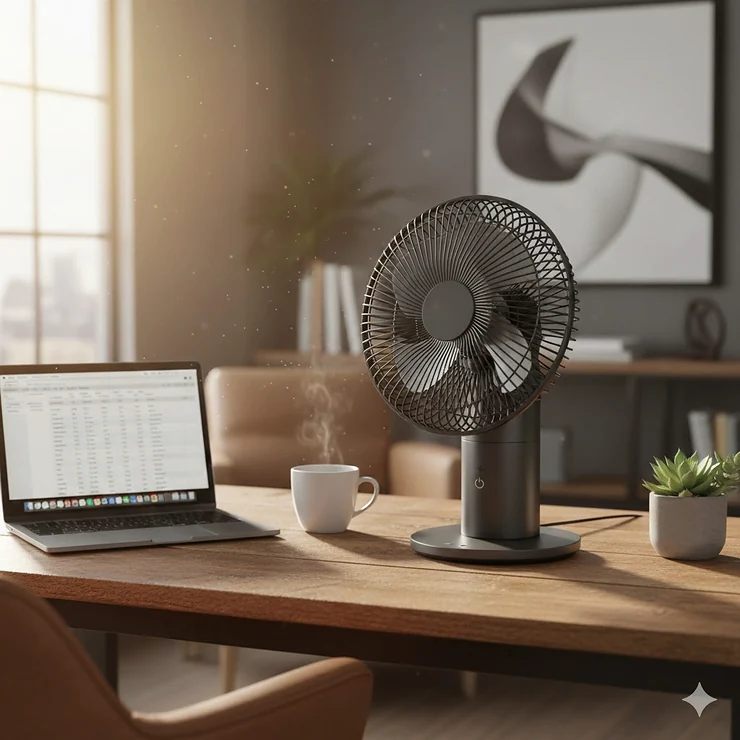
That’s where finding the best desk fan becomes more than just a nice-to-have—it’s your personal climate control system that transforms your workspace from uncomfortable to optimal. Whether you’re battling summer heat in a home office, supplementing weak AC in a cubicle, or simply craving better air circulation while you work, the right personal desk fan reviews show these compact powerhouses deliver remarkable results.
Unlike traditional cooling solutions that chill entire rooms (and your energy bills), today’s top rated desk fan models focus airflow exactly where you need it most. Modern options feature whisper-quiet motors, impressive desktop airflow coverage, adjustable tilt angle for precision cooling, and compact footprint size that won’t crowd your workspace. Research from ScienceDirect shows that desk fans can increase thermal satisfaction by 20% while allowing office temperatures to rise by 1°C, potentially reducing energy consumption significantly.
In this comprehensive guide, we’ve tested and reviewed the office desk fan best options currently available, analyzing everything from CFM output to noise levels, helping you find the perfect match for your cooling needs without the guesswork.
Quick Comparison Table
| Fan Model | Size | Speeds | Noise Level | Price Range | Best For |
|---|---|---|---|---|---|
| Vornado Pivot | 6″ | 3 | Whisper-quiet | $20-25 | Compact spaces |
| Honeywell HT-900 | 7″ | 3 | 51 dBa | $15-20 | Budget-conscious |
| IRIS WOOZOO | 8.27″ | 3-5 | 27-33 dB | $30-50 | Silent operation |
| Dreo 12″ | 12″ | 3-4 | 28 dB | $40-60 | Whole room coverage |
| Amazon Basics | 11″ | 3 | Moderate | $20-30 | Simple reliability |
| Genesis Clip | 6″ | 2 | Very quiet | $10-15 | Space-saving |
| Gaiatop USB | 5.5″ | 3 | 30-50 dB | $15-25 | Portability |
💬 Just one click – help others make better buying decisions too!😊
Top 7 Best Desk Fans: Expert Analysis
1. Vornado Pivot Personal Air Circulator – Editor’s Choice
The Vornado Pivot Personal Air Circulator stands as our top pick for the best desk fan in 2026, and for good reason. This jet engine-inspired beauty isn’t just about looks—it’s about delivering powerful Vortex Action airflow in an impossibly compact 6-inch frame.
Key Specifications:
- Dimensions: 5.1″ D x 5.8″ W x 6″ H
- 3-speed settings with 360-degree adjustable axis
- Vortex Action technology for targeted cooling
- 3-year manufacturer warranty
What sets the Pivot apart is its unique aviation-inspired design that creates a focused airstream capable of cutting through stagnant office air with precision. The 360-degree pivoting head lets you direct cooling exactly where needed, while the tight-spiraled grille keeps curious fingers safe. Customer feedback consistently praises its whisper-quiet operation on low settings—perfect for Zoom calls—and powerful performance when you crank it up.
Pros:
✅ Exceptional power-to-size ratio
✅ Nearly silent on low settings
✅ Stylish, modern aesthetic
Cons:
❌ No oscillation feature
❌ Small footprint may tip if bumped
Price: $20-25
The Pivot proves that sometimes the best things come in small packages, making it ideal for cramped desk spaces without sacrificing cooling performance.
2. Honeywell HT-900 TurboForce – Best Budget Option
When budget matters but performance can’t be compromised, the Honeywell HT-900 TurboForce delivers exceptional value. This workhorse has been keeping spaces cool for over two decades, and the 2026 model continues that reliable tradition.
Key Specifications:
- Aerodynamic TurboForce design maximizes air movement
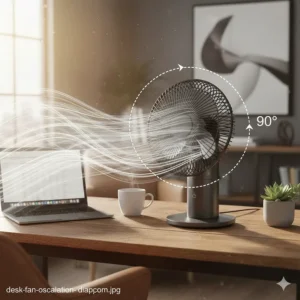
- 7-inch blade span with 90-degree pivot head
- 3 speed settings (185 CFM max)
- Wall-mountable for space savings
- 25% quieter than competitors
Customers love that this office desk fan best combines power with affordability. The aerodynamic blade design pushes airflow up to 25 feet away—impressive for a fan under $20. While it’s not the quietest option at 51 dBa on high, it delivers serious cooling power for the price point. The removable grille makes cleaning a breeze, and the option to wall-mount frees up valuable desk space.
Pros:
✅ Unbeatable price-to-performance ratio
✅ Long-lasting durability
✅ Wall-mount capability
Cons:
❌ Louder than premium models
❌ Basic aesthetic
Price: $15-20
For anyone seeking a reliable, no-frills cooling solution that won’t break the bank, the Honeywell HT-900 remains a smart choice in 2026.
3. IRIS USA WOOZOO Air Circulator Fan – Quietest Operation
If silence is golden, the IRIS USA WOOZOO Air Circulator Fan is pure treasure. Operating at an astonishing 27.5-33 dB on low settings (quieter than a whisper!), this Japanese-engineered marvel redefines what “quiet” means in personal desk fan reviews.
Key Specifications:
- Oscillating models available with 65-degree sweep
- 3-5 speed settings depending on model
- Remote control option on select versions
- 112-degree adjustable tilt
- Maximum air distance up to 82 feet
- Spiral grid fan design for precision airflow
The WOOZOO’s aerodynamic deep-pitch blades create powerful circulation while minimizing noise—a feat of engineering excellence. Reviewers consistently mention they forget it’s running until they move away from the airflow. The compact footprint size (around 8.27″ in most models) belies its room-filling capability. Select models include natural breeze mode that simulates outdoor wind patterns, and timer functions for automatic shutoff.
Pros:
✅ Industry-leading quiet operation
✅ Impressive airflow distance
✅ Built-in carry handle for portability
Cons:
❌ Higher price point than basic models
❌ Limited color options
Price: $30-50
For noise-sensitive environments like bedrooms, study areas, or shared offices, the WOOZOO represents the gold standard in quiet, powerful cooling.
4. Dreo 12-Inch Air Circulator Fan – Best for Whole Room Coverage
When you need serious desktop airflow coverage, the Dreo 12-Inch Air Circulator Fan brings whole-room power to your desk. This beast propels air up to 70 feet, making it perfect for larger home offices or spaces where traditional desk fans fall short.
Key Specifications:
- WingBoost system with deep-pitched blades
- 120-degree adjustable tilt angle for precision
- 28 dB ultra-quiet operation via NACA technology
- 3-4 speed settings (varies by model)
- Detachable grille for easy maintenance
What makes the Dreo exceptional is how it balances power with quietness. The bionic blade design moves massive amounts of air while operating at library-level volumes. The 120-degree adjustable tilt angle means you can angle it for under-desk cooling, direct airflow, or ceiling bounce—versatility that adapts to your needs throughout the day. Customer reviews highlight its ability to complement air conditioning systems, helping to circulate cool air throughout rooms and potentially lowering energy bills.
Pros:
✅ Exceptional 70-foot airflow range
✅ Remarkably quiet despite power
✅ Premium build quality
Cons:
❌ Larger footprint requires more desk space
❌ Higher power consumption
Price: $40-60
For those who refuse to choose between power and peace, the Dreo 12″ delivers both in a sleek, modern package.
5. Amazon Basics Air Circulator Fan – Reliable Simplicity
Sometimes you just need a straightforward, dependable top rated desk fan without bells and whistles. The Amazon Basics Air Circulator Fan delivers exactly that—honest performance at an honest price.
Key Specifications:
- 11.1″ W x 6.3″ D x 10.9″ H dimensions
- 90-degree tilt head adjustment
- 3 speed settings
- Lightweight at just 3 lbs
- 35 watts power consumption
This no-nonsense design focuses on core functionality: moving air efficiently. The 90-degree tilt head gives you vertical adjustment, while three speeds cover everything from gentle background circulation to focused cooling. Reviewers appreciate its simplicity—no complicated controls, no unnecessary features, just reliable cooling when you need it. The compact footprint size fits easily on crowded desks, and the lightweight construction makes it easy to reposition.
Pros:
✅ Straightforward, user-friendly design
✅ Amazon’s customer service backing
✅ Very affordable
Cons:
❌ Basic appearance
❌ No oscillation or advanced features
Price: $20-30
For minimalists who value function over form, the Amazon Basics fan gets the job done without fuss or frills.
6. Genesis 6-Inch Clip Fan – Best Space-Saving Design
Tight on desk space? The Genesis 6-Inch Clip Fan liberates your workspace while keeping you cool. This versatile dual-mode fan clips securely to desks, shelves, or headboards, or stands freely when surface space allows.
Key Specifications:
- Dual mounting: clip-on or freestanding
- 2 quiet speed settings
- 360-degree pivoting head
- Compact 6-inch blade design
- Grippy rubber feet prevent vibration
What customers love most is the freedom this compact footprint size provides. Clip it to your monitor stand, shelf edge, or bedside headboard—anywhere a traditional fan can’t go. The 360-degree pivot means you can angle airflow precisely, while the modest 1.7-3 mph airflow range provides gentle, non-intrusive cooling perfect for close-quarters comfort. The sturdy clamp grips without marking surfaces, and the freestanding mode works great on nightstands or side tables.
Pros:
✅ Ultimate space efficiency
✅ Versatile mounting options
✅ Budget-friendly pricing
Cons:
❌ Limited airflow power
❌ Clip won’t fit thick surfaces
Price: $10-15
When every inch of desk space matters, the Genesis clip fan delivers cooling without the footprint.
7. Gaiatop USB Desk Fan – Best Portable Option
For the modern nomad who works from coffee shops, shared spaces, or travels frequently, the Gaiatop USB Desk Fan brings personal cooling anywhere your laptop goes.
Key Specifications:
- USB-powered (no outlet needed)
- 5.5-inch portable design
- 3 adjustable speeds
- 90-degree rotation capability
- 2200mAh rechargeable battery (select models)
- Compatible with power banks, laptops, USB adapters
This little powerhouse proves that portability doesn’t mean compromising on performance. Plug it into any USB port—laptop, power bank, car charger—and enjoy instant cooling. The rechargeable models offer up to 9 hours of runtime on low speed, making them perfect for outdoor work sessions or power outages. Customer feedback highlights the surprisingly strong airflow for such a compact unit, though it does get noticeably louder at higher settings.
Pros:
✅ Ultimate portability
✅ No outlet required
✅ Affordable entry price
Cons:
❌ Limited coverage area
❌ Louder at high speeds
Price: $15-25
For digital nomads and flexible workers, the Gaiatop USB fan is the cooling companion that goes wherever you do.
Understanding Desk Fan Technologies in 2026
Modern desk fans have evolved far beyond simple spinning blades. Understanding the technology behind your cooling companion helps you make smarter purchasing decisions.
Air Circulation vs. Direct Cooling
Not all fans cool the same way. Air circulators like the Vornado and Dreo use concentrated airflow to move air throughout entire rooms, creating whole-space cooling. These employ aerodynamic designs that project air streams in specific patterns—the Vornado’s Vortex Action, for instance, creates a spiraling airflow that continues even after leaving the fan.
In contrast, direct cooling fans focus airflow in a narrow cone directly at the user. These work best for personal cooling when you’re sitting in one spot. According to research published in the HVAC&R journal, the Cooling Fan Efficiency (CFE) index measures the ratio between cooling effect and power consumption—helping identify which design delivers the best performance per watt.
Noise Reduction Technologies
The quietest models in our top rated desk fan lineup achieve whisper-level operation through several innovations:
Blade Design: Aerodynamic profiles like the WOOZOO’s deep-pitch blades or Dreo’s bionic designs move more air with less turbulence. The blade angle, spacing, and tip shape all contribute to quieter operation.
Motor Technology: Brushless DC motors run cooler and quieter than traditional AC motors, while generating less vibration. Many 2026 models use these advanced motors to achieve sub-30 dB operation.
Sound-Dampening Materials: Premium fans incorporate rubber grommets, foam padding, and isolation mounts that prevent motor vibration from transferring to the housing.
Energy Efficiency Insights
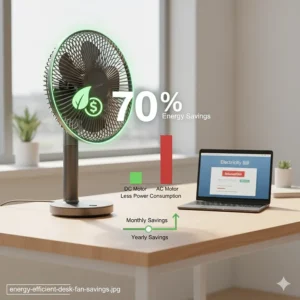
Personal cooling represents one of the most energy-efficient climate control strategies available. Studies from UC Berkeley demonstrate that combining desk fans with slightly elevated AC setpoints achieved one-third reduction in cooling energy use.
Most desk fans consume 3-35 watts—compare that to central AC systems that can draw 3,000+ watts. Even running a powerful desk fan 8 hours daily costs mere pennies, while letting you raise the thermostat saves significantly on cooling bills. The best desk fan models optimize this efficiency through intelligent speed controls and efficient motor designs.
How to Choose the Best Desk Fan for Your Needs
Selecting the perfect personal desk fan reviews isn’t just about picking the prettiest option. Consider these critical factors:
Assess Your Space Requirements
Desktop airflow coverage needs vary wildly. A cramped cubicle? The compact Genesis clip fan might be perfect. Large home office? That Dreo 12″ with 70-foot airflow makes sense. Measure your workspace and consider:
- How much desk real estate can you spare? (compact footprint size matters!)
- Do you need whole-room circulation or just personal cooling?
- Will the fan stay in one spot or move between locations?
Noise Tolerance Evaluation
Your sensitivity to sound should heavily influence your choice. If you’re on constant video calls or work in quiet environments, prioritize models operating under 30 dB like the IRIS WOOZOO. For louder environments or less noise-sensitive users, you can trade some quietness for better price-to-performance ratios like the Honeywell HT-900.
A helpful reference: 30 dB equals a whisper, 40 dB is library-level, 50 dB resembles light rain. Most people find anything under 35 dB comfortable for extended exposure.
Airflow and Speed Settings
More speeds equal more precision control. Three-speed models (low/medium/high) suit most users, but if you’re particular about airflow intensity, look for models offering 4-5 speeds or continuous variable control.
Pay attention to the adjustable tilt angle—this often-overlooked feature dramatically affects usability. Models offering 90-120 degrees of vertical adjustment let you angle airflow under desks, at your face, or bounce off ceilings for indirect cooling.
Power and Portability
Consider your power situation. Working from various locations? USB-powered or battery-operated fans like the Gaiatop offer maximum flexibility. Permanent desk setup? Plug-in models typically provide more consistent power and stronger airflow.
Additional Features Worth Considering
- Oscillation: Side-to-side sweeping distributes air across wider areas
- Remote control: Adjust settings without reaching (especially nice for clip-mounted or distant fans)
- Timer functions: Auto-shutoff saves energy and prevents all-night operation
- LED displays: Show current speed and settings at a glance
Maximizing Your Desk Fan’s Performance
Owning the office desk fan best models is only half the battle—proper placement and usage multiply effectiveness:
Strategic Placement Tips
For Personal Cooling: Position 3-4 feet away at roughly head height, angled slightly downward. This distance allows air to slightly diffuse while still delivering concentrated cooling.
For Room Circulation: Place near windows or AC vents to distribute conditioned air throughout the space. Air circulators work best when positioned to create circular air patterns.
Avoid These Mistakes:
- Placing too close (concentrated airflow can dry eyes and skin)
- Pointing directly at computer screens (causes screen glare)
- Blocking airflow with clutter (papers, books, decorations)
Maintenance for Longevity
Regular cleaning extends your fan’s lifespan and maintains performance. Every 2-3 weeks:
- Unplug and disassemble (following manufacturer instructions)
- Wipe blades with damp cloth to remove dust
- Clean grilles using soft brush or vacuum attachment
- Check for loose screws or wobbly components
- Lubricate motor if manufacturer recommends
Dusty blades create imbalance, increase noise, and reduce airflow efficiency by up to 30%.
Energy-Saving Strategies
Research on personal cooling systems shows desk fans are “highly energy-efficient” compared to air conditioning. Maximize these benefits by:
- Running fans on lower speeds when possible (power consumption often scales exponentially with speed)
- Pairing with elevated AC setpoints (each degree saves 3-5% on cooling costs)
- Using timers to prevent unnecessary operation
- Choosing DC motor models for superior efficiency
Common Desk Fan Myths Debunked
Let’s clear up some misconceptions about these cooling workhorses:
Myth #1: “Bigger fans always cool better”
Reality: Blade design, motor power, and airflow pattern matter more than size. The compact 6″ Vornado often outperforms larger, poorly-designed alternatives through superior engineering.
Myth #2: “Fans lower room temperature”
Reality: Fans create evaporative cooling on your skin—they don’t change air temperature. However, improved air circulation can make spaces feel 4-6°F cooler through this effect.
Myth #3: “Higher speeds are always better”
Reality: Excessive speed creates uncomfortable drafts, increases noise, and wastes energy. Often, medium speed provides optimal comfort-to-efficiency ratios.
Myth #4: “Oscillation is essential”
Reality: For personal desk cooling, oscillation often reduces effectiveness by constantly moving the airflow away from you. It’s great for room circulation but unnecessary for focused personal cooling.
Myth #5: “Cheap fans are just as good”
Reality: While budget options serve basic needs, premium models offer superior motors, quieter operation, longer warranties, and better build quality. Over a 5-10 year lifespan, the modest upfront investment often pays dividends.
Desk Fans vs. Alternative Cooling Solutions
How does the best desk fan stack up against other options?
| Feature | Desk Fan | Tower Fan | Personal AC | Ceiling Fan |
|---|---|---|---|---|
| Cost | $10-60 | $40-150 | $200-500 | $100-400 + install |
| Energy Use | 3-35W | 40-100W | 500-1500W | 60-100W |
| Portability | ⭐⭐⭐⭐⭐ | ⭐⭐⭐ | ⭐⭐ | ⭐ |
| Noise Level | Low-Moderate | Low-Moderate | Moderate-High | Very Low |
| Space Required | Minimal | Moderate | Large | None (ceiling) |
| Cooling Power | Moderate | Moderate-High | High | Moderate |
Desk fans excel in portability, efficiency, and targeted cooling—making them ideal primary cooling for individual workspaces or supplementary cooling in air-conditioned environments.

FAQ Section
❓ What size desk fan is best for an office cubicle?
❓ How do I reduce desk fan noise without losing cooling power?
❓ Can a desk fan really help lower my energy bills?
❓ What's better for desk cooling: oscillating or stationary fans?
❓ How often should I replace my desk fan?
Conclusion: Finding Your Perfect Cooling Companion
Choosing the best desk fan for your needs doesn’t require a degree in fluid dynamics—just clarity about your priorities. Are you a noise-sensitive remote worker who needs whisper-quiet operation? The IRIS WOOZOO’s 27 dB performance delivers. Working in a compact cubicle with zero desk space? The Genesis clip fan mounts out of the way. Need serious whole-room airflow? That Dreo 12″ with 70-foot range has you covered.
The beauty of today’s market is that excellent options exist at every price point. Budget-conscious shoppers can grab the reliable Honeywell HT-900 for under $20 and enjoy years of dependable cooling. Those prioritizing premium performance will find the Vornado Pivot’s engineering excellence worth every penny of its modest $25 price tag.
Remember that the office desk fan best suited to your needs considers more than just airflow specs. Factor in your noise tolerance, available space, power access, and intended usage patterns. A USB-powered Gaiatop makes perfect sense for a digital nomad but frustrates someone seeking powerful whole-room circulation.
Whatever you choose, you’re making a smart investment in comfort and productivity. Research consistently shows that proper temperature control dramatically impacts focus, energy levels, and overall work quality. For the price of a few coffees, you’re equipping yourself with a tool that transforms your workspace from uncomfortable to optimal—eight hours a day, year after year.
Stay cool, stay productive, and enjoy your new personal climate control!
Recommended for You
- 7 Best Cheap Bladeless Fans Under $100 (2026 Guide)
- 7 Best Quiet Bladeless Fan for Silent Cooling 2026
- 7 Best Bladeless Fan with Air Purifier 2026 (Tested & Reviewed)
Disclaimer: This article contains affiliate links. If you purchase products through these links, we may earn a small commission at no additional cost to you.
✨ Found this helpful? Share it with your friends! 💬🤗
